
Imagine landing on a page and instantly being captivated by a video that speaks directly to you. You’re intrigued, engaged, and ready to explore more.
Integrating a video onto your landing page isn’t just about aesthetics; it’s about creating an immersive experience that connects with your audience on a deeper level. Are you wondering how to achieve this seamless integration? You’re in the right place.
This guide will walk you through the straightforward steps to HTML a video onto your landing page, ensuring that your visitors are not just passersby but engaged participants in your story. Get ready to unlock the potential of visual storytelling and make your landing page a magnet for attention.
Benefits Of Adding Video To Landing Pages
Adding a video can make your page more exciting. Users love watching videos. They stay on your page longer. This keeps them interested. Videos can be fun and easy to watch. It’s like a mini-show on your page.
People enjoy seeing moving pictures. Videos show things fast. They can explain ideas well. Visitors might click and watch. This makes them feel happy. It can make your page more fun.
Videos help people decide. They show why your product is good. People trust what they see. It helps them make choices. They might want to buy. Videos can help sell more.
Search engines like Google love videos. They rank pages with videos higher. More people will find your page. This brings more visitors. It helps your site grow.
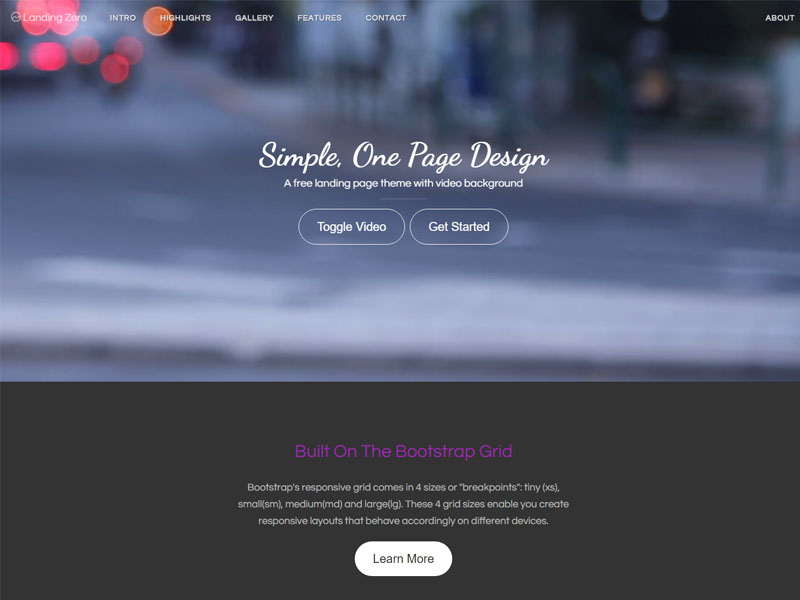
Credit: themewagon.com
Choosing The Right Video Format
Choosing the right video format is important for your landing page. Most web browsers support MP4 and WebM. These formats are popular. They work well on many devices. Avoid formats like AVI and WMV. They are less compatible with browsers.
Video quality affects user experience. High-quality videos look clear and sharp. Keep the file size small for fast loading. Use compression tools to reduce file size. Ensure the video plays smoothly. Test on different browsers and devices. This helps in reaching more users.
Preparing Your Video For Web
Videos must be compressed before uploading. Large videos take longer to load. Use tools like HandBrake or Adobe Media Encoder. These tools make videos smaller without losing quality. Choose the right format. MP4 is a good choice. It works on most platforms.
Videos should work on all devices. Phones, tablets, and computers. Use responsive design. Make sure videos adjust to screen size. Check quality on each device. Videos should play well everywhere. Test on different browsers. Chrome, Safari, and Firefox. Keep videos simple for easy viewing.

Credit: elearning.3rdwavemedia.com
Embedding Video Using Html
The HTML video tag helps show videos. Use the element for adding a video. Set width and height for size. Add inside to point to the video file. Write the path in src attribute. Make sure the file type is correct. Common types are MP4 or WebM. The browser needs this to play the video.
Controls help users play or pause videos. Add the controls attribute in the tag. This shows buttons for users. The video can start on its own. Use the autoplay attribute for this. Place it inside the tag. Some browsers need user action first. Autoplay might not work always. Remember to use both attributes wisely.
Customizing Video Appearance
CSS can make your video look unique. Change the border or add shadows. Use the border-radius to make edges round. Adjust the width and height for a better fit. CSS classes help keep the code tidy. Change background colors to match your theme. Add a hover effect to make it fun.
Videos should work on all devices. Use percentages for width instead of fixed pixels. This keeps the video flexible. Media queries help adjust styles for different screens. Test on phones, tablets, and computers. Make sure the video looks good everywhere.
Troubleshooting Common Issues
Embedding a video onto a landing page can often cause issues. Common problems include incorrect video format and broken links. Ensure the video file is supported and paths are accurate to resolve these issues quickly.
Loading And Playback Problems
Videos often face loading delays on landing pages. Check the internet speed first. Slow speed can cause buffering. Ensure the video file is not too large. Large files take longer to load. Compress the video to reduce size. Use formats like MP4 which are lightweight. Make sure the server is not overloaded. Too many requests can slow down loading. Check the video player settings. Incorrect settings may block playback. Ensure the video link is correct. A wrong link results in errors. Check the browser cache. Clear cache if the video doesn’t load.
Cross-browser Compatibility
Videos might not work on all browsers. Test your video on different browsers. Ensure the video format is widely supported. Formats like HTML5 work best across browsers. Check for any browser-specific errors. Update your browser to the latest version. Sometimes old versions have issues. Ensure JavaScript is enabled. Some browsers block videos if JavaScript is disabled. Use responsive design. It adjusts the video to fit various screen sizes. This ensures a smooth viewing experience.
Analyzing Video Performance
Tracking engagement metrics is important. It shows how people interact with videos. Views, likes, and shares are key metrics. These numbers help you know what works. A high number means people like the video. A low number means it might need changes. Keep an eye on these metrics regularly. This helps improve video content over time.
A/B testing with videos helps find the best version. Create two versions of the same video. Show each to different groups. See which one performs better. Check metrics like views and shares. The better version is your winner. Use it on your landing page. This helps get more people interested. A/B testing is a smart way to use videos.

Credit: www.youtube.com
Frequently Asked Questions
How Do I Add A Video To A Landing Page?
Add a video to a landing page by using an embed code from platforms like YouTube or Vimeo. Paste the code into your HTML editor. Ensure the video is responsive for mobile devices. Position it strategically to enhance user engagement.
Optimize loading times for better user experience and SEO.
How To Put A Video On A Webpage Using Html?
Use the `
How Do I Insert A Video In Background In Html?
Use the HTML `
How Do I Tag A Video In Html?
Use the `
Conclusion
Embedding a video on your landing page is simple. Follow the steps to enhance user experience. Video content engages visitors and boosts interaction. Remember to optimize video size for fast loading. Ensure compatibility across all devices for better reach. Practice using clean, organized code for best results.
Your landing page can become more appealing with the right video. Experiment with different styles to see what works best. Videos can make your message clearer and more compelling. Start adding videos and watch your audience grow. Keep testing and refining your approach for continuous improvement.


