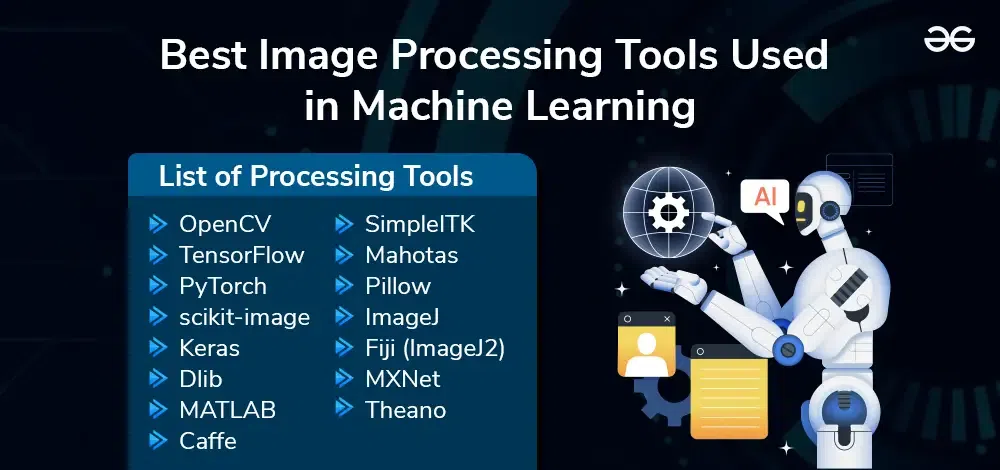
GIMP, OpenCV, and ImageMagick are top open-source image processing tools. They offer robust features for editing and manipulation.
GIMP (GNU Image Manipulation Program) is a versatile tool that rivals commercial software. OpenCV (Open Source Computer Vision Library) provides extensive libraries for real-time computer vision. ImageMagick is perfect for complex image manipulation tasks. These tools cater to both beginners and advanced users, offering flexibility and extensive documentation.
They are widely used for various applications, including graphic design, machine learning, and web development. Open-source tools are cost-effective and constantly updated by active communities. Using these tools can significantly enhance productivity in image processing tasks. Choose the one that best fits your needs and skill level.
Introduction To Open Source Image Processing
Image processing tools are essential for photo editing. Open source tools offer powerful features. These tools are free and customizable. Developers and enthusiasts love them. Let’s explore their rise and benefits.
The Rise Of Open Source Software
Open source software has grown rapidly. It started with a few projects. Now, it’s a massive community. Developers share code freely. This collaboration drives innovation. Open source tools are reliable. They often outperform commercial alternatives.
Benefits Of Using Open Source Tools For Image Processing
Open source image processing tools have many benefits. Here are the key advantages:
- Cost-effective: These tools are free. No need to buy expensive software.
- Customizable: Users can modify the code. Tailor the tools to your needs.
- Community Support: Large communities offer help. Find solutions quickly.
- Transparency: Source code is open. Know exactly what the software does.
- Security: Many eyes review the code. Bugs and vulnerabilities are fixed fast.
Here is a quick comparison of popular open source image processing tools:
| Tool | Key Features | Platform |
|---|---|---|
| GIMP | Photo retouching, image composition, and image authoring | Windows, macOS, Linux |
| Inkscape | Vector graphics editor | Windows, macOS, Linux |
| Darktable | Raw image developer, photo management | Windows, macOS, Linux |

Credit: www.linuxlinks.com
Key Features To Look For In Image Processing Tools
When choosing the best open-source image processing tools, focusing on key features is essential. These features ensure the tool meets your needs and delivers efficient performance. Here are the key features to look for in image processing tools:
Supported Image Formats
A good image processing tool should support multiple image formats. Common formats include JPEG, PNG, BMP, and GIF. Wide format support ensures you can work with various image types. This flexibility is crucial for diverse projects.
Editing Capabilities
Editing capabilities are vital for any image processing tool. Look for tools offering basic editing options like cropping, resizing, and rotation. Advanced features include filters, color adjustments, and layer support. These features allow for comprehensive image manipulation.
Performance And Speed
Performance and speed are crucial for effective image processing. Fast processing saves time and increases productivity. Look for tools optimized for quick operations. This feature is especially important for large image files or batch processing tasks.
Top Open Source Image Processing Tools
Open source image processing tools offer powerful features without the high cost. They provide a range of functionalities suitable for various needs. Here we explore some of the best open source image processing tools available today.
Gimp: The Photoshop Alternative
GIMP (GNU Image Manipulation Program) is a free alternative to Photoshop. It supports various operating systems like Windows, Mac, and Linux. GIMP offers advanced photo retouching, image composition, and image authoring.
- Key Features:
- Customizable interface
- Photo enhancement tools
- Digital retouching
- Hardware support
GIMP supports numerous file formats. It also has a large community for support and plugins.
Inkscape: Vector Graphics Expert
Inkscape specializes in creating and editing vector graphics. It is ideal for creating logos, illustrations, and diagrams. Inkscape is available for Windows, Mac, and Linux.
- Key Features:
- Flexible drawing tools
- Broad file format compatibility
- Powerful text tool
- Bezier and spiro curves
Inkscape excels at high-quality vector graphics. It is user-friendly with extensive documentation and tutorials.
Darktable: Photographer’s Digital Darkroom
Darktable is a photography workflow application and RAW developer. It manages digital negatives in a database, allows viewing them through a zoomable light table, and enables developing raw images.
- Key Features:
- Non-destructive editing
- Advanced color management
- RAW image processing
- Supports tethered shooting
Darktable is designed for photographers. It offers a virtual light table and darkroom for professional editing.
Comparing User Interfaces
Choosing the right open source image processing tool depends on many factors. One critical aspect is the user interface. A user-friendly interface can make complex tasks simple. Below, we compare the interfaces of popular tools based on ease of navigation, customization options, and learning curve for beginners.
Ease Of Navigation
Navigation is crucial for any software. Users must find tools and features quickly. Let’s look at three popular tools:
| Tool | Navigation |
|---|---|
| GIMP | Intuitive menus and toolbars |
| Inkscape | Simple, with a clean layout |
| ImageMagick | Command-line based, less intuitive |
Customization Options
Customization allows users to tailor the interface to their needs. Here is a comparison:
- GIMP: Highly customizable with plugins and scripts.
- Inkscape: Offers many extensions and add-ons.
- ImageMagick: Flexible command-line options.
Learning Curve For Beginners
Beginners need tools that are easy to learn. The learning curve varies across tools:
- GIMP: Steep learning curve but many tutorials available.
- Inkscape: Easier for beginners with a graphical interface.
- ImageMagick: Hardest to learn due to command-line interface.
Advanced Features For Professionals
Professionals in image processing need advanced tools. Open source software offers many features to meet their needs. Below, we delve into some key advanced features.
Raw Processing Capabilities
RAW files retain much data. This allows for more detailed editing. Open source tools like RawTherapee and Darktable offer excellent RAW processing. They support many camera models. These tools provide advanced noise reduction, sharpening, and color correction. They also offer batch processing for efficiency. These features help photographers maintain high-quality images.
Color Management Systems
Accurate colors are crucial in professional image work. Open source tools have strong color management systems. GIMP and Krita support ICC profiles. This ensures consistent color across devices. They also offer advanced color correction tools. These include curves, levels, and color balance adjustments. Professionals can achieve precise color grading with these features.
Plugin Support And Extensibility
Plugins extend the functionality of image processing tools. Open source software often has extensive plugin support. For example, GIMP has a large library of plugins. These plugins add filters, effects, and more. They help tailor the software to specific needs. Developers can also create custom plugins. This adds flexibility and power to the tools.
Here’s a table summarizing some key features:
| Tool | RAW Processing | Color Management | Plugin Support |
|---|---|---|---|
| RawTherapee | Yes | No | No |
| Darktable | Yes | Yes | Yes |
| GIMP | No | Yes | Yes |
| Krita | No | Yes | Yes |
These advanced features make open source tools powerful. They are suitable for professional image processing tasks.
Credit: www.apica.io
Community And Support
Open source image processing tools thrive because of their vibrant communities. Community and support are vital for the success of these tools. Users and developers come together to share knowledge. This collaboration ensures continuous improvement and innovation.
Forums And Online Resources
Forums and online resources provide a wealth of information. Users can find answers to common questions. They can also share their own experiences. Popular forums include Stack Overflow and GitHub.
- Stack Overflow: A platform where developers ask and answer questions.
- GitHub: A place where developers share code and collaborate.
- Reddit: Communities like r/computervision offer valuable insights.
These resources are invaluable for troubleshooting. They also help users learn new techniques. Many tools also have their own dedicated forums. These forums provide tool-specific support and advice.
Regular Updates And Patches
Regular updates and patches are crucial for any software. Open source image processing tools are no exception. Frequent updates ensure the tools stay current. They also address security vulnerabilities.
Developers release patches to fix bugs. They also introduce new features. Users benefit from these improvements without additional cost. This makes open source tools an attractive option.
| Tool | Update Frequency | Latest Version |
|---|---|---|
| GIMP | Monthly | 2.10.30 |
| OpenCV | Bi-Monthly | 4.5.3 |
| ImageMagick | Weekly | 7.1.0-11 |
Contributing To The Community
Contributing to the community is a rewarding experience. Users can contribute in various ways. They can report bugs or suggest features. Advanced users can even contribute code.
- Reporting Bugs: Helps developers identify and fix issues.
- Suggesting Features: Provides ideas for future updates.
- Writing Code: Directly improves the tool.
Many projects welcome new contributors. They offer guidelines to help you get started. Contributing strengthens the community. It also ensures the tool’s long-term success.
Real-world Applications
Open source image processing tools have transformed various industries. These tools offer robust functionalities and cost-effective solutions. They empower businesses, educational institutions, and researchers with extensive image analysis capabilities.
Case Studies Of Open Source Image Processing
Open source image processing tools find diverse real-world applications. Below are some notable case studies:
- Healthcare: Doctors use these tools for medical imaging. They help in diagnosing diseases with more accuracy.
- Agriculture: Farmers use them to monitor crop health. These tools analyze satellite images to predict yields.
- E-commerce: Businesses use them to enhance product images. This improves customer engagement and sales.
Impact On Small Businesses
Open source image processing tools significantly benefit small businesses:
| Benefit | Description |
|---|---|
| Cost Savings | These tools are free to use. Small businesses save on expensive software licenses. |
| Customization | Businesses can tailor these tools to their specific needs. This flexibility improves workflow. |
| Community Support | Large communities back these tools. Users get quick help and updates. |
Educational Uses In Academia
Academia utilizes open source image processing tools in various ways:
- Research: Students and researchers use these tools for data analysis. They help in scientific discoveries and innovations.
- Teaching: Professors incorporate these tools in their curriculum. They provide hands-on experience to students.
- Projects: Students use them for academic projects. They gain practical knowledge and skills.
Open source tools bridge the gap between theory and practice. They prepare students for real-world challenges.
Transitioning From Commercial To Open Source
Switching from commercial image processing tools to open source can be daunting. Open source tools provide flexibility and cost savings. This guide will help you transition smoothly.
Data Migration Tips
Data migration is crucial in the transition process. Follow these tips:
- Backup all your data first.
- Ensure compatibility with the new tool.
- Test the migration on a small data set.
Use scripts to automate the migration process. This reduces errors and saves time. Here is a simple example in Python:
import shutil

source = 'path/to/commercial/data'
destination = 'path/to/open/source/data'

shutil.copytree(source, destination)
print("Data migration complete!")
Training And Workshops
Training ensures your team can use the new tools effectively. Consider these options:
- Online tutorials and courses.
- Workshops by experienced users.
- Webinars for ongoing learning.
Attend community events to learn best practices. Engage with forums and user groups for support.
Cost Analysis
Switching to open source can save money. Here’s a simple cost analysis:
| Cost Factor | Commercial Tools | Open Source Tools |
|---|---|---|
| Initial Purchase | $5000 | $0 |
| Annual License | $1000 | $0 |
| Training | $2000 | $500 |
Open source tools have no license fees. Training costs are usually lower. The total savings can be significant.
Future Of Open Source Image Processing
The future of open source image processing is bright and exciting. With rapid advancements, these tools are evolving quickly. Developers and researchers are continuously innovating to push the boundaries.
Trends And Predictions
Several trends are shaping the future of open source image processing:
- Increased Integration with AI: AI is becoming essential in image processing.
- Real-Time Processing: Faster algorithms are enabling real-time image analysis.
- Enhanced Automation: Tools are getting smarter and more autonomous.
- Cloud-Based Solutions: More tools are offering cloud-based processing.
- User-Friendly Interfaces: Interfaces are becoming more intuitive and easier to use.
Emerging Tools To Watch
Several new tools are making waves in the open source community:
| Tool | Description |
|---|---|
| OpenCV | Leading library for computer vision and machine learning. |
| GIMP | Powerful alternative to Photoshop with extensive features. |
| ImageMagick | Versatile tool for image manipulation and processing. |
| TensorFlow | Popular for AI-based image processing tasks. |
| Scikit-Image | Useful for scientific image analysis. |
The Role Of Ai In Image Processing
Artificial Intelligence (AI) is revolutionizing image processing:
- Improved Accuracy: AI models can achieve higher accuracy in image recognition.
- Faster Processing: AI can process large datasets quickly.
- Pattern Detection: AI can detect patterns that are invisible to the human eye.
- Predictive Analysis: AI can make predictions based on image data.
- Enhanced Features: AI enhances image quality and features.
As AI continues to evolve, its impact on image processing will grow. This will lead to more efficient and powerful tools.

Credit: www.linkedin.com
Frequently Asked Questions
Which Software Is Best For Image Processing?
Adobe Photoshop is the best software for image processing. It offers advanced tools and features for professionals. GIMP is a free alternative.
Which One Is Open Source Image Processing Software?
GIMP is an open-source image processing software. It offers powerful tools for photo retouching, image composition, and image authoring.
Which Is Better, Opencv Or Tensorflow?
OpenCV excels in real-time computer vision tasks, while TensorFlow is better for deep learning and neural networks. Choose OpenCV for image processing and TensorFlow for advanced machine learning models. Both have distinct strengths and applications.
Is Python Good For Image Processing?
Yes, Python is excellent for image processing. Libraries like OpenCV, PIL, and scikit-image make it powerful and versatile.
Conclusion
Exploring open source image processing tools can greatly enhance your projects. They offer flexibility, customization, and cost efficiency. From GIMP to ImageMagick, there’s a tool for every need. Dive into these resources and unlock new creative possibilities. Make the most of these powerful tools to elevate your image processing tasks.