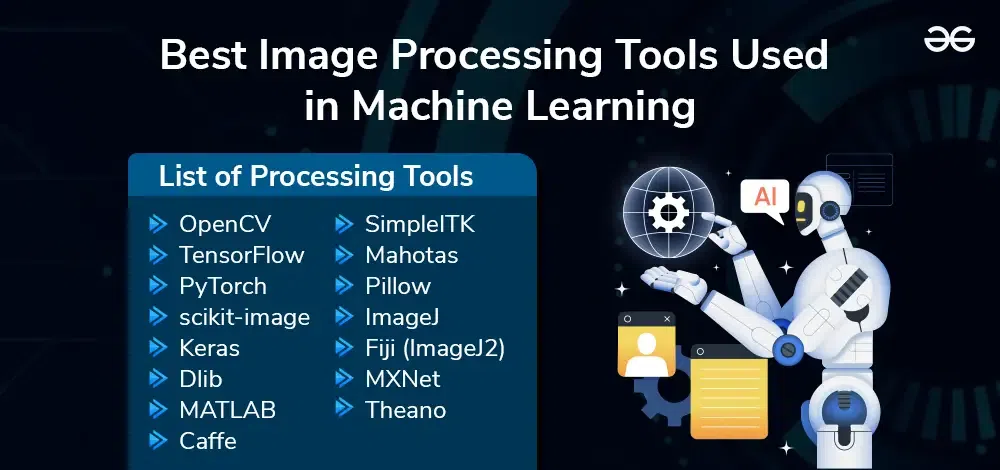
Image processing software tools enhance and manipulate digital images. They provide features for editing, analyzing, and transforming images efficiently.
Image processing software tools are essential for various industries, including healthcare, photography, and design. They offer a range of functionalities, from basic editing to advanced image analysis. Popular tools like Adobe Photoshop, GIMP, and Affinity Photo cater to different needs and skill levels.
These tools help professionals and hobbyists alike in creating, modifying, and optimizing images for better visual appeal and accuracy. With user-friendly interfaces and powerful features, these software tools empower users to achieve high-quality results, making them indispensable in today’s digital world.
The Rise Of Image Processing
Image processing has transformed the way we interact with photos. This technology has made it possible to enhance, edit, and analyze images like never before. From simple filters to complex algorithms, image processing tools have a wide range of applications. Let’s explore how this evolution has impacted various sectors.
From Darkroom To Digital
In the past, photographers used darkrooms to develop photos. This process was time-consuming and required a lot of skill. With the advent of digital tools, this has changed completely. Today, digital image processing allows instant editing and sharing of photos. Software like Adobe Photoshop and GIMP offer a range of features. These tools can adjust brightness, contrast, and even remove unwanted elements.
Here is a comparison between traditional and digital methods:
| Traditional Darkroom | Digital Processing |
|---|---|
| Time-consuming | Instant results |
| Requires chemicals | No chemicals needed |
| Limited editing options | Advanced editing features |
The Impact On Creative Industries
Image processing has greatly impacted the creative industries. Artists and designers now have powerful tools at their disposal. They can create stunning visuals with ease. This has led to a surge in digital art and graphic design. Software like CorelDRAW and Affinity Photo are popular choices. These tools offer a variety of brushes, filters, and effects. They help artists bring their visions to life.
Here are some key benefits for creative professionals:
- Enhanced creativity
- Increased productivity
- Better collaboration
- High-quality output
These tools have also made it easier to correct mistakes. Artists can experiment without fear of ruining their work. This flexibility has opened up new possibilities for innovation.
Essential Features Of Image Processing Software
Image processing software tools have transformed how we handle digital images. These tools offer a wide range of features that enhance the quality and usability of images. This section explores the essential features of image processing software.
Intuitive User Interfaces
An intuitive user interface is crucial for image processing software. Users should easily navigate through the software. Clear icons and labels help users understand functions quickly. Menus should be logically organized. Drag-and-drop functionality simplifies the user experience. Customizable toolbars let users access frequently used tools easily. Help sections and tutorials guide new users effectively.
Advanced Editing Capabilities
Advanced editing capabilities are a must-have. Users can adjust brightness, contrast, and saturation. Cropping and resizing tools are essential. The software should support various file formats. Filters and effects add creativity to images. Layer management allows for complex edits. Masking tools help isolate parts of the image. Batch processing saves time by applying edits to multiple images at once.
| Feature | Description |
|---|---|
| Brightness & Contrast | Adjusts light and dark areas of the image. |
| Filters & Effects | Adds creative touches to images. |
| Layer Management | Allows complex edits by stacking layers. |
| Batch Processing | Applies edits to multiple images at once. |
These features make image processing software powerful and user-friendly.
Popular Tools For Beginners And Professionals
Image processing software tools have become essential for both beginners and professionals. Choosing the right tool can greatly impact your workflow and results. In this section, we’ll explore some of the most popular tools available today.
Breaking Down The Top Contenders
There are many image processing tools available, each with unique features. Below, we break down the top contenders for both beginners and professionals.
- Adobe Photoshop – Known for its versatility and advanced features.
- GIMP – A free, open-source alternative to Photoshop.
- Affinity Photo – Offers high performance at a lower cost.
- Corel PaintShop Pro – User-friendly with a range of tools.
- Pixelmator – Optimized for Mac users, simple yet powerful.
Cost Vs. Performance: Finding The Right Fit
Finding the right balance between cost and performance is crucial. Here’s a table to help you compare these tools:
| Tool | Cost | Performance |
|---|---|---|
| Adobe Photoshop | Subscription-based | High |
| GIMP | Free | Moderate |
| Affinity Photo | One-time fee | High |
| Corel PaintShop Pro | One-time fee | Moderate |
| Pixelmator | One-time fee | Moderate |
Adobe Photoshop offers the highest performance but comes with a subscription cost. GIMP is free and great for those on a budget, but it lacks some advanced features. Affinity Photo and Corel PaintShop Pro provide a good balance with one-time fees. Pixelmator is ideal for Mac users seeking simplicity and power.
Consider your needs and budget to find the best fit. Each tool has its strengths and weaknesses. Choose wisely to enhance your image processing experience.
Credit: rkpattnaik780.medium.com
Open-source Vs. Proprietary Software
Choosing the right image processing software tool is crucial. The choice often narrows down to open-source vs. proprietary software. Each has its own benefits and drawbacks. Understanding these can help you make an informed decision.
Benefits Of Open-source Solutions
Open-source software is free to use. You don’t have to pay for a license. This makes it cost-effective. Open-source tools are also customizable. You can modify the code to fit your needs. There is a large community support. This means quick solutions to problems. Open-source software is often more secure. Many eyes on the code ensure fewer bugs.
| Benefits | Description |
|---|---|
| Cost-effective | Free to use, no licensing fees |
| Customizable | Modify code to fit your needs |
| Community Support | Quick solutions from a large user base |
| More Secure | Fewer bugs due to many eyes on the code |
When To Invest In Proprietary Software
Proprietary software often has better support. You get dedicated help from the company. These tools usually have advanced features. They are often easier to use. Proprietary software may also integrate better with other tools. This can save you time. If you need high reliability, proprietary software can be a good choice.
- Better support with dedicated help
- Advanced features and ease of use
- Better integration with other tools
- High reliability
Emerging Trends In Image Processing
Image processing is evolving rapidly. New technologies are changing the landscape. These advancements help both professionals and hobbyists. Let’s explore the latest trends in this field.
Ai And Machine Learning Integration
AI and machine learning are revolutionizing image processing. These technologies make editing easier and more efficient. AI can automate tasks that were once manual. For instance, AI can enhance photo quality with just one click. It can also identify objects and faces in images.
- Automated Enhancements: AI can automatically adjust brightness and contrast.
- Object Recognition: Machine learning can identify objects in pictures.
- Face Detection: AI can detect and edit faces in photos.
These tools save time and improve accuracy. They also make image processing accessible to everyone. Even beginners can achieve professional results.
The Move Toward Mobile Editing Platforms
Mobile editing platforms are gaining popularity. People want to edit images on the go. These platforms are user-friendly and powerful. They offer many features that were once only on desktop software.
| Feature | Mobile Platform | Desktop Platform |
|---|---|---|
| Accessibility | High | Moderate |
| Convenience | High | Low |
| Functionality | Moderate | High |
Mobile platforms let users edit images anywhere. They often sync with cloud services. This allows for easy sharing and storage. Many mobile apps now rival desktop software in terms of features.
The future of image processing is exciting. AI and mobile platforms are leading the way. These trends are making image editing easier and more accessible.

Credit: www.nv5geospatialsoftware.com
Step-by-step Tutorials To Get You Started
Are you new to image processing? Or are you a seasoned artist? Our step-by-step tutorials will guide you. Learn basic corrections or master advanced techniques. Each tutorial is easy to follow. Get ready to enhance your photo editing skills!
Basic Photo Corrections For Amateurs
Starting with basic photo corrections can be fun. Follow these steps to improve your photos:
- Open your image processing software.
- Upload the photo you want to edit.
- Adjust brightness and contrast for better clarity.
- Use the crop tool to remove unwanted parts.
- Apply basic filters to change the photo’s mood.
| Tool | Function |
|---|---|
| Brightness/Contrast | Enhances light and dark areas. |
| Crop | Removes unwanted parts of the photo. |
| Basic Filters | Changes the overall look of the photo. |
Advanced Techniques For Seasoned Artists
Ready for advanced techniques? These steps will help you create stunning images:
- Open your software and upload the photo.
- Use layers to separate different elements.
- Apply masks to control specific areas.
- Experiment with blend modes for unique effects.
- Use advanced filters for artistic touches.
Here are some advanced tools you can use:
- Layers: Organize different parts of the image.
- Masks: Control the visibility of different areas.
- Blend Modes: Combine layers in various ways.
- Advanced Filters: Add special effects and finishes.
By mastering these tools, you can create professional-quality images. Enjoy experimenting and discovering new effects!
Maximizing Creativity With Plugins And Add-ons
Image processing software tools are powerful on their own. But their true potential is unlocked with plugins and add-ons. These extensions boost creativity and streamline workflows. They add new features and improve existing ones.
Expanding Your Toolkit With Third-party Plugins
Third-party plugins expand your software’s capabilities. They introduce new filters, effects, and tools. This variety helps you achieve unique and professional results.
- Filters: Apply artistic filters to transform photos.
- Effects: Add stunning effects to enhance your images.
- Tools: Use specialized tools for precise edits.
These plugins are often created by experts. They offer advanced functionalities that are not available in the base software. This makes your toolkit more versatile and powerful.
Customizing Workflows For Efficiency
Plugins and add-ons help customize workflows. This improves efficiency and saves time. You can automate repetitive tasks or add shortcuts.
- Identify tasks you do frequently.
- Find plugins that automate these tasks.
- Install and configure these plugins.
By doing this, you free up time for creative work. Custom workflows ensure you spend more time creating and less time on mundane tasks.
| Plugin Type | Benefit |
|---|---|
| Automation | Saves time by automating tasks |
| Shortcuts | Speeds up the editing process |
| Specialized Tools | Offers precise control for specific edits |
Plugins and add-ons make your image processing software more powerful. They expand your creative capabilities and streamline your workflow.
Future Of Image Processing Technology
The future of image processing technology is exciting. New advancements are coming fast. This technology changes how we see and use images. It promises better quality and faster processing. Let’s explore what the future holds.
Anticipating The Next Big Thing
Technology evolves quickly. We expect many new trends in image processing. Artificial Intelligence and Machine Learning are key players. They help in making smarter algorithms. These algorithms enhance images better than ever before.
- AI-driven image enhancement
- Real-time processing
- Advanced image recognition
Another exciting area is Quantum Computing. It can revolutionize image processing. Quantum computers can process complex data faster. This speed will lead to new possibilities.
Staying Ahead In A Rapidly Evolving Field
To stay ahead, you need to be proactive. Follow industry news and research papers. Attend conferences and webinars. These events offer insights into the latest trends.
Consider investing in new tools. Software updates often bring new features. These features can make your work easier and more efficient.
| Method | Description |
|---|---|
| AI Tools | Use AI tools for better image enhancement. |
| Quantum Computing | Adopt quantum computing for faster processing. |
| Continuous Learning | Stay updated with the latest research. |
Networking is also crucial. Join forums and online communities. Share your knowledge and learn from others. This collaborative approach can keep you ahead.

Credit: databox.com
Frequently Asked Questions
What Software To Use For Image Processing?
Popular image processing software includes Adobe Photoshop, GIMP, and Corel PaintShop Pro. These tools offer robust editing features.
What Is An Image Processing Tool?
An image processing tool is software that enhances, edits, and analyzes digital images. It automates tasks like resizing, filtering, and color correction. These tools are essential for graphic design, medical imaging, and machine vision applications. Examples include Adobe Photoshop, GIMP, and MATLAB.
Which Is Better Opencv Or Matlab?
OpenCV is better for real-time applications and is free. Matlab excels in research and development with its extensive toolboxes.
Is Python Good For Image Processing?
Yes, Python is excellent for image processing. Libraries like OpenCV and PIL make it easy to manipulate images efficiently.
Conclusion
Choosing the right image processing software can transform your projects. Evaluate features, ease of use, and pricing. The perfect tool enhances creativity and efficiency. Stay updated with the latest software advancements. Investing in the right tool ensures high-quality results and seamless workflows.
Happy editing!