Bluehost CodeGuard is an automated website backup service. It offers daily backups, website monitoring, and instant restoration.
Bluehost CodeGuard provides a reliable solution for website owners. It ensures your data is safe with daily automated backups. The service monitors your website for any changes or threats. If an issue arises, you can quickly restore your site to a previous version.
This peace of mind is essential for businesses and bloggers alike. Frequent backups help prevent data loss due to hacking or errors. CodeGuard’s easy-to-use interface makes managing backups simple. Subscribers can access and restore backups with just a few clicks. Bluehost CodeGuard is a valuable tool for maintaining website integrity and security.
Credit: www.bluehost.com
Introduction To Codeguard
Every website owner knows the importance of keeping their site safe. Bluehost CodeGuard is a powerful tool to help with this task. It offers automated backups and restores services, ensuring your website stays secure. Let’s dive deeper into what CodeGuard is and why website backup matters.
What Is Codeguard?
CodeGuard is a service provided by Bluehost. It offers automated website backups and monitoring. It keeps a watchful eye on your website’s files and databases. If any changes occur, CodeGuard takes action. It can restore your website to a previous state if needed.
The key features of CodeGuard include:
- Daily automatic backups
- One-click restore options
- Website monitoring
- Change alerts
- Malware detection
Importance Of Website Backup
Backing up your website is crucial for several reasons. Here are some key points:
- Data Loss Prevention: Backups save you from losing important data.
- Security: They protect against malware and hacking attempts.
- Quick Recovery: You can restore your site quickly if something goes wrong.
- Peace of Mind: Knowing your data is safe helps you focus on your business.
Without backups, recovering from a crash or hack is tough. CodeGuard ensures you have a safety net.
Here is a comparison table to show the benefits of using CodeGuard:
| Feature | Benefit |
|---|---|
| Daily Backups | Protects against data loss |
| One-Click Restore | Easy and quick recovery |
| Change Alerts | Keeps you informed of updates |
| Malware Detection | Secures your site from threats |
Using CodeGuard can save your website from many issues. It’s a smart choice for any website owner.
How Codeguard Works
Bluehost CodeGuard is a powerful tool for website security. It helps protect your website by creating backups and monitoring changes. Let’s dive into how CodeGuard works to keep your website safe and sound.
Automated Backups
CodeGuard automatically creates backups of your website. These backups are stored securely in the cloud. You don’t need to do anything manually. The system handles everything. This means your data is safe and easily accessible.
Here’s a simple table to show the backup process:
| Step | Description |
|---|---|
| 1 | Initial backup is created when CodeGuard is set up. |
| 2 | Daily backups are automatically scheduled. |
| 3 | Backups are stored in a secure cloud environment. |
| 4 | Restore website data from backups when needed. |
Monitoring And Alerts
CodeGuard also monitors your website for changes. It checks your site regularly for any modifications. If something changes, you get an alert. This helps you spot issues quickly.
Key features of monitoring and alerts include:
- Regular monitoring: CodeGuard checks your site frequently.
- Instant alerts: Receive email alerts for any changes.
- Detailed reports: Get detailed reports on what has changed.
- Quick action: Restore your site to a previous state if needed.
With these features, you can keep your website secure and running smoothly.
Features Of Codeguard
Bluehost CodeGuard provides essential features to protect your website. These features ensure data safety and quick recovery. Let’s explore the main features of CodeGuard.
Daily Backups
CodeGuard performs daily backups of your website. This feature ensures your data is up-to-date. Backups are stored securely in the cloud. Automatic backups reduce manual work and errors.
CodeGuard’s daily backups are reliable and efficient. They help to prevent data loss. You can easily access your backups anytime.
One-click Restore
The one-click restore feature is very handy. It allows you to restore your website quickly. You can revert to a previous version with a single click. This saves time and effort during emergencies.
One-click restore ensures minimal downtime. Your website can be up and running in minutes. This is crucial for maintaining your online presence.
Website Encryption
CodeGuard ensures website encryption for your data. Encrypted backups keep your information safe from hackers. Data encryption uses advanced technology to protect sensitive information.
Encryption builds trust with your users. It shows you value their privacy and security. This feature is vital for e-commerce websites.
Setting Up Codeguard
Bluehost CodeGuard offers powerful website backup solutions. It safeguards your data from unexpected events. Setting up CodeGuard is simple and quick. Follow the steps below to get started.
Initial Setup Steps
- Log in to your Bluehost account.
- Navigate to the Marketplace tab.
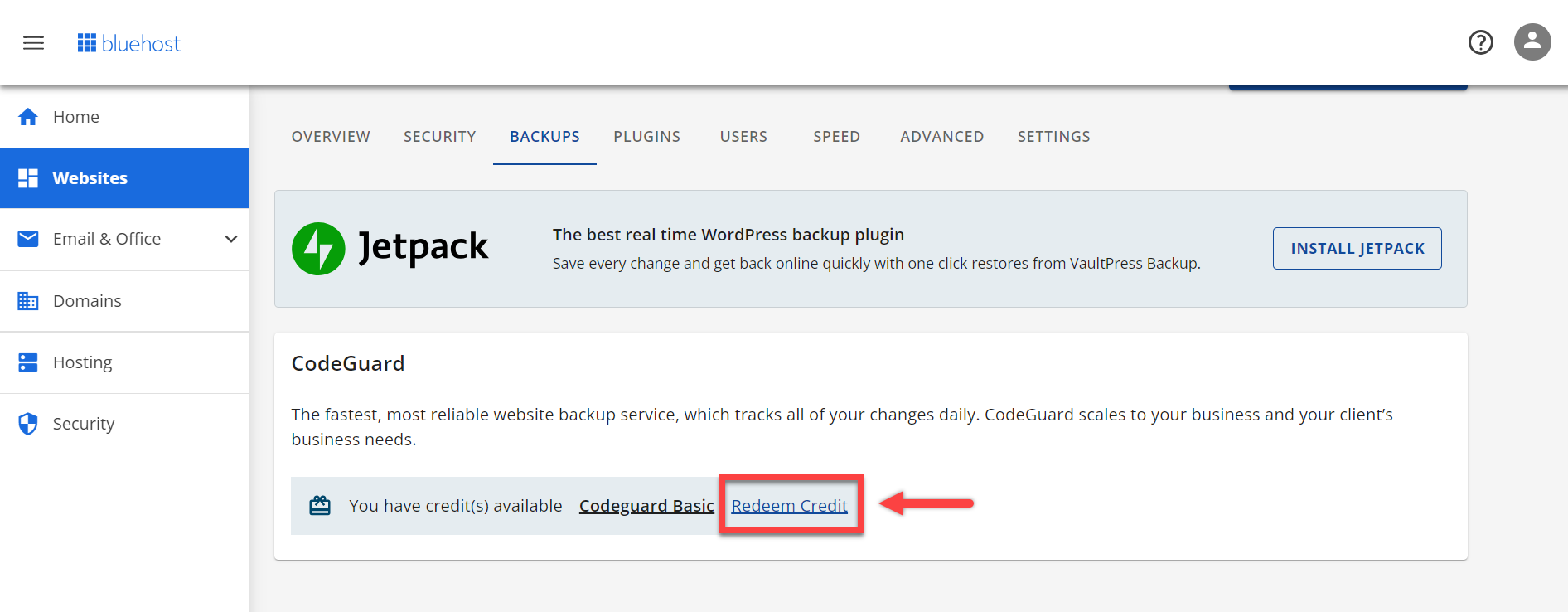
- Click on Add-Ons and find CodeGuard.
- Select your desired plan and click Purchase.
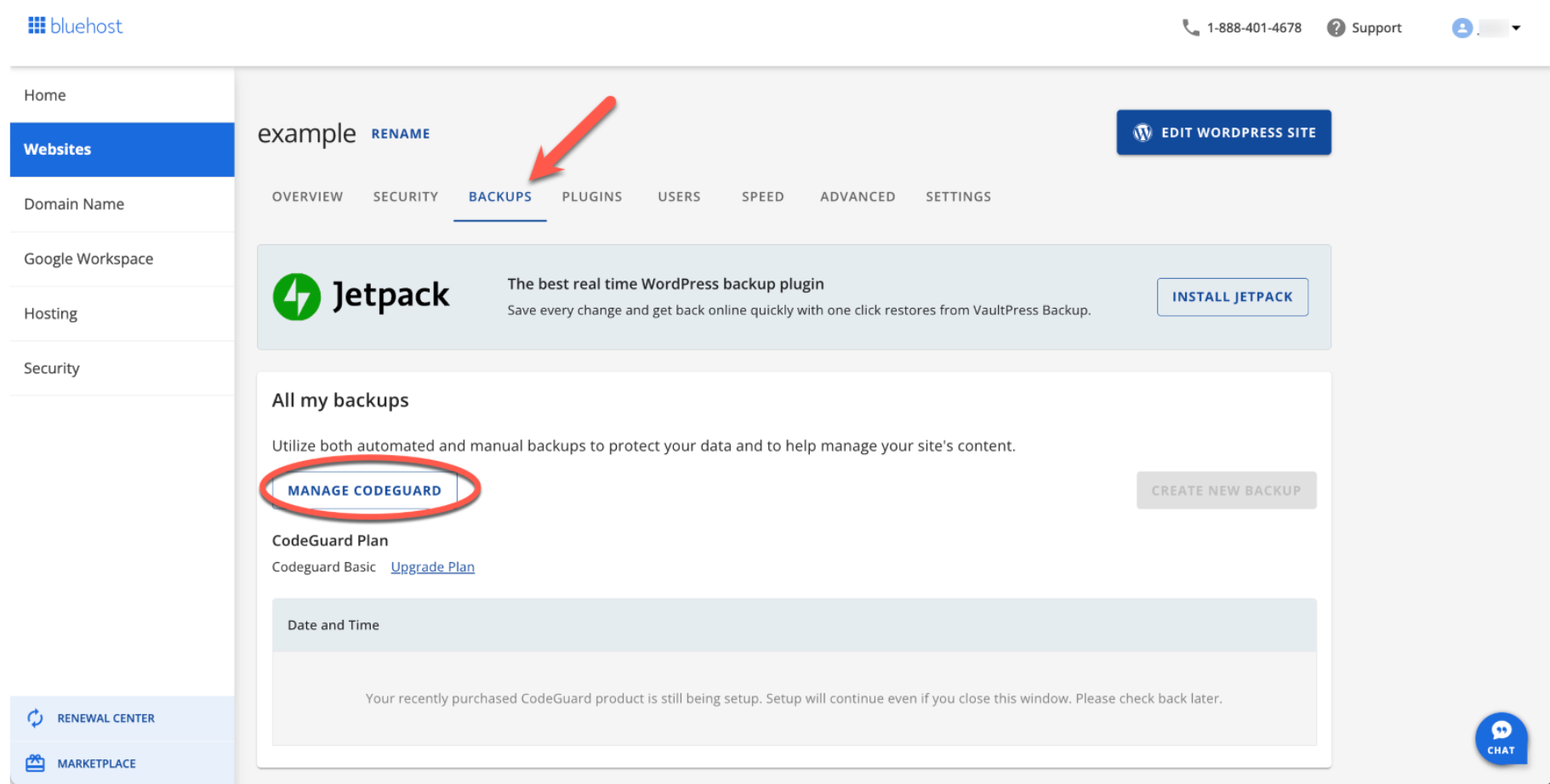
- After purchasing, go to the My Sites section.
- Click on Manage Site for the website you wish to protect.
- Find the Backup tab and click on it.
- Click Activate under CodeGuard to begin the setup.
Connecting Your Website
Once CodeGuard is activated, you need to connect it to your website. Follow these steps to complete the connection:
- Go to the CodeGuard Dashboard.
- Click on Add Website.
- Enter your website’s URL and click Next.
- Enter your website’s FTP/SFTP details.
- Click Test Connection to ensure details are correct.
- After a successful connection, click Next.
- Choose the files and databases you want to back up.
- Click Start Backup to begin the initial backup process.
By following these steps, you can ensure your website is backed up. CodeGuard offers peace of mind with its reliable backup solutions.
Benefits Of Using Codeguard
CodeGuard is a powerful tool for website backups and security. It provides multiple benefits that ensure your site remains safe and functional. Below, we explore the primary advantages of using CodeGuard.
Data Security
Data security is one of the key benefits of CodeGuard. It offers daily automated backups to protect your website’s data. You can restore your site to a previous version if anything goes wrong. This feature is crucial for preventing data loss and ensuring business continuity.
CodeGuard also monitors your site for any changes. If unauthorized changes occur, you receive instant alerts. This allows you to take action quickly to mitigate any potential threats.
| Feature | Benefit |
|---|---|
| Automated Backups | Prevents data loss |
| Change Monitoring | Instant threat alerts |
Ease Of Use
CodeGuard is designed for ease of use. It requires no technical skills to set up or manage. The user interface is intuitive and user-friendly.
Backup and restoration processes are straightforward. You can set up backups with a few clicks. Restoring your site is just as simple. This ease of use makes CodeGuard accessible to everyone, regardless of technical expertise.
- Simple setup process
- User-friendly interface
- Easy backup and restoration
Cost-effectiveness
CodeGuard offers cost-effective solutions for website security. It provides various plans to suit different needs and budgets. The affordable pricing ensures that even small businesses can protect their websites.
Investing in CodeGuard can save money in the long run. The cost of recovering from a data loss or hack can be much higher than the subscription fee. CodeGuard’s proactive approach helps prevent expensive issues.
- Affordable pricing plans
- Value for money
- Long-term savings
Credit: www.bluehost.com
Codeguard Plans And Pricing
Bluehost CodeGuard offers multiple plans to suit different needs. These plans provide website backup and security. Each plan has its unique features and pricing. Let’s explore them.
Basic Plan
The Basic Plan is perfect for small websites. It offers essential backup features at an affordable price.
- Daily Backups: Automatic daily backups for your website.
- Storage: Up to 1GB of storage space.
- Monitoring: Monitors one website and database.
- Price: $2.99 per month.
Professional Plan
The Professional Plan is ideal for growing websites. It offers more storage and advanced features.
- Daily Backups: Automatic daily backups for enhanced security.
- Storage: Up to 5GB of storage space.
- Monitoring: Monitors up to five websites and databases.
- Price: $4.99 per month.
Enterprise Plan
The Enterprise Plan is designed for large websites. It provides extensive storage and premium features.
- Daily Backups: Automatic daily backups to ensure maximum protection.
- Storage: Up to 25GB of storage space.
- Monitoring: Monitors unlimited websites and databases.
- Price: $12.99 per month.
| Plan | Storage | Monitoring | Price |
|---|---|---|---|
| Basic | 1GB | 1 website & database | $2.99/month |
| Professional | 5GB | 5 websites & databases | $4.99/month |
| Enterprise | 25GB | Unlimited websites & databases | $12.99/month |
Comparing Codeguard With Other Backup Solutions
Website backups are crucial for maintaining your online presence. Bluehost CodeGuard offers a reliable solution for website backups. But how does it compare to other methods? Let’s explore the differences.
Codeguard Vs. Manual Backups
Manual backups require you to save files yourself. This can be time-consuming. You need to remember to do it regularly.
- Time and Effort: Manual backups take more time and effort.
- Consistency: CodeGuard offers automated, regular backups.
- Reliability: Manual backups are prone to human error.
With CodeGuard, you get peace of mind. Automated backups ensure your data is always safe.
Codeguard Vs. Other Automated Solutions
Other automated solutions also offer website backups. But what sets CodeGuard apart?
| Feature | CodeGuard | Other Automated Solutions |
|---|---|---|
| Ease of Use | Very user-friendly | Varies by provider |
| Backup Frequency | Daily backups | Usually daily, but can vary |
| Restore Process | One-click restore | May require more steps |
| Monitoring | Continuous monitoring | Not always included |
CodeGuard excels in ease of use and reliability. It offers daily backups and one-click restores. Continuous monitoring ensures your website stays secure.

Credit: wbcomdesigns.com
Common Issues And Troubleshooting
Bluehost CodeGuard is a powerful backup solution. It helps you protect your website data. However, sometimes users face common issues. Understanding these problems and their solutions can save time. Below, we discuss frequent problems and their fixes.
Backup Failures
Backup failures can occur for various reasons. A common cause is insufficient storage space. Ensure you have enough space for backups. Another reason could be connectivity issues. Verify your internet connection is stable.
Outdated plugins or themes can also cause backup issues. Always keep them updated. Check for conflicts with other software. Disable conflicting plugins and try again.
Restore Problems
Restore problems can frustrate users. One issue is incomplete backups. Always verify your backups are complete. Another issue could be corrupted files. Corrupted files can prevent successful restores.
Ensure the backup file is not damaged. Use a file integrity checker if needed. Sometimes, incorrect file paths cause restore issues. Double-check file paths before restoring.
Customer Support
Bluehost offers customer support for CodeGuard issues. Contact support if you face problems. They provide 24/7 assistance. You can reach them via phone, chat, or email.
Before contacting support, gather necessary information. Have your account details ready. Describe the issue clearly. This helps the support team assist you faster.
For a quick reference, here is a summary of common issues and troubleshooting steps:
| Issue | Possible Cause | Solution |
|---|---|---|
| Backup Failures | Insufficient Storage | Increase Storage Space |
| Backup Failures | Connectivity Issues | Check Internet Connection |
| Restore Problems | Incomplete Backups | Verify Backup Completeness |
| Restore Problems | Corrupted Files | Check File Integrity |
Frequently Asked Questions
What Is The Purpose Of Codeguard?
CodeGuard provides automatic website backups and monitors changes. It protects against data loss and offers easy restoration options.
How Do I Cancel Codeguard Bluehost?
To cancel CodeGuard on Bluehost, log into your Bluehost account, go to the “My Products” tab, and select “Cancel CodeGuard. ” Confirm the cancellation.
How To Use Codeguard In Bluehost?
Log in to your Bluehost account. Navigate to the “My Sites” tab. Select your site and click “Manage Site. ” Go to the “Backups” tab. Enable CodeGuard and follow the prompts to set up automatic backups.
Is Codeguard Free?
No, CodeGuard is not free. It offers various pricing plans based on your needs.
Conclusion
Bluehost Codeguard offers automated website backups and robust security. It’s an essential tool for protecting your online presence. Regular backups ensure your data is safe from unexpected issues. With easy restoration options, you can quickly recover lost or damaged files.
Invest in Codeguard to secure your website and keep your peace of mind.