
Are you struggling to manage your email list effectively? If you want to maintain a healthy relationship with your subscribers, creating an unsubscribe landing page is crucial.
When you make it easy for people to opt-out, you show respect for their preferences and enhance your brand’s credibility. You’ll learn step-by-step how to create an unsubscribe landing page using MailerLite, a popular email marketing tool. Whether you’re looking to streamline your unsubscribe process or simply want to ensure compliance with email regulations, this guide will help you achieve your goal smoothly and efficiently.
Dive in and discover the key to keeping your email list clean and your subscribers happy!
Credit: www.mailerlite.com
Importance Of An Unsubscribe Landing Page
An unsubscribe landing page is very important. It shows you care about your users. It helps them leave easily if they want. This page can also ask why they are leaving. You can learn from their answers. This can help make emails better.
It’s a chance to say sorry. Users feel respected when you do this. Keep the design simple and clear. Make sure the button is easy to find. This page can also share other ways to stay in touch. Like social media or a blog.
Remember, a good unsubscribe page builds trust. People like brands that respect their choices. It’s good for your business in the long run.
Benefits Of Using Mailerlite
MailerLite offers a simple interface. It is easy to use for everyone. Users can create beautiful email campaigns. No need for advanced skills. The platform provides customizable templates. These help in creating unique designs. You can easily manage your subscribers.
Analytics tools are available to track performance. Understand how emails perform. This helps in improving future campaigns. MailerLite is budget-friendly. It is a good choice for small businesses. Great value for its cost.
Automation features are also included. They save time by sending emails automatically. MailerLite supports landing page creation. This is useful for email marketing campaigns. The platform integrates well with other tools. It enhances its functionality.
Setting Up Mailerlite Account
Start by visiting the MailerLite website. Click on the sign-up button. Fill in your details like name, email, and password. Check your email to verify your account. After verification, log in to your MailerLite dashboard.
Choose a plan that fits your needs. There are freepaid options. The free plan is good for beginners. It offers limited features. Paid plans have more tools. They help you grow your audience. Select a plan by clicking the upgrade button in your dashboard.
Designing The Unsubscribe Page
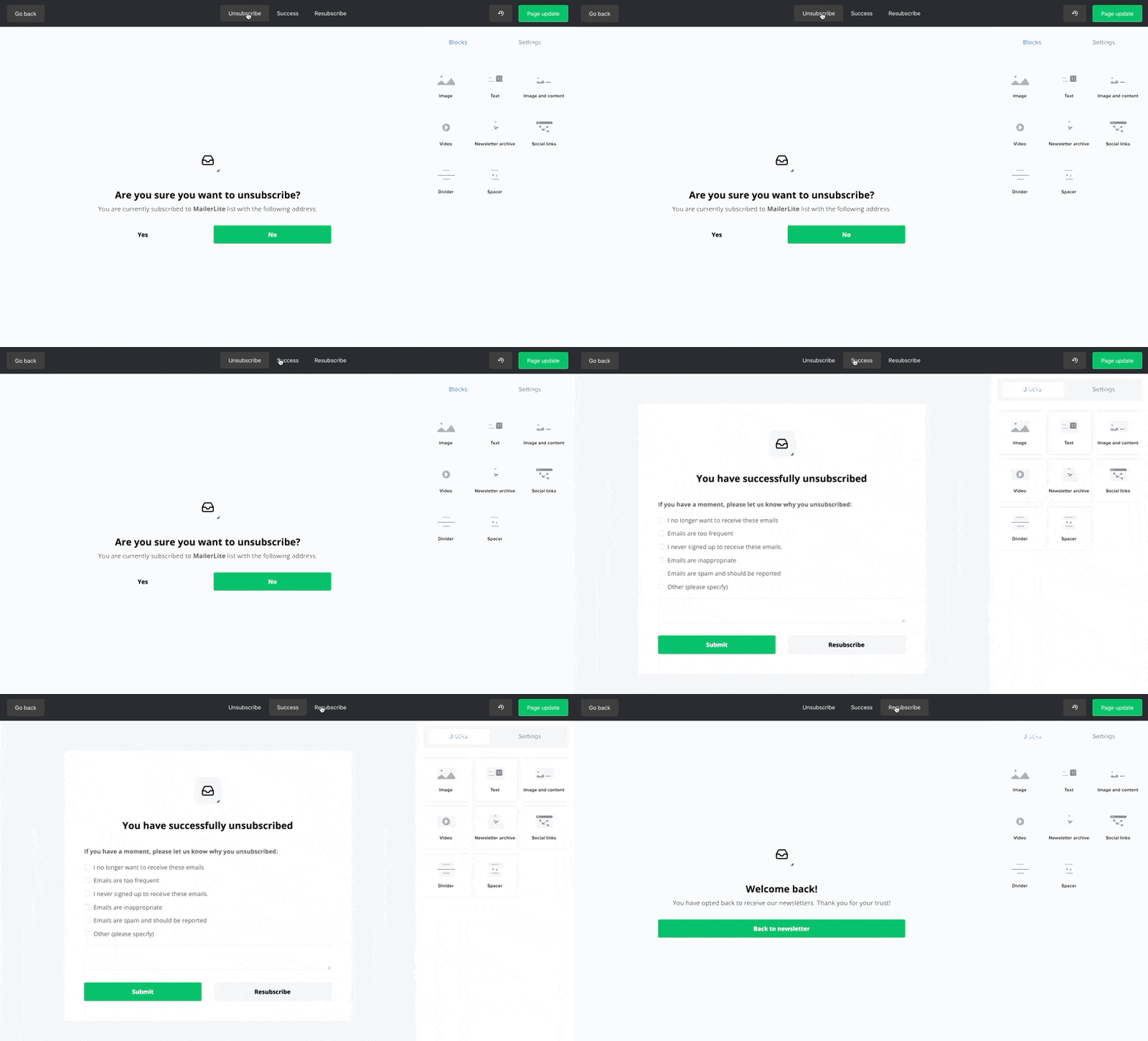
Start by picking a simple template. Templates help make the page look nice. MailerLite offers many templates. Choose one that fits your website’s style. Templates can save time and effort. Colors should match your website theme. This keeps the design consistent.
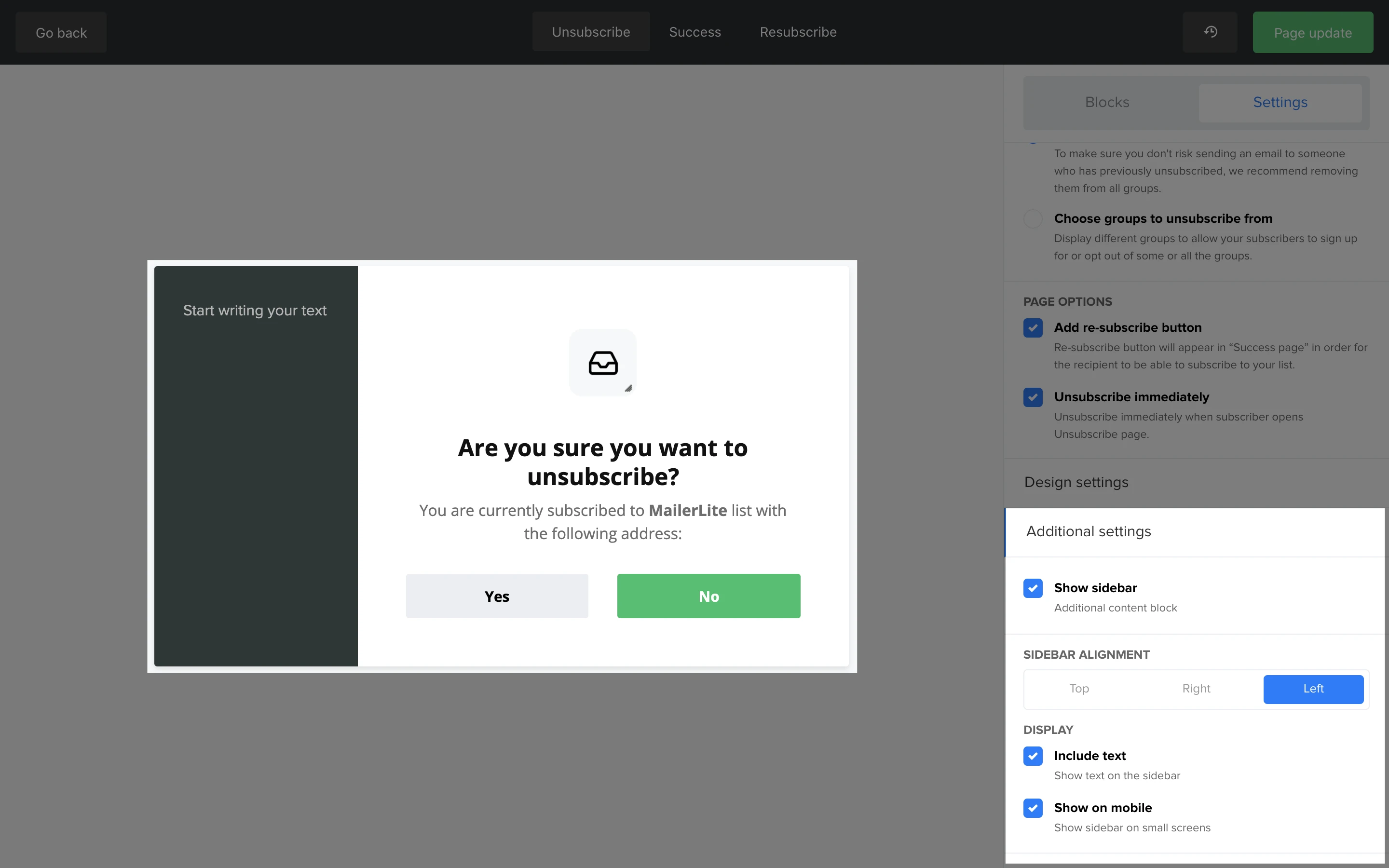
Personalize the page with different options. Change the text to match your brand’s tone. Add your logo for easy recognition. Include a short message explaining why someone might unsubscribe. Make sure the unsubscribe button is clear. Keep the layout simple and easy to understand. Avoid using too many images. This ensures the page loads fast. Consider adding a feedback option. It helps understand why users unsubscribe.
Adding Personalization Features
Create an effective unsubscribe landing page in MailerLite by adding personalization features. Tailor the experience to each subscriber’s preferences, ensuring a user-friendly and engaging process. Enhance satisfaction by allowing subscribers to easily adjust their email settings.
User Preferences
Personalization makes users feel special. Start by collecting user preferences. Let them choose email frequency. Offer options like daily, weekly, or monthly. Tailor content to their interests. Use simple forms to gather this data. Always give users control. They should decide what they want.
Feedback Collection
Feedback is a gift. Ask users why they unsubscribe. Use a short survey with simple questions. Was it too many emails? Or irrelevant content? This helps improve your emails. Users feel heard. It shows you care about their opinions. Feedback helps make better choices in the future.
Testing The Unsubscribe Process
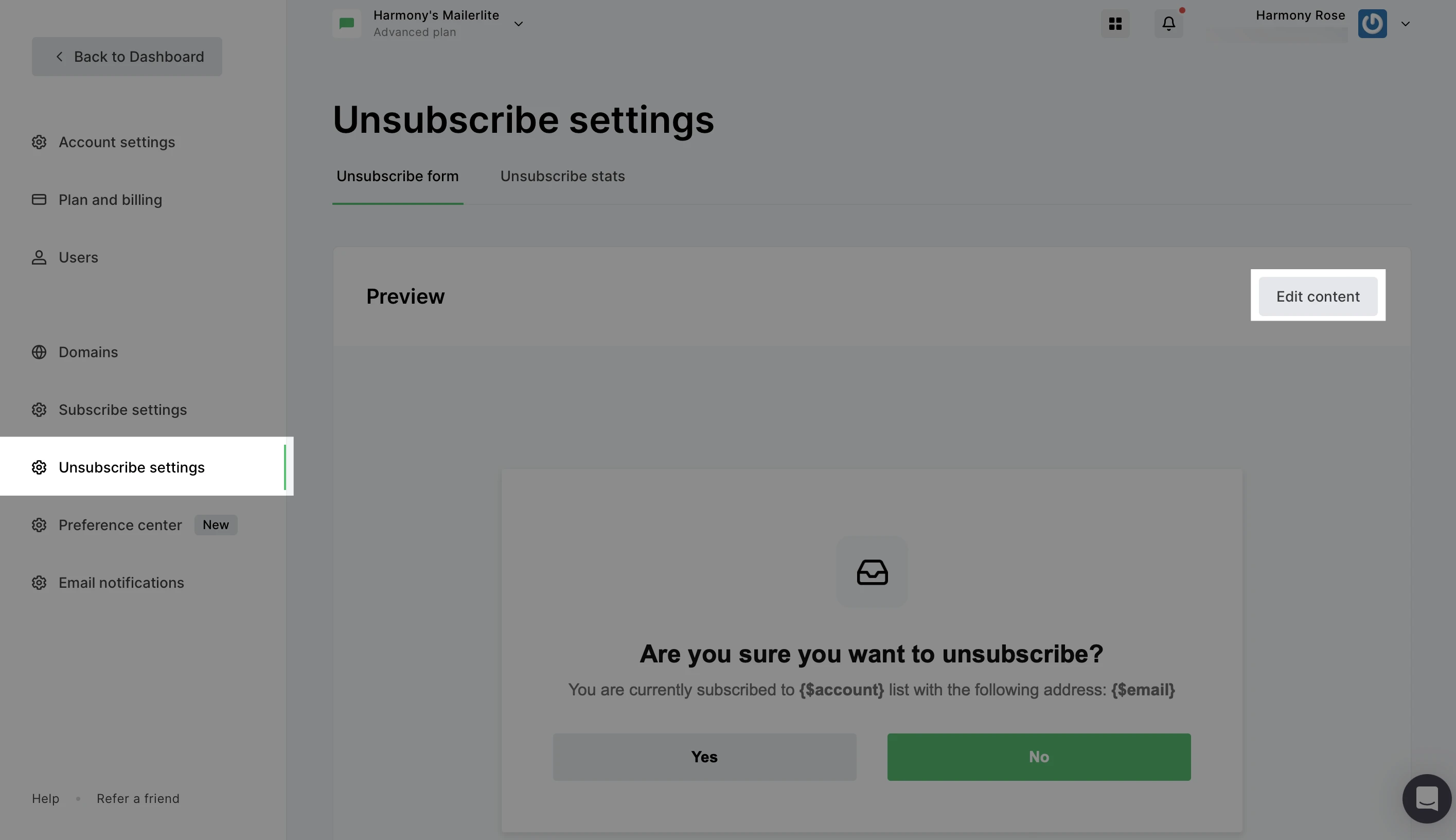
Creating an unsubscribe landing page in Mailerlite is simple. Navigate to your Mailerlite dashboard and select “Subscribers. ” Choose “Unsubscribe Page” to customize design and message. Test the process by unsubscribing yourself to ensure everything works smoothly and retains your brand’s feel.
Ensuring Functionality
Make sure the unsubscribe button works. Click it to test. The link should take you to the right page. Check that the page loads fast. Double-check that the design is clear.
Make sure the user gets a confirmation message. This tells them they unsubscribed. Check for any error messages. Fix them if they appear.
User Experience Testing
Ask friends to test the unsubscribe page. Get their feedback. Is it easy to use? Does it look nice? Listen to their ideas.
Make small changes based on their feedback. Try to make the page better. A good experience keeps users happy.
Integrating With Existing Email Campaigns
Updating email footers is very important. It helps users find the unsubscribe page easily. Add a clear link to the unsubscribe page in the footer. This shows respect for your subscribers. It gives them control over their subscriptions. Users can change their preferences. It is good to keep the footer simple. Use plain language. Subscribers should easily understand the steps.
Linking to the unsubscribe page should be clear. Make the link easy to find. This link should lead directly to the unsubscribe page. Ensure the page is user-friendly. Subscribers should not feel confused. Clear buttons make it simple. They know exactly where to click. This helps in keeping a positive relationship with your audience.
Analyzing Unsubscribe Metrics
Tracking unsubscribe rates helps understand how users interact. It shows if they like your emails. A high rate might mean a problem. Maybe your content is not engaging. Or, you send emails too often. Regular checking of these rates is important. It helps in making necessary changes.
Understanding user behavior is key. It tells you what users want. Look at which emails get more unsubscribes. This gives clues about preferences. Use this data to improve your content. A good balance keeps users happy. Happy users mean lower unsubscribe rates.
Best Practices For Unsubscribe Pages
Use simple words to tell users they can unsubscribe. Make the message clear and easy to read. Avoid using too many words. People should know what to do. Write instructions in a friendly way. The message should say why they get emails. This helps them understand. Let them know what they will miss. This encourages them to stay.
The page must be easy to use. Users should find the unsubscribe button quickly. Use big fonts and bright colors. Make it stand out. Do not make them fill out forms. One click should be enough. Keep the design simple. Avoid too many links or ads. This keeps users focused.
Credit: www.mailerlite.com
Credit: www.mailerlite.com
Frequently Asked Questions
How To Create An Unsubscribe Link In Mailerlite?
Log into MailerLite, click “Subscribers,” then “Unsubscribe settings. ” Add an unsubscribe link to your email footer. Save changes.
Can I Create A Landing Page In Mailerlite?
Yes, you can create a landing page using MailerLite. It offers customizable templates and drag-and-drop features. Enjoy seamless integration with email campaigns and analytics tools. Build responsive and engaging landing pages without coding expertise. MailerLite simplifies the process for effective marketing strategies.
What Is The Difference Between Delete And Unsubscribe On Mailerlite?
Deleting removes a subscriber permanently from your list, losing all data. Unsubscribing stops emails but retains subscriber data.
How Do I Add An Unsubscribe Link?
To add an unsubscribe link, edit your email template. Include a clear “Unsubscribe” link in the footer. Use your email platform’s tool to generate the link. Ensure it’s prominently visible and functional for users to opt-out easily. Regularly test the link to confirm it works correctly.
Conclusion
Creating an effective unsubscribe landing page in Mailerlite is crucial. It enhances user experience and maintains your brand’s credibility. A clear, simple design helps users unsubscribe easily. This reduces frustration and keeps them positive about your brand. Always provide options for adjusting email preferences.
This lets subscribers stay engaged without fully opting out. Regularly test and update your page to ensure it works smoothly. Remember, a well-designed unsubscribe page respects user choices. It also strengthens your email marketing strategy. Implement these tips, and your subscribers will appreciate the effort.


