Are you ready to turn your Thinkific course into a powerful conversion machine? A well-crafted landing page is your ticket to captivating your audience and driving them to take action.
But what makes a landing page truly great, and how can you create one that stands out in Thinkific? If you’re looking to boost your course enrollments and enhance your online presence, you’ve landed in the right place. In this guide, we’ll walk you through the essential steps to design compelling landing pages in Thinkific that not only capture attention but also convert visitors into loyal learners.
Get ready to unlock the secrets of successful landing pages and elevate your e-learning game to the next level.

Credit: www.thinkific.com
Choosing The Right Template
Thinkific offers many templates for landing pages. Each template has a unique style. Some are simple. Others are more detailed. It’s important to find a template that matches your content. Think about what you want to show. Pictures? Text? Both? Some templates are better for lots of pictures. Others are good for text. Look at each option carefully. Choose the one that fits your needs best.
Templates can be changed to match your brand. Start by adding your logo. Make sure it’s clear. Use your brand’s colors. This makes the page look like yours. Add your own images. Pictures help tell your story. Change fonts to match your style. Make everything look neat. Keep it simple. A clean page is easy to read. This helps keep visitors on your page longer.
Crafting Compelling Content
Creating great landing pages in Thinkific requires focus on simplicity and clarity. Highlight key benefits and use engaging visuals. Ensure easy navigation to capture visitor interest quickly.
Writing Engaging Headlines
Headlines are like the first impression. They grab attention. Choose words wisely. Use strong and clear words. Make them short and catchy. You want readers to click. Questions can be great too. They make people curious. So, think about your audience. What do they care about? Try to speak their language. Simple words work best.
Incorporating Visual Elements
Pictures make pages lively. They tell stories. Use bright and clear images. They should match the content. Videos can be powerful too. They keep visitors engaged. Infographics help explain things. They make information easy to understand. Colors should be chosen carefully. They should complement your brand. Keep it simple and neat.
Using Clear Calls To Action
Calls to action guide users. They tell what to do next. Use simple and direct words. “Buy now” or “Learn more” are examples. Buttons should be visible. Use bright colors for them. Make sure they stand out. Keep the message short. Visitors should understand quickly. Repeat important actions if needed.
Optimizing For Mobile Devices
Responsive design is key for good mobile experiences. Make sure your landing page fits all screen sizes. Text and images should look clear and easy to read on phones and tablets. Avoid using too many words. Keep it simple.
Ensuring Responsive Design
Use tools that automatically adjust your page layout. This helps users see your content well. Test your page on small and big screens. Adjust elements to fit different devices. This keeps users happy and engaged.
Testing Across Devices
Check your page on many devices. This includes phones, tablets, and desktops. Test each feature to ensure it works right. Ask friends to check your page too. Get their feedback on the design and function. Fix any problems you find.
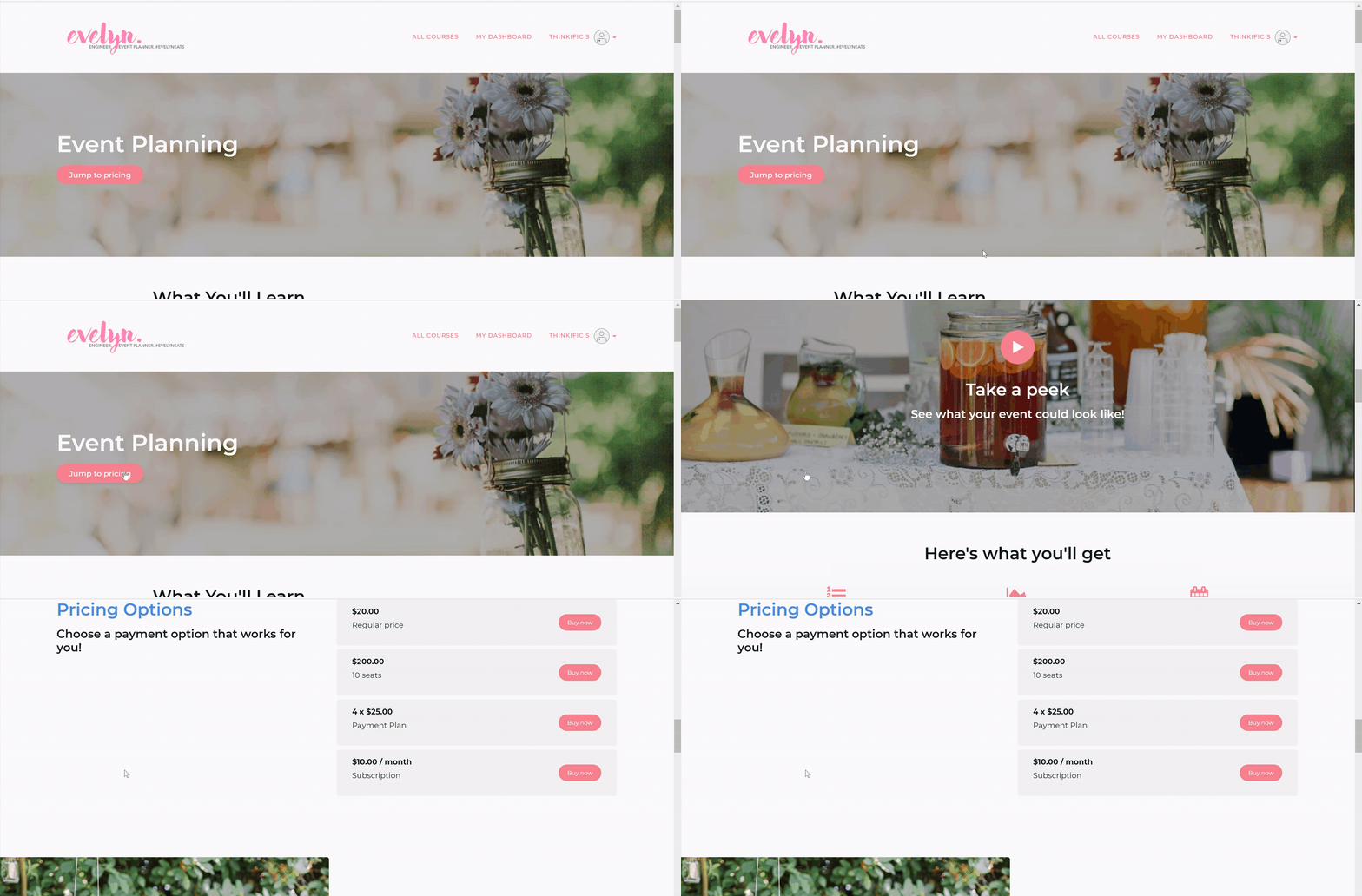
Credit: support.thinkific.com
Enhancing User Experience
Crafting effective landing pages in Thinkific enhances user experience by prioritizing simplicity and clarity. Focus on clean design, concise content, and intuitive navigation to engage visitors and boost conversion rates.
Improving Navigation
Simple menus help users find what they need. Avoid too many links. Clear categories are key. Use icons for quick navigation. Place important links at the top. Keep similar items together. Make buttons easy to see. Ensure links work properly. Add a search bar if needed. Use breadcrumbs for easy tracking. Help users return to previous pages. Keep it neat and tidy. Users appreciate simple navigation.
Reducing Load Time
Fast pages keep users happy. Compress images to save space. Limit large files on pages. Use simple graphics. Choose light colors for backgrounds. Minimize animations and videos. Test page speed regularly. Fix slow loading issues. Optimize code for faster load. Check server health. Remove unused plugins. Keep your page clean. Users enjoy quick access to information.
Integrating Marketing Tools
Adding email capture forms helps gather visitor emails. These forms are simple to make in Thinkific. You can place them on your landing page. Encourage visitors to sign up. Offer a free resource or newsletter. Ensure the form is easy to fill out. Keep the design clean. Use a clear call-to-action button. The button should stand out. Make sure all details are correct. Testing the form is important. This ensures it works well.
Analytics platforms show how users interact with pages. Connect Google Analytics to Thinkific. This helps track visitor actions. See which pages get more visits. Understand which content works best. Look at bounce rates. Check how long visitors stay on pages. Use this data to improve the landing page. Make changes based on insights. Better insights lead to better pages. Always aim for a user-friendly experience.
Testing And Iterating
Testing and iterating helps refine landing pages in Thinkific. Gather user feedback to improve design and content. Make small changes and test their impact to create a better user experience.
A/b Testing Strategies
Thinkific allows creating two versions of a landing page. This is called A/B testing. You can test different headlines, images, or call-to-action buttons. Collect data on how each version performs. This helps in understanding what works best for your audience. Always look for small changes that can make a big difference.
Analyzing Conversion Rates
Conversion rates show how well your page is doing. High rates mean your page is good at getting sign-ups or sales. Track these rates with tools like Google Analytics. Look for patterns in the data. Are users clicking on certain links? Are they spending time reading specific sections? Use this information to make informed changes to your landing page. Aim to improve these rates over time.

Credit: support.thinkific.com
Frequently Asked Questions
How To Build A Landing Page On Thinkific?
To build a landing page on Thinkific, log in to your account. Navigate to “Site Builder,” select “Pages,” then click “Add New Page. ” Choose a template, customize it with your content, images, and calls-to-action. Finally, save and publish your landing page for your course or event.
How To Create A High Quality Landing Page?
Craft a compelling headline and use engaging visuals. Highlight benefits and use clear calls-to-action. Ensure fast loading speed and mobile-friendliness. Use testimonials for credibility and keep the layout simple.
How Do I Optimize My Landing Page?
Optimize your landing page by using clear headlines, compelling CTAs, and relevant keywords. Enhance loading speed, ensure mobile compatibility, and incorporate engaging visuals. Utilize social proof, such as reviews and testimonials, to build trust. Regularly test and update content for improved user experience and conversion rates.
What Is The Best Layout For A Landing Page?
A successful landing page layout includes a clear headline, engaging visuals, concise copy, and a strong call-to-action. Ensure navigation is minimal to keep focus. Use social proof and testimonials for credibility. Optimize for mobile users and fast loading times for better user experience and search engine rankings.
Conclusion
Creating effective landing pages in Thinkific is straightforward and rewarding. Focus on clear design and strong headlines. Use engaging images and concise text. Always aim for easy navigation. Keep your audience in mind when crafting content. Test different layouts to find what works best.
Make sure your call-to-action is visible and compelling. Remember, great landing pages can boost your course enrollments. With these tips, you can create pages that capture attention and drive results. Start implementing these strategies today for better engagement and success.