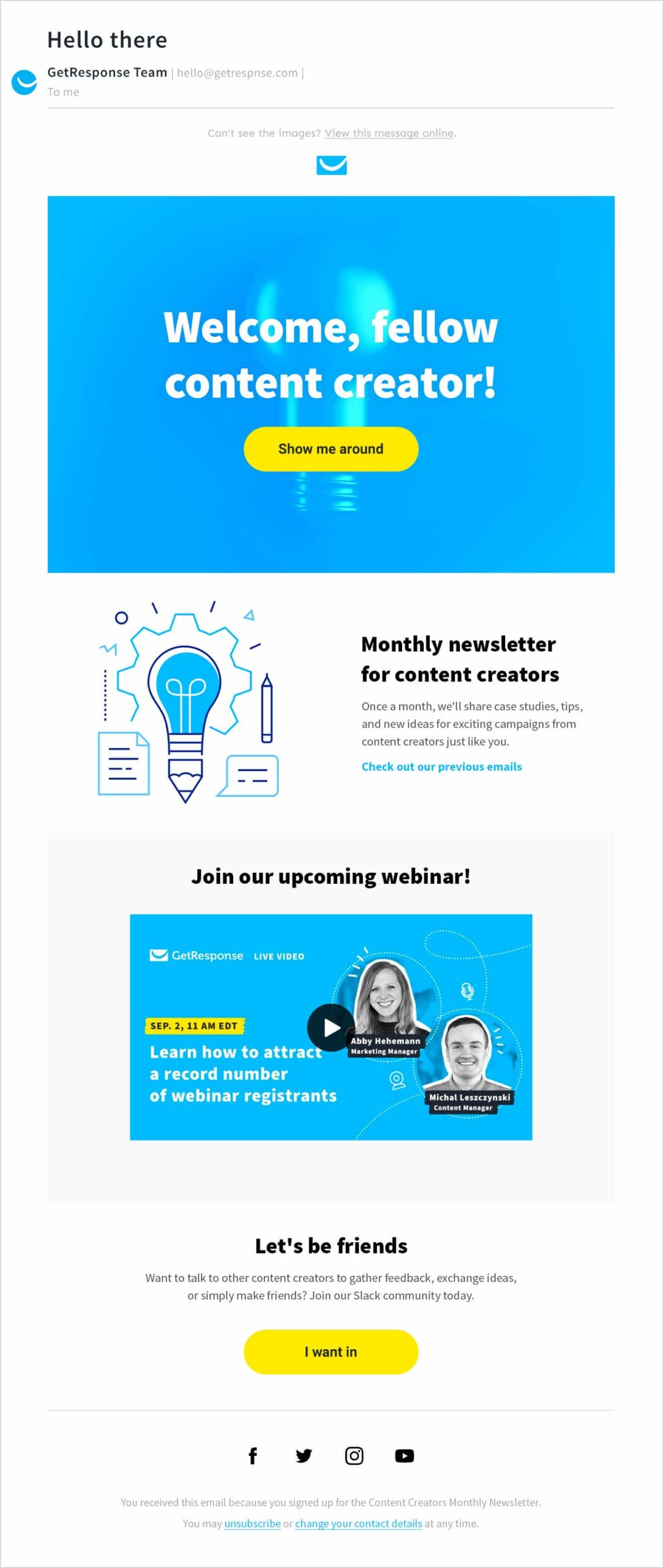
Use clear visuals and concise text for effective email marketing design. Personalization and mobile optimization are crucial.
Email marketing design is essential for capturing attention and driving engagement. Effective design includes clear visuals, concise text, and personalized content that resonates with your audience. Mobile optimization ensures emails look great on all devices, increasing the likelihood of interaction.
Choose a clean layout, use compelling calls-to-action (CTAs), and maintain brand consistency throughout your emails. Test different designs to see what works best and make data-driven decisions. By focusing on these elements, you can create emails that not only look good but also achieve your marketing goals. This approach ensures your emails stand out in crowded inboxes and drive desired actions.
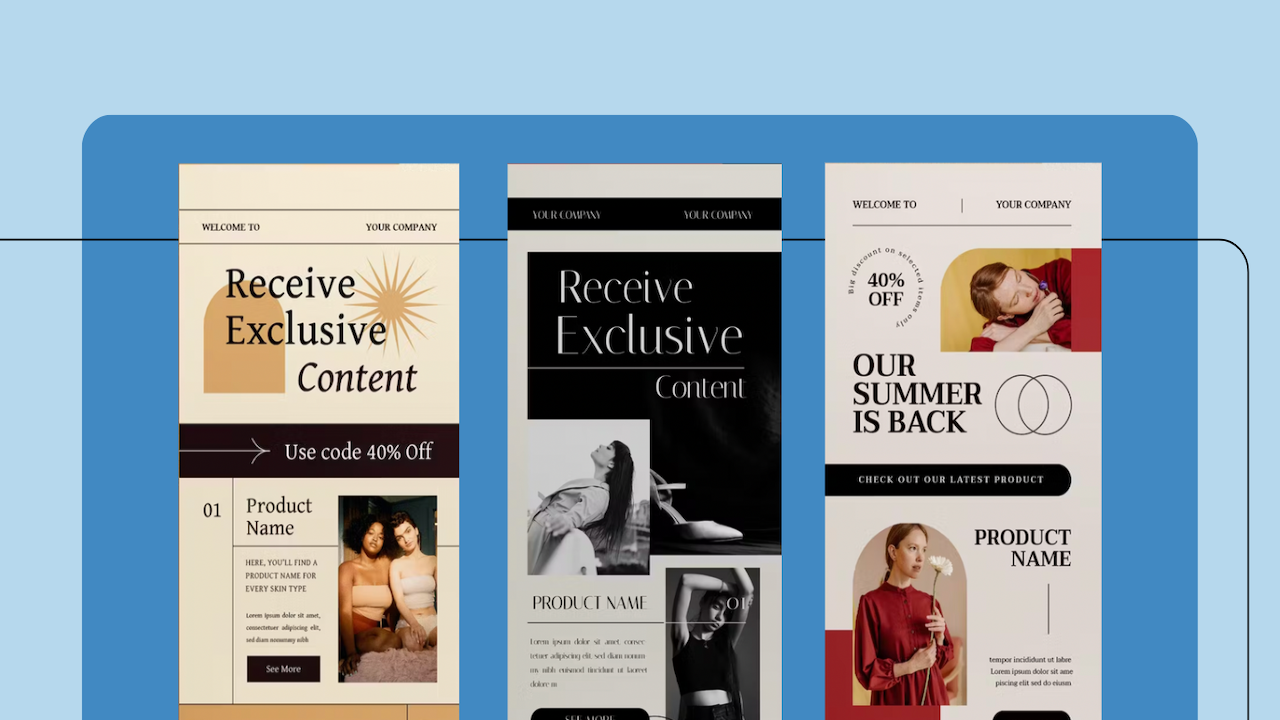
Credit: www.eastshoremarketing.com
The Importance Of Design In Email Marketing
Email marketing is a powerful tool. The design of your emails plays a crucial role. Effective design can significantly impact how your audience engages with your content. Let’s explore why design is so important in email marketing.
Visual Appeal And User Engagement
Your email’s visual appeal can make or break user engagement. A well-designed email grabs attention immediately. It encourages the reader to continue reading. Use clear headings, bullet points, and images to break up text.
Avoid clutter and keep your design clean. This makes your email more readable. Use contrasting colors to highlight important information. Ensure your images are high-quality and relevant. A visually appealing email leads to higher engagement rates.
| Design Element | Impact |
|---|---|
| Clear headings | Improves readability |
| High-quality images | Increases engagement |
| Contrasting colors | Highlights key information |
Brand Consistency Across Emails
Maintaining brand consistency in your emails is vital. Use the same colors, fonts, and logo in every email. This helps to build brand recognition. Your audience should instantly recognize your emails.
Consistency in design strengthens your brand identity. It creates a cohesive and professional look. Ensure your tone and style match your brand’s voice. Consistent branding fosters trust and loyalty among your subscribers.
- Use your brand’s color palette.
- Include your logo in a prominent place.
- Maintain the same font style throughout.
By focusing on design, you create emails that are not only visually appealing but also effective in engaging and retaining your audience.
Crafting The Perfect Subject Line
The subject line is the first thing your readers see. It determines if your email gets opened or ignored. Crafting the perfect subject line is crucial for a successful email marketing campaign.
Conciseness And Clarity
Keep your subject lines short and to the point. Aim for 50 characters or less. This ensures your subject line is fully visible on all devices.
Use clear and direct language. Avoid jargon or complicated words. Readers should understand the content immediately.
Consider these examples:
- Good: “20% Off Your Next Purchase!”
- Bad: “Save Money on Future Transactions with Our Special Offer!”
Incorporating Personalization
Personalized subject lines can increase open rates. Use the recipient’s name or location. This creates a sense of relevance.
For instance:
- Personalized: “Hi John, Your Exclusive Offer Awaits!”
- Generic: “Your Exclusive Offer Awaits!”
Personalization can also include special dates or interests. Use data to craft targeted messages.
For example, an email sent on a birthday could read:
- “Happy Birthday, Sarah! Here’s a Gift for You.”
These tips ensure your subject lines are engaging and effective. Focus on conciseness and personalization for better results.
Optimizing Preheader Text
Email marketing success hinges on various elements. One crucial aspect is optimizing preheader text. This short snippet appears after the subject line in an email inbox. It can significantly impact open rates.
Complementing The Subject Line
The preheader text should complement the subject line. Both should work together seamlessly. A cohesive approach can draw more attention.
For instance, if the subject line teases a sale, the preheader can provide more details. Example:
| Subject Line | Preheader Text |
|---|---|
| Big Sale Starts Now! | Up to 50% off on all items |
This combination creates curiosity and encourages clicks.
Encouraging Email Opens
Preheader text should encourage email opens. Use actionable language and clear benefits. Make the value proposition obvious.
- Exclusive Offer: Get 20% off your first purchase.
- Limited Time: Free shipping on orders over $50.
These examples provide a clear incentive to open the email. They offer immediate value to the reader.
Optimizing preheader text is vital. It can significantly improve your email marketing success. Always test different variations to find the best-performing text.
Email Layout Essentials
Email layout is crucial for engaging your audience. A well-designed layout ensures readers focus on important content. This section covers essential tips for effective email design.
The F-pattern In Email Design
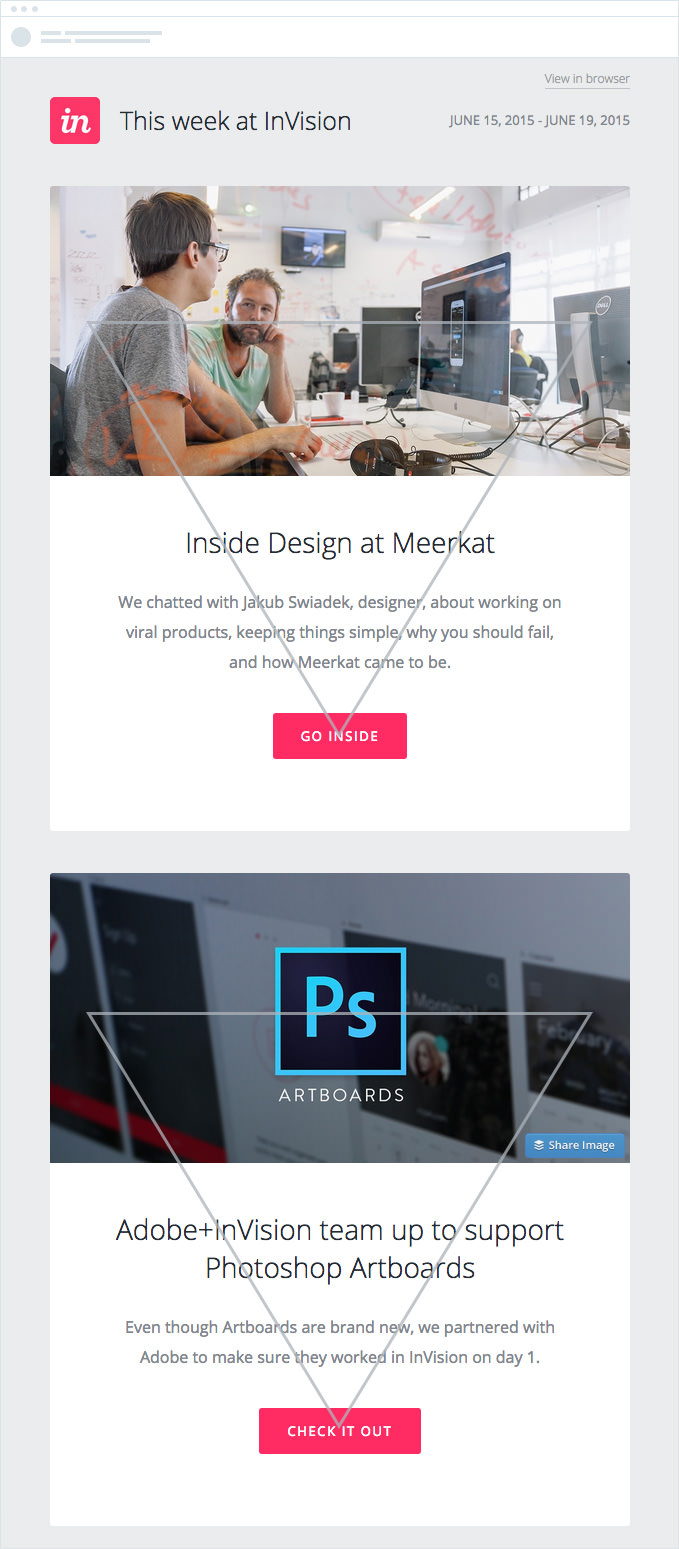
Studies show readers scan emails in an F-pattern. They start at the top left, move across, then down and across again. Place important elements like headlines and calls-to-action along this pattern.
Use bold text and images to guide the reader’s eye. This approach ensures your key messages are seen quickly.
- Top-left: Place your logo and main headline.
- Middle section: Include engaging images and subheadings.
- Bottom-right: Add your call-to-action or key links.
Balancing Text And Images
Finding the right balance between text and images is key. Too much text can overwhelm readers. Too many images can slow load times.
Follow these tips for a balanced email:
- Use images to break up text into digestible chunks.
- Ensure images are optimized for quick loading.
- Write concise and clear text to convey your message.
Remember, a good balance keeps your audience engaged and reduces the chance of unsubscribes.
Responsive Design For Mobile Users
Email marketing needs a responsive design for mobile users. Most people read emails on their phones. A well-designed email improves user experience. It also boosts engagement and conversions. Here are some tips to make your emails mobile-friendly.
Adapting To Different Screen Sizes
Emails should look good on all screen sizes. This includes small phones and large tablets. Use a fluid grid layout. It adjusts to different screens automatically. Set images to a maximum width of 100%. This prevents them from overflowing the screen.
Tables can be tricky on mobile. Use media queries to adjust table layouts. Here is an example:
  @media only screen and (max-width: 600px) {
    table[class="responsive-table"] {
      width: 100% !important;
    }
  }
Touch-friendly Buttons And Links
Mobile users tap buttons with their fingers. Make buttons and links touch-friendly. Use a larger font size, at least 16px. Ensure buttons are at least 44px by 44px. This makes them easy to tap.
Place enough space between buttons and links. This prevents accidental taps. Use contrasting colors for buttons. They should stand out from the background. Here is a simple button example:
Click Me

Credit: www.grapevinelocalmarketing.com
Color Psychology In Emails
Understanding color psychology can greatly enhance your email marketing efforts. Colors can evoke emotions and drive actions. Choosing the right colors can make your emails more engaging and effective.
Choosing The Right Color Scheme
Picking the right color scheme is crucial. Different colors evoke different emotions. Here’s a quick guide:
- Red: Excitement and urgency
- Blue: Trust and calm
- Green: Growth and peace
- Yellow: Happiness and optimism
- Black: Luxury and sophistication
Use colors that align with your brand. Ensure they resonate with your audience. Consistency in color scheme helps in brand recognition.
Colors And Call-to-action Visibility
Your Call-to-Action (CTA) buttons must stand out. Use contrasting colors to make them visible.
| Background Color | CTA Button Color |
|---|---|
| White | Red or Blue |
| Black | Yellow or Green |
| Blue | Orange or White |
Keep your CTA color consistent across emails. This builds familiarity and encourages clicks. A/B test different colors to see which works best for your audience.
Typography That Reads Well
Effective email marketing design relies on good typography. Good typography ensures your message is clear and engaging. The right typeface, spacing, and text hierarchy make a huge difference. Let’s explore how to achieve typography that reads well in email marketing.
Font Selection For Readability
Choosing the right font is crucial. It impacts how easily your audience reads your email. Below are some tips:
- Sans-serif fonts are generally easier to read on screens.
- Use fonts like Arial, Helvetica, and Verdana for better readability.
- Avoid decorative fonts for body text. They are hard to read.
Here’s a quick comparison of recommended fonts:
| Font | Type | Best Use |
|---|---|---|
| Arial | Sans-serif | Body Text |
| Georgia | Serif | Headlines |
| Verdana | Sans-serif | Body Text |
Hierarchy And Spacing In Text
Proper hierarchy guides the reader’s eye through the content. Use different font sizes and weights to create a clear hierarchy.
- Headlines should be bold and larger than body text.
- Subheadings should be slightly smaller but still bold.
- Body text should be simple and easy to read.
Spacing between lines and paragraphs improves readability. Ensure there is enough space so that text doesn’t look cramped. Here are some spacing guidelines:
- Line height should be around 1.5 times the font size.
- Paragraphs should have a margin of at least 1.5 times the line height.
Good typography in email marketing enhances readability and engagement. Follow these tips to ensure your emails look great and are easy to read.
Visual Elements That Engage
Email marketing is more effective with engaging visual elements. They capture attention and keep readers interested. Let’s explore some key tips for using these visual elements effectively.
Using High-quality Images
High-quality images make your emails look professional. They should be clear and relevant to your content. Use images that are visually appealing and enhance your message.
Consider the following tips when choosing images:
- Ensure images are not blurry or pixelated.
- Use images that tell a story.
- Optimize images for fast loading times.
Alt text should be added to images for better accessibility. This helps readers who use screen readers to understand the content.
Incorporating Videos And Gifs
Videos and GIFs can make your emails more interactive. They can explain complex ideas quickly and keep readers engaged.
Here are some tips for using videos and GIFs:
- Keep videos short and to the point.
- Ensure GIFs are relevant and not distracting.
- Use a clear call-to-action (CTA) with your video.
Embedding a thumbnail with a play button can encourage more clicks. This can lead to higher engagement rates for your email campaigns.
Clear And Compelling Calls To Action
Email marketing is a powerful tool. Yet, the success depends on how you design your emails. One critical element is having clear and compelling calls to action (CTAs). A well-crafted CTA can boost engagement and drive conversions. Let’s explore some tips to create effective CTAs.
Designing Noticeable Cta Buttons
To make your CTA buttons stand out, consider the following design tips:
- Color: Use a color that contrasts with your email background.
- Size: Ensure the button is large enough to be noticed.
- Shape: Rounded corners can make buttons look more inviting.
- Whitespace: Add ample space around the button to make it pop.
| Design Element | Best Practice |
|---|---|
| Color | Contrast with background |
| Size | Large enough to be noticed |
| Shape | Rounded corners |
| Whitespace | Ample space around |
Actionable Language In Ctas
The language in your CTA should be actionable and clear. Use strong action verbs to prompt immediate action.
- Use Verbs: Start with verbs like “Buy,” “Download,” or “Subscribe.”
- Be Specific: Clearly state what will happen after clicking.
- Create Urgency: Add phrases like “Now” or “Today” to prompt quick action.
Examples of effective CTA phrases:
- Buy Now
- Download Free Guide
- Subscribe Today
Testing And Optimizing Email Designs
Testing and optimizing your email designs can improve your email marketing efforts. This process ensures your emails perform well and engage your audience. Let’s explore some effective strategies.
A/b Testing Different Designs
A/B testing helps determine which email design works best. Create two versions of an email. Send each version to a small group of your audience.
Compare the results to see which design performs better. This method allows you to test various elements such as:
- Subject lines
- Call-to-action buttons
- Images and layout
Always test one element at a time for accurate results. Consistent testing leads to better email performance.
Analyzing Email Performance Metrics
Analyzing email performance metrics is crucial. Key metrics to track include:
| Metric | Description |
|---|---|
| Open Rate | Percentage of recipients who open your email |
| Click-Through Rate (CTR) | Percentage of recipients who click on links |
| Conversion Rate | Percentage of recipients who complete a desired action |
| Bounce Rate | Percentage of emails not delivered |
| Unsubscribe Rate | Percentage of recipients who unsubscribe |
These metrics help you understand your email’s effectiveness. Use this data to refine your email designs. Focus on improving weak areas to boost overall performance.
Credit: www.campaignmonitor.com
Frequently Asked Questions
What Are The 5 Ts Of Email Marketing?
The 5 Ts of email marketing are Target, Tease, Teach, Test, and Track. Target your audience precisely. Tease with engaging subject lines. Teach valuable content. Test different strategies. Track performance metrics.
How To Design An Email For Marketing?
Design a marketing email by creating a catchy subject line, using engaging visuals, writing concise content, including a clear CTA, and ensuring mobile-friendliness.
What Are The 7 Email Marketing Strategies?
1. Personalize your emails. 2. Segment your audience. 3. Craft compelling subject lines. 4. Optimize for mobile devices. 5. Use clear calls-to-action. 6. Test and analyze campaigns. 7. Automate email sequences.
What Are 4 Elements Of A Marketing Email?
The four elements of a marketing email are a compelling subject line, personalized content, clear call-to-action, and mobile-friendly design.
Conclusion
Crafting effective email marketing designs boosts engagement and conversions. Focus on clean layouts, compelling visuals, and clear calls-to-action. Remember to test different elements to see what works best for your audience. Implement these tips to elevate your email campaigns and achieve better results.
Happy emailing!



