The most common photo editing tool used is Adobe Photoshop. It is renowned for its extensive features and versatility.
Adobe Photoshop dominates the photo editing industry. Its powerful tools and capabilities cater to both amateur and professional photographers. Users can perform basic edits, such as cropping and color correction, as well as advanced manipulations like compositing and retouching. The software supports various file formats and integrates seamlessly with other Adobe products.
Photoshop’s user-friendly interface and extensive online tutorials make it accessible to beginners. Its consistent updates ensure it remains at the forefront of photo editing technology. Whether you need to enhance a simple snapshot or create a complex digital artwork, Adobe Photoshop offers the tools necessary to achieve professional results.

Credit: nofilmschool.com
Introduction To Photo Editing Tools
Photo editing tools are essential for enhancing images. These tools help adjust colors, remove blemishes, and add effects. Many photographers use them to make their photos stand out. In this blog post, we will explore the most common photo editing tools.
Evolution Of Digital Photography
Digital photography has changed a lot over the years. Early digital cameras had low resolution. Today, cameras capture high-quality images with great detail. The rise of smartphones has also impacted photography.
Modern phones come with powerful cameras. They allow users to take stunning photos easily. This evolution has increased the need for photo editing tools. Users want to enhance their photos quickly and easily.
The Role Of Editing In Modern Photography
Editing plays a crucial role in modern photography. It helps photographers fix mistakes and enhance their images. For example, they can adjust brightness, contrast, and saturation.
Photo editing tools also allow for creative expression. Photographers can add filters, effects, and text to their images. These tools make it easy to create unique and stunning photos.
| Feature | Description |
|---|---|
| Brightness | Adjusts the overall lightness or darkness of an image. |
| Contrast | Increases or decreases the difference between light and dark areas. |
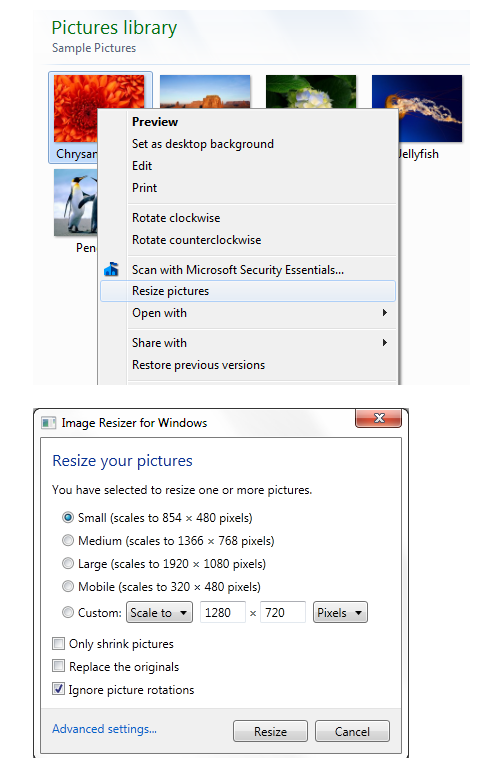
| Saturation | Enhances or reduces the intensity of colors in an image. |
| Filters | Adds a specific style or effect to the image. |
Credit: www.crazyegg.com
Popular Photo Editing Software
Photo editing tools are essential for photographers, designers, and social media enthusiasts. Various software options cater to different needs, from basic adjustments to advanced editing. In this section, we will explore popular photo editing software, examining commercial and open source options, as well as mobile and desktop applications.
Commercial Vs. Open Source Options
Photo editing software can be divided into two categories: commercial and open source. Commercial tools often provide more features, support, and regular updates. Open source tools are free and allow customization.
| Commercial Software | Open Source Software |
|---|---|
| Adobe Photoshop | GIMP |
| Corel PaintShop Pro | Darktable |
| Affinity Photo | RawTherapee |
- Adobe Photoshop: The industry standard for professional editing.
- GIMP: A powerful free alternative with many features.
Mobile Vs. Desktop Applications
Photo editing can be done on both mobile and desktop devices. Each has its own advantages and limitations.
Mobile Applications:
- Convenient for quick edits on the go.
- Popular apps include Snapseed and Adobe Lightroom Mobile.
Desktop Applications:
- Offer more advanced features and tools.
- Examples include Adobe Photoshop and GIMP.
Choosing the right tool depends on your specific needs and workflow. Whether you prefer commercial or open source software, mobile or desktop applications, there is a photo editing tool for everyone.
Adobe Photoshop: The Industry Standard
Adobe Photoshop is the most common photo editing tool. It is used by professionals and amateurs alike. Known for its versatility and powerful features, Photoshop remains unmatched in the industry.
Key Features That Set Photoshop Apart
Photoshop has many features that set it apart from other tools. Here are some key features:
- Layers: Layers allow for non-destructive editing.
- Selection Tools: Precise selection tools make editing easier.
- Filters and Effects: Wide range of filters and effects for creative edits.
- Retouching: Advanced tools for photo retouching and enhancement.
- Text Tools: Add and customize text with ease.
Photoshop’s Impact On Professional Photography
Photoshop has a significant impact on professional photography. It allows photographers to:
- Enhance Images: Improve image quality with advanced tools.
- Create Composites: Combine multiple images seamlessly.
- Retouch Photos: Remove imperfections and enhance details.
- Experiment with Styles: Apply various styles and effects.
Photoshop’s tools help photographers achieve their creative vision. This makes it an essential part of professional workflows.
Credit: zapier.com
Alternatives To Photoshop
Many people look for alternatives to Photoshop. Whether you need a free tool or something new, there are many options.
Gimp: The Power Of Open Source
GIMP, or GNU Image Manipulation Program, is a free tool. It is open-source, which means anyone can improve it. GIMP offers many features like Photoshop. You can use layers, masks, and even custom brushes.
Here are some key features of GIMP:
- Supports different file formats
- Customizable interface
- Advanced photo retouching
- Powerful tools for graphic design
GIMP is great for anyone needing a free, powerful photo editor. It has a large community for support and tutorials.
Affinity Photo: A Rising Competitor
Affinity Photo is a strong competitor to Photoshop. It is not free but is affordable. Affinity Photo offers many professional tools. It is known for its speed and smooth workflow.
Key features of Affinity Photo include:
- Non-destructive editing
- Advanced layer management
- Support for RAW editing
- Wide range of filters and effects
Affinity Photo is ideal for professional photographers and designers. It is a one-time purchase, so no subscription fees.
Both GIMP and Affinity Photo are strong alternatives to Photoshop. They offer powerful tools and features for photo editing.
User-friendly Options For Beginners
Starting with photo editing can be daunting. Many tools exist, but not all are beginner-friendly. This section explores two popular tools that simplify the editing process for new users.
Canva: Simplifying Design
Canva is a powerful tool for beginners. It offers an intuitive interface. Users can drag and drop elements easily. Canva provides a wide range of templates. These templates make design quick and effortless. Canva’s free version includes many useful features. Users can create social media posts, flyers, and more.
Here are some key features of Canva:
- Templates: Thousands of pre-designed templates
- Elements: Access to photos, icons, and shapes
- Text Options: Various fonts and text styles
- Collaboration: Share and edit with others in real-time
Canva also offers a user-friendly mobile app. This allows users to edit on-the-go. For beginners, Canva simplifies the design process significantly.
Adobe Lightroom: Streamlined Workflow
Adobe Lightroom is another great option for beginners. It offers a streamlined workflow. This tool focuses on photo enhancements. Lightroom’s interface is clean and user-friendly. Users can adjust lighting, contrast, and colors with ease. Lightroom also supports non-destructive editing.
Key features of Adobe Lightroom include:
- Presets: Apply professional presets with one click
- Adjustment Tools: Fine-tune photos with sliders
- Organization: Organize photos with tags and collections
- Syncing: Sync edits across devices
Lightroom also offers a mobile app. This helps users edit photos anywhere. For beginners, Lightroom provides a smooth editing experience. It helps users achieve professional results easily.
Mobile Editing Apps On The Rise
In the digital age, mobile editing apps are increasingly popular. They offer powerful tools right in your pocket. These apps make photo editing accessible and convenient for everyone. Whether you’re a professional or a hobbyist, mobile editing apps are invaluable.
Snapseed: Professional Editing On Your Phone
Snapseed is a robust photo editing app developed by Google. It offers a range of professional-grade editing tools. Here are some of its key features:
- RAW image processing
- Selective adjustments
- Healing tool for removing imperfections
- Advanced filters and effects
Snapseed is free and user-friendly. It’s perfect for both beginners and seasoned photographers. The app’s interface is intuitive, making advanced edits simple and quick.
Vsco: Combining Social Media And Editing
VSCO is more than just a photo editing app. It combines editing tools with a social media platform. Users can share their edited photos within the app’s community. Here are some standout features:
- Wide array of filters
- Customizable editing tools
- Integrated social media platform
- Film-like presets for a unique look
VSCO is popular for its high-quality filters and user community. It’s a favorite among influencers and casual users alike. The app offers both free and premium options for its features.
The Importance Of User Interface
Photo editing tools are essential for photographers and designers. The most common tool used must have a good user interface. A user-friendly interface makes editing faster and easier. It helps users achieve professional results without stress.
Intuitive Design For Efficient Editing
An intuitive design means users can find tools quickly. They can edit photos without getting lost in menus. The layout should be simple and clear. Icons should be easy to understand.
Consider a photo editing tool like Photoshop. It offers a toolbar on the left side. Users can access common tools like crop, brush, and eraser. This saves time and boosts productivity.
- Easy navigation
- Clear icons
- Accessible toolbars
Customization And Accessibility
Customization allows users to set up the interface to their liking. They can move toolbars, change themes, and create shortcuts. This makes the editing process more personal and efficient.
Accessibility ensures everyone can use the tool. It should support keyboard shortcuts and screen readers. This helps users with disabilities edit photos with ease.
| Feature | Benefit |
|---|---|
| Customizable Toolbars | Quick access to favorite tools |
| Keyboard Shortcuts | Faster editing process |
| Screen Reader Support | Enhanced accessibility |
Choosing a photo editing tool with a good user interface is crucial. It improves efficiency, customization, and accessibility. This leads to better photo editing experiences.
Future Trends In Photo Editing
The world of photo editing is rapidly evolving. New technologies are shaping the way we edit photos. Exciting trends are emerging that will change the future of photo editing.
Ai Integration In Editing Tools
Artificial Intelligence (AI) is transforming photo editing. AI tools can enhance photos with a single click. They can adjust colors, remove blemishes, and add effects. These tools save time and effort. AI can also learn your editing style. It can suggest edits based on your past work.
AI can automate repetitive tasks. This allows photographers to focus on creativity. Many editing tools now include AI features. This trend will continue to grow.
The Growth Of Cloud-based Editing Platforms
Cloud-based platforms are becoming more popular. They allow you to edit photos from any device. You can access your work from anywhere. This is great for photographers on the go.
Cloud platforms offer powerful editing tools. They also provide storage and sharing options. You can collaborate with others in real-time. This makes photo editing more flexible and convenient.
Here is a comparison of traditional vs. cloud-based editing platforms:
| Traditional Editing Platforms | Cloud-Based Editing Platforms |
|---|---|
| Software installed on a device | Access through a web browser |
| Limited to one device | Accessible from any device |
| Requires manual updates | Automatic updates |
| Local storage | Cloud storage |
The shift to cloud-based platforms is a major trend. It offers many benefits for photographers.
Frequently Asked Questions
What Do Most People Use To Edit Photos?
Most people use Adobe Photoshop and Lightroom to edit photos. Other popular tools include GIMP, Canva, and Snapseed.
What Is The Top 5 Photo Editing Software?
The top 5 photo editing software are Adobe Photoshop, Lightroom, GIMP, Affinity Photo, and Capture One. Each offers unique features for professional and amateur photographers alike.
What Do Professionals Use For Photo Editing?
Professionals use Adobe Photoshop, Lightroom, and Capture One for photo editing. These tools offer advanced features and flexibility.
What Is The Number One Photo Editing?
Adobe Photoshop is the number one photo editing software. It offers powerful tools for professionals and beginners alike.
Conclusion
Choosing the right photo editing tool can enhance your creative projects. Adobe Photoshop stands out for its versatility and features. Other tools also offer great options depending on your needs. Explore different tools to find the best fit for you.
Happy editing and bring your visions to life!



