Are you ready to boost your business with an effective marketing email? Mailchimp makes it easier than ever.
But, crafting a perfect email that captures attention and drives action can still be challenging. Imagine sending out emails that not only reach your audience but also resonate with them deeply. This guide is designed to transform your email marketing strategy into a powerful tool for engagement.
You’ll learn how to create compelling content, design eye-catching layouts, and set up successful campaigns, all with Mailchimp’s user-friendly platform. Get ready to discover the secrets to making your emails irresistible and watch your engagement soar. Dive in and unlock the potential of Mailchimp for your marketing success.
Getting Started With Mailchimp
Mailchimp is a powerful tool for email marketing. It helps businesses connect with their audience. Getting started with Mailchimp is easy. This guide will walk you through the first steps. You will learn how to create an account and navigate the dashboard.
Creating An Account
Visit the Mailchimp website. Click the ‘Sign Up Free’ button. Enter your email address. Choose a username and password. Check your email for the confirmation link. Click the link to activate your account. You are now ready to explore Mailchimp.
Navigating The Dashboard
Once logged in, you’ll see the dashboard. It gives a quick overview of your account. You can manage your audience here. Create new campaigns easily. Check recent activities. Explore the different sections. Each section helps with different tasks. Use the top menu to switch between tasks. The dashboard is user-friendly. It helps you manage your email marketing efficiently.

Credit: torquemag.io
Crafting Your Email Content
Create engaging Mailchimp marketing emails by focusing on clear, concise messages. Use catchy subject lines to grab attention. Include compelling visuals to enhance your content and maintain reader interest.
Crafting your email content is crucial in Mailchimp marketing. A well-crafted email engages your audience. It meets your business goals too. The content needs to be clear and concise. It should resonate with the readers. Let’s explore how to create compelling email content.Defining Your Audience
Knowing your audience is essential. Understand who you’re writing to. Are they young adults or professionals? What are their interests? Tailor your content to their needs. Use language they understand. Make it relevant to their lives. This increases engagement.Setting Clear Objectives
Define your email’s purpose. Is it to inform, sell, or nurture? Each email should have a single goal. This keeps your message focused. It also helps in measuring success. Clear objectives guide your content. They ensure alignment with business strategies.Writing Engaging Copy
Write with clarity and purpose. Use simple sentences. Keep paragraphs short. Grab attention with a strong subject line. Use active voice for a direct tone. Personalize where possible. Address the reader by name. This makes the email feel personal. Use bullet points for easy reading. Highlight key information. Make it easy for the reader to understand.Designing Your Email
Designing your email in Mailchimp is a crucial step. It helps capture attention and conveys your message effectively. A well-designed email can increase engagement and drive more clicks. This section will guide you through the essential aspects of designing a Mailchimp email.
Choosing A Template
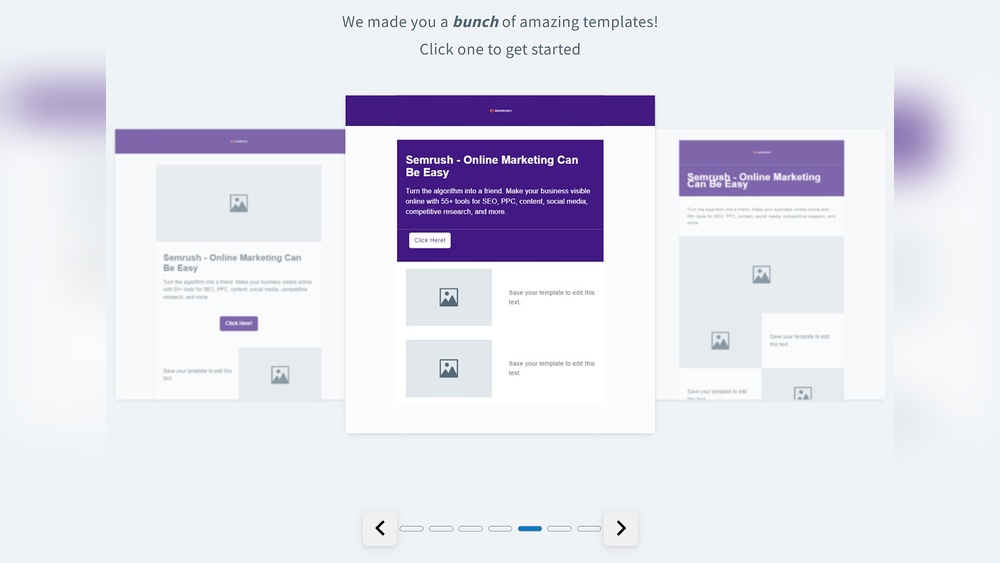
Selecting the right template is the first step. Mailchimp offers a variety of templates. Choose one that suits your message and audience. Consider the purpose of your email. Is it a newsletter, promotion, or announcement? The template should align with your goal. Ensure it is visually appealing and easy to read. A clean, organized layout works best.
Incorporating Branding Elements
Your email should reflect your brand’s identity. Incorporate your logo and brand colors. This creates a consistent look and feel. Use fonts that match your brand’s style. Include images that resonate with your audience. Ensure all elements align with your brand message. Consistency builds trust and recognition.
Optimizing For Mobile
Many people check emails on their phones. Your email must look good on small screens. Use a mobile-responsive template. Ensure text is readable without zooming. Keep images small to load quickly. Test your email on different devices. This ensures a seamless experience for all users.

Credit: www.amyshamblen.com
Adding Interactive Elements
Enhance your Mailchimp marketing emails by adding interactive elements. Include clickable images, surveys, or buttons to boost engagement. Encourage readers to take action and improve their experience.
Creating a Mailchimp marketing email that captivates your audience is more than just crafting compelling copy and designing attractive layouts. It’s about engaging your readers and encouraging them to interact with your content. Adding interactive elements can significantly boost engagement, making your emails not just informative, but also fun and engaging. Let’s delve into some practical ways to add these interactive elements and make your emails stand out.###Using Call-to-actions
Call-to-actions (CTAs) are essential in driving your audience to take the next step. They can guide your readers towards your website, a product page, or even a special offer. A well-crafted CTA encourages clicks and boosts conversions.Keep your CTAs clear and concise. Use active language like “Grab Your Deal” or “Join Us Now”. This creates urgency and prompts action.Experiment with different button styles and colors. You might be surprised how a simple change can increase click-through rates. Try placing CTAs in various sections of your email to see what works best for your audience.###Integrating Social Media Links
Social media is a powerful tool in enhancing your email’s reach and engagement. Including social media links in your Mailchimp emails allows your audience to connect with you on multiple platforms.Make sure your social media icons are easily visible. Place them at the top or bottom of your email where they naturally catch the eye.Encourage your readers to share your content. You can add a simple line like “Share this with your friends” to prompt action. This not only boosts engagement but also extends your reach beyond your existing audience.Think about the last email you received that had engaging elements. What made it memorable? Adding interactive features can transform your emails from ordinary to extraordinary. Start experimenting today and watch your engagement soar.Testing And Reviewing
Crafting a Mailchimp marketing email involves testing different layouts and reviewing design elements. Checking for clarity and engaging content ensures effective communication with your audience. Regularly updating your approach keeps the emails fresh and relevant.
Testing and reviewing your Mailchimp marketing email is a crucial step before hitting the send button. It ensures your message is clear, engaging, and free of errors. This process can significantly improve your email’s performance and your audience’s experience.A/b Testing Strategies
A/B testing allows you to experiment with different elements of your email. You can test subject lines, call-to-action buttons, images, or even the email’s layout.For instance, try sending two versions of your email with different subject lines to a small segment of your audience. Analyze which subject line gets more opens and use it for the rest of your list.Consider testing different times of day for sending your emails. Morning versus afternoon sends can yield varying results depending on your audience’s habits.Checking For Errors
Before sending your email, check for any errors that might slip through. This includes spelling mistakes, broken links, or incorrect personalization tags.Use Mailchimp’s preview and test email features to ensure everything looks as it should. Send a test email to yourself and check how it displays on both desktop and mobile devices.Don’t underestimate the power of a fresh pair of eyes. Ask a colleague to review your email. They might spot something you missed.Testing and reviewing might seem tedious, but it’s a vital part of crafting effective marketing emails. Have you ever sent an email with a glaring mistake? Share your experience in the comments and let’s learn together!Scheduling And Sending
Crafting a compelling Mailchimp marketing email is just the beginning. Knowing when and how to send it can make a huge difference. Scheduling and sending are crucial steps in email marketing. They ensure your message reaches the right audience at the right time. A well-timed email can boost engagement and conversions.
Selecting The Best Time
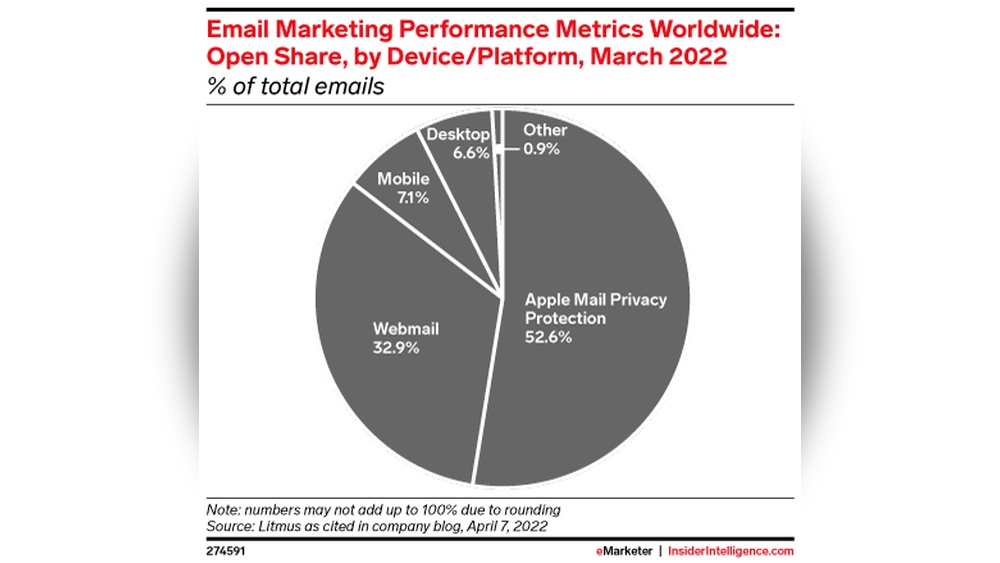
Timing is key to email success. Choose a time when your audience is active. Analyze your previous email campaigns for insights. Look at open and click rates. Identify patterns in your audience’s behavior. Consider time zones if your audience is global. Early mornings or late afternoons often work best. Test different times to see what resonates with your audience.
Automating Emails
Automation saves time and enhances efficiency. Set up drip campaigns to nurture leads. Welcome emails can greet new subscribers. Use automation for birthday wishes or special offers. Automate follow-ups based on user actions. It ensures timely communication without manual effort. Monitor your automated emails regularly. Adjust them based on performance and feedback.
Analyzing Performance
Crafting a Mailchimp marketing email involves understanding the target audience and setting clear goals. Use engaging subject lines and concise content to capture attention. Regularly analyzing performance helps refine strategies for better results.
Analyzing the performance of your Mailchimp marketing emails is crucial to refining your strategy and achieving better results. It’s not just about sending emails; it’s about understanding how they perform and making informed adjustments. The magic happens when you dive into your email analytics and use that data to improve your future campaigns. This process can transform a good marketing strategy into a great one, driving engagement and conversions.Interpreting Analytics
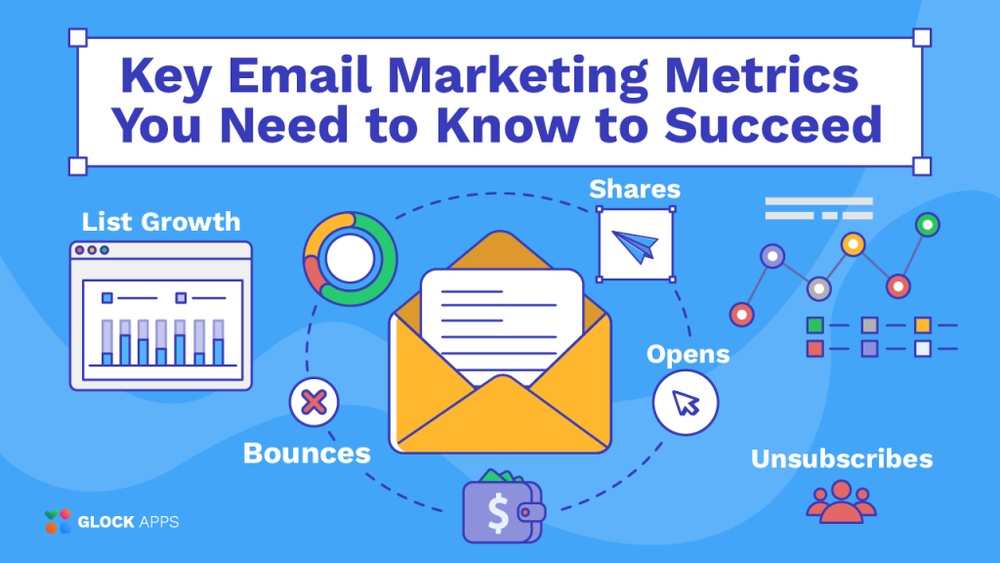
Understanding analytics is like reading a map to your email marketing success. Begin by looking at your open rates, which show how many recipients are opening your emails. Are your subject lines enticing enough?Next, examine click-through rates. This tells you how many readers found your content compelling enough to click on the links. If the numbers are low, consider whether your content matches the interests of your audience.Unsubscribe rates are also important to watch. A high rate could indicate that your content isn’t meeting expectations. Are you sending too frequently, or is the content irrelevant?Adjusting For Improvement
Once you’ve interpreted the data, it’s time to act. If your open rates are low, experiment with different subject lines. Try personalizing them or adding a sense of urgency.For improving click-through rates, assess the clarity and placement of your call-to-action. Ensure it stands out and aligns with your readers’ needs.If you notice high unsubscribe rates, consider segmenting your audience. Tailor your content to specific interests and demographics. This can drastically improve engagement and reduce opt-outs.Have you ever thought about A/B testing? This allows you to test different elements of your emails to see what works best. By consistently tweaking and testing, you can enhance your email marketing performance significantly.By diving into your Mailchimp analytics, you can uncover insights that lead to meaningful improvements. What changes will you make today to optimize your email marketing strategy?
Credit: www.elegantthemes.com
Frequently Asked Questions
How To Set Up Email Marketing In Mailchimp?
Sign up on Mailchimp and log in. Create a new campaign and choose ‘Email’. Customize your template. Add recipient list and subject. Preview and test the email. Finally, schedule or send it immediately. Follow these steps to successfully launch your email marketing campaign using Mailchimp.
Is Mailchimp Free For Email Marketing?
Mailchimp offers a free plan for email marketing. It includes basic features and allows up to 500 contacts. The free plan is ideal for small businesses and beginners. Upgrade options are available for advanced tools and more contacts. Check Mailchimp’s website for current details and pricing.
How Do I Create A Marketing Email?
To create a marketing email, first identify your target audience. Craft a compelling subject line and engaging content. Include a clear call-to-action. Optimize for mobile devices and ensure the email is visually appealing. Test and analyze results for improvement.
Conclusion
Creating a Mailchimp marketing email is simple. First, craft clear, engaging content. Then, add visuals to catch attention. Personalize emails to connect with your audience. Segment lists for targeted messages. Test different approaches for best results. Always review before sending to ensure perfection.
Track performance to learn what works. Adjust strategy based on feedback. This process helps improve email marketing skills. Over time, your emails will be more effective. Mailchimp offers tools to ease this journey. Embrace these tips for better engagement. Your audience will appreciate a thoughtful approach.
Happy emailing!