Are you ready to elevate your business with email marketing? You might be wondering how to start, and that’s where Mailchimp comes into play.
This powerful tool can transform the way you connect with your audience, turning casual visitors into loyal customers. Imagine crafting personalized messages that land directly in your subscribers’ inboxes, sparking engagement and boosting your brand’s visibility. You’ll learn how to set up Mailchimp for your email marketing needs.
Whether you’re a seasoned marketer or a curious beginner, you’ll find the steps straightforward and easy to follow. By the end, you’ll be equipped with the knowledge to create impactful campaigns that resonate with your audience. Dive in and discover how Mailchimp can be your secret weapon in mastering email marketing!
Creating A Mailchimp Account
Creating a Mailchimp account is the first step in email marketing. It’s simple and quick. Mailchimp offers tools to reach your audience effectively. This guide will help you set up your account easily.
Setting Up A Mailchimp Account
Visit Mailchimp’s website. Click on the “Sign Up Free” button. You’ll need an email address. Choose a strong password. Follow the prompts on the screen.
Verifying Your Email Address
Mailchimp sends a verification email. Open the email and click the link. This step confirms your account. It ensures security and proper setup.
Personalizing Your Account
Enter your details. Add your business name. Fill in your contact information. These details help with customizing your emails. Keep information accurate.
Choosing Your Plan
Mailchimp offers different plans. Select one based on your needs. Free plans are available for beginners. Paid plans offer more features. Compare plans carefully.
Setting Up Two-factor Authentication
Enhance security with two-factor authentication. This adds an extra layer of protection. Use your phone to receive security codes. It’s important for account safety.
Navigating The Dashboard
Explore the Mailchimp dashboard to set up your email marketing campaign with ease. Customize templates, manage contacts, and track performance efficiently. This user-friendly platform simplifies the process, making email marketing accessible for everyone.
Navigating Mailchimp’s dashboard can feel overwhelming at first. But mastering it is essential for effective email marketing. The dashboard offers a range of tools to streamline your campaigns. Let’s explore key features and settings to make your experience smoother.Understanding Main Features
The main features on Mailchimp’s dashboard are straightforward. Campaign creation is a central focus. It allows easy design and delivery of your emails. Audience management helps organize subscribers. This ensures targeted communication. The analytics section offers insights into campaign performance. Viewing open rates and click rates is simple. These features are crucial for tracking and improving your strategy.Customizing Settings
Customizing settings is vital for personalizing your Mailchimp experience. The settings tab lets you adjust account preferences. You can configure notification settings to stay updated. Language options help tailor communication to your audience. Branding elements, like logo and colors, enhance your identity. Customizing these settings ensures your campaigns resonate with your brand and audience.Building Your Email List
Setting up Mailchimp for email marketing is simple and effective. Start by creating an account and designing your first campaign. Use signup forms to grow your email list. Customize templates to match your brand. Monitor results with Mailchimp’s analytics. Engage your audience effortlessly.
Building a strong email list is the cornerstone of successful email marketing with Mailchimp. Think of your email list as your community; it’s where you foster relationships and build trust with your audience. The more targeted and engaged your list is, the better your email campaigns will perform. So, how do you build this list effectively? Let’s break it down into simple steps.Importing Contacts
Start by adding contacts you already have. Have you collected email addresses from past customers or subscribers? If so, importing them into Mailchimp is a breeze.You can upload a CSV file, copy and paste from a spreadsheet, or even integrate directly with platforms like Shopify or Salesforce.Remember, quality beats quantity. Only import contacts who have given consent to receive emails. This ensures you’re targeting those genuinely interested in what you have to offer.Using Signup Forms
Signup forms are a powerful tool to grow your email list. Place them prominently on your website and social media pages to attract new subscribers.Mailchimp makes it easy to create custom forms that match your brand’s style. Experiment with different form placements and designs to see what works best for your audience.Offer something valuable in exchange for email addresses. Could it be a discount, a free e-book, or exclusive content? Think about what would entice someone to join your list.Building an email list is not just about numbers; it’s about building a community that values your content. Are you giving your subscribers reasons to stay and engage with your emails? Keep this question in mind as you grow your list.Designing Email Campaigns
Designing email campaigns with Mailchimp allows you to connect creatively. You can share news, promotions, and updates with your audience. Mailchimp’s user-friendly tools make the process simple and engaging. Let’s explore how to design captivating email campaigns.
Choosing Templates
Mailchimp offers a variety of templates to suit different needs. Choose a template that matches your brand style. Consider the purpose of your email. Is it a newsletter, product launch, or holiday greeting? Each template is designed for specific goals. Review the layouts and pick one that highlights your content effectively.
Customizing Content
Once you’ve chosen a template, personalize your message. Add your logo, brand colors, and unique images. Make sure your text is clear and concise. Use headlines that grab attention. Keep sentences short to maintain interest. Include links to your website or social media for more engagement.
Mailchimp’s drag-and-drop editor makes customization easy. Arrange text and images to create a balanced layout. Test different designs to see what works best. Preview your email to ensure it looks great on all devices. Tailoring your content will improve your campaign’s impact.
Segmenting Your Audience
Segmenting your audience in Mailchimp boosts email engagement. Group subscribers by interests or behavior. Craft tailored messages for each segment. Maximize open rates and conversions.
Segmenting your audience is crucial for effective email marketing. It helps deliver personalized messages that resonate with each subscriber. Mailchimp offers powerful tools to divide your audience based on various criteria. This ensures your emails reach the right people, boosting engagement and conversion rates. Let’s explore how to create segments and develop targeting strategies in Mailchimp.Creating Segments
Start by understanding your audience’s needs and preferences. Use Mailchimp’s data to identify patterns in behavior. You can segment based on demographics, past purchases, or email interactions. Create segments by defining specific conditions. For example, you might group subscribers who clicked on a recent promotion. This segmentation leads to more relevant content for each group.Targeting Strategies
Once you have your segments, tailor your content to each group. Use targeted strategies to increase engagement. Send exclusive offers to loyal customers. Share informative content with new subscribers. Test different approaches to see what works best. Monitor response rates and adjust your strategy accordingly. Personalization improves the likelihood of interaction and conversion.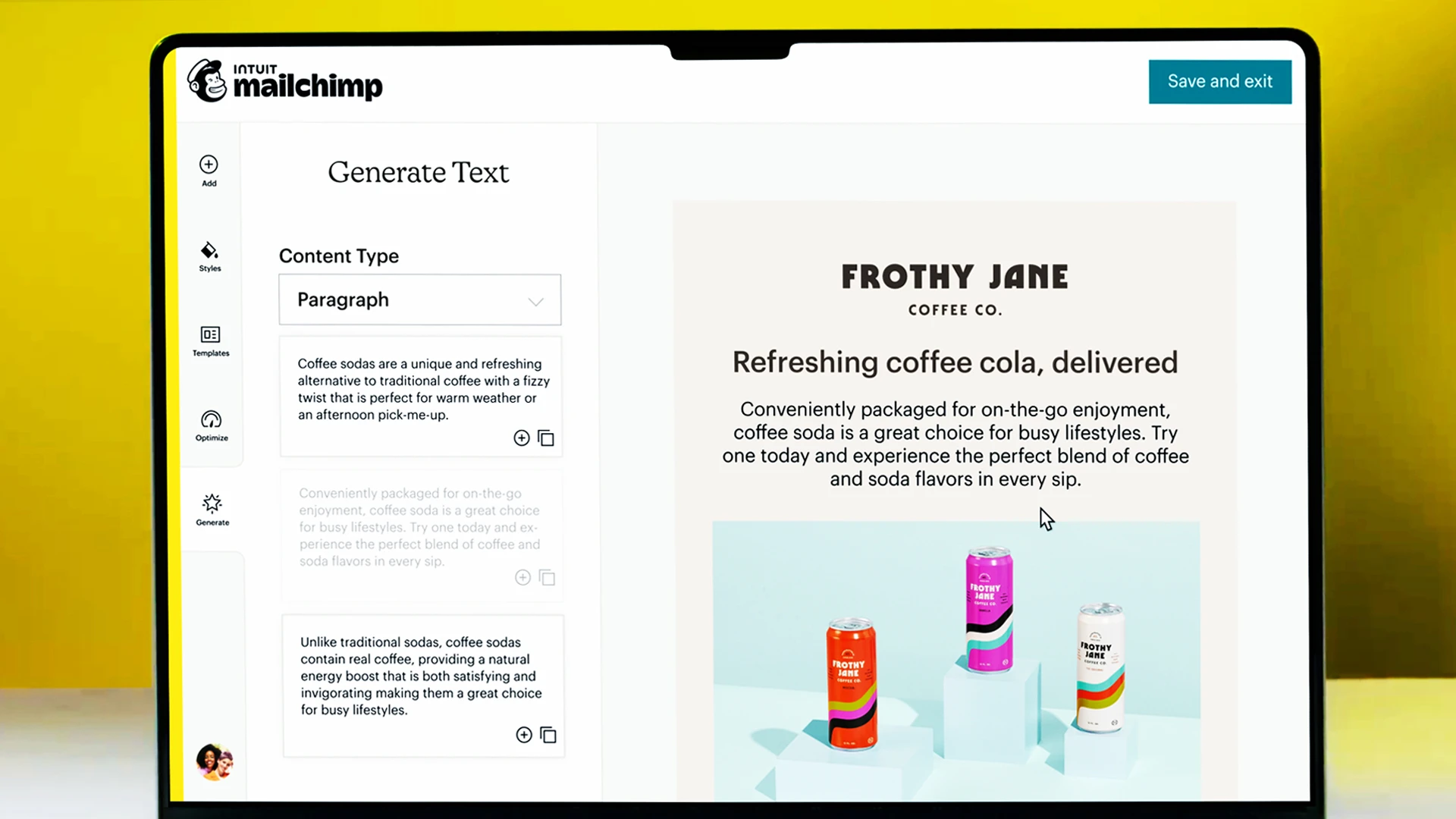
Credit: www.fastcompany.com
Scheduling And Sending Emails
Setting up Mailchimp for email marketing is simple. Create an account, design your email, and schedule it for delivery. Manage your audience effectively with Mailchimp’s user-friendly tools.
Scheduling and sending emails through Mailchimp can be a breeze. With the right approach, your emails will reach the audience at the perfect moment. Timing is crucial in email marketing. It can impact open rates and engagement levels. This section will guide you through the essential steps. Let’s dive into how to schedule and send your emails effectively.Setting Delivery Time
Choosing the right delivery time is vital. You want your email to land when subscribers are most active. Mailchimp offers insights into optimal times based on past campaigns. Use these insights to increase open rates. You can set specific days and times for your email delivery. Consider time zones if your audience is global. This ensures everyone receives your message at an appropriate hour.Reviewing Campaign Before Sending
Always review your campaign before hitting send. Check for spelling and grammatical errors. Ensure links work and images load correctly. Preview your email on different devices. This helps guarantee it looks good everywhere. Mailchimp provides a test email feature. Send a test to yourself or a colleague. This step helps catch mistakes before the final send. A thorough review can make your campaign more successful.Analyzing Campaign Performance
Setting up Mailchimp email marketing involves creating targeted campaigns and analyzing results. Learn to track open rates, click-through rates, and subscriber engagement effectively. Optimize future emails using data insights for better outreach and improved audience connection.
Analyzing the performance of your email marketing campaigns in Mailchimp is crucial for understanding what works and what needs improvement. By diving into the data, you can refine your approach, ensuring you deliver content that truly resonates with your audience. Let’s explore how you can leverage Mailchimp’s tools to boost your campaign’s effectiveness.Understanding Metrics
First, familiarize yourself with key metrics that Mailchimp provides. These include open rates, click-through rates, bounce rates, and unsubscribe rates. Each metric tells a different story about your campaign’s performance.Open rates indicate how many subscribers are engaging with your emails. A low rate might suggest your subject lines need work.Click-through rates show the effectiveness of your email content. If readers aren’t clicking, it might be time to tweak your calls to action.Bounce rates inform you about the quality of your email list. High bounce rates could mean outdated or incorrect email addresses.Unsubscribe rates highlight the relevance of your content. If this number is climbing, reassess your content strategy.Using Reports For Improvement
Mailchimp’s reporting tools provide a wealth of information. Use them to track your campaign’s progress over time.Generate detailed reports to spot trends and patterns. For example, you might notice emails sent in the morning have higher open rates than those sent in the afternoon.Regularly compare your campaign reports. This will help you understand what changes are making a positive impact.Act on the insights you gain. If a particular type of content is driving clicks, consider incorporating more of it in future campaigns.Ask yourself: what small tweak could make a big difference? Sometimes a simple change in your email layout or timing can lead to significant improvements.By analyzing and acting on the data, you can continuously optimize your Mailchimp campaigns for better engagement and results.
Credit: investors.intuit.com
Automating Email Marketing
Automating email marketing saves time and boosts efficiency. With Mailchimp, you can automate your emails to reach your audience at the right moment. Automation helps create a seamless communication flow without manual effort. Let’s explore how to set up email automation using Mailchimp.
Setting Up Automation
Begin by logging into your Mailchimp account. Navigate to the ‘Automations’ section. Here, you can create automated workflows. Click on ‘Create Automation’ to start. Choose a trigger for your automation. This could be a sign-up event or purchase. Select your audience and set your email content. Customize your messages to match your brand voice. Review your settings before activating the automation.
Examples Of Automation Workflows
Welcome emails are a great start. They introduce new subscribers to your brand. Set an automation to send these after someone joins your list. Abandoned cart emails remind customers of items left in their cart. Use automation to gently nudge them to complete their purchase. Birthday emails can delight your subscribers. Schedule these to send on their special day. You can also automate re-engagement emails. Reach out to inactive subscribers and reignite their interest.
Ensuring Compliance
Email marketing is a powerful tool, but it comes with responsibilities. One crucial aspect is ensuring compliance with regulations. When setting up Mailchimp, it’s essential to understand and manage these rules to protect your business and build trust with your subscribers. Compliance not only avoids legal issues but also fosters a positive relationship with your audience. Let’s dive into some key areas to focus on for ensuring compliance.
Understanding Gdpr
Are you aware of the GDPR regulations? If your audience includes European subscribers, you must be compliant with the General Data Protection Regulation (GDPR). This regulation ensures that your subscribers’ data is handled with care.
Mailchimp offers tools to help you comply with GDPR. For example, it provides options to obtain explicit consent from subscribers before adding them to your list. You can create GDPR-friendly signup forms that allow users to opt in to your communications. This shows your subscribers that you respect their privacy and value their trust.
Compliance isn’t just about ticking boxes. It’s about understanding the principles behind GDPR. Be transparent with how you use subscriber data. This transparency builds credibility and keeps your audience engaged. Have you considered how your email marketing practices reflect your brand values?
Managing Subscriber Preferences
Your subscribers have different needs and interests. Managing subscriber preferences effectively is crucial for compliance and engagement. Mailchimp enables you to segment your audience based on their preferences. This way, you send relevant content that resonates with them.
Regularly update your audience’s preferences. Allow them to change their subscription settings easily. When subscribers feel in control of what they receive, they are more likely to stay engaged.
Consider how you handle unsubscribe requests. Make it a smooth process. A frustrating unsubscribe experience can lead to negative feelings about your brand. Remember, a positive user experience is key to maintaining a loyal subscriber base.
Have you integrated preference management into your strategy? It’s not just about compliance; it’s about enhancing the subscriber experience. How can you ensure your email marketing aligns with your audience’s expectations?

Credit: www.youtube.com
Frequently Asked Questions
How To Set Up Email Marketing In Mailchimp?
Sign in to Mailchimp and create a campaign. Select your audience, design your email, and set delivery options. Review and send your campaign, then analyze the results. Mailchimp offers templates and automation tools to streamline the process, making email marketing simple and effective.
Is Mailchimp Good For Email Marketing?
Mailchimp is great for email marketing. It offers user-friendly tools, automation, and analytics. Its templates make campaign creation simple. Small businesses benefit from its free tier. It integrates well with other platforms. Mailchimp is reliable, making it a popular choice for marketers.
Is Mailchimp Good For Beginners?
Mailchimp is ideal for beginners due to its intuitive interface and comprehensive tutorials. It simplifies email marketing with user-friendly templates and automation features. The platform offers free plans, making it accessible to start building campaigns. Beginners can easily manage contacts and analyze results, boosting their marketing efforts efficiently.
Conclusion
Mailchimp makes email marketing simple and effective. Start by creating an account. Design your email template with ease. Add contacts to your list. Set up automated campaigns quickly. Track your results effortlessly. Keep refining your approach. Engage your audience consistently.
A few tweaks can lead to better performance. Stay updated with trends. Learning Mailchimp helps improve your email strategy. Practice regularly to get the best results. Enjoy connecting with your audience. Successful email marketing takes patience. Keep testing new strategies.
Your skills will grow with time. Mailchimp offers many tools. Use them to enhance your outreach.