
Are you looking to elevate your marketing game and connect with your audience on a more personal level? Setting up email marketing templates on HubSpot might just be the solution you need.
Imagine having a streamlined process that not only saves you time but also enhances your engagement with customers. By the end of this guide, you’ll discover how easy it is to create professional, eye-catching email templates that resonate with your audience and drive results.
You’re about to unlock the power of email marketing with HubSpot, where every message you send can feel tailor-made for your recipients. Whether you’re new to HubSpot or have been using it for a while, you’ll find actionable tips and strategies to optimize your email campaigns. So, if you’re ready to transform how you communicate with your audience and see tangible improvements in your marketing efforts, keep reading. This guide is crafted just for you, with insights that can elevate your email marketing strategy to new heights.
Getting Started With Hubspot
Getting started with HubSpot can transform your email marketing strategy. This powerful tool simplifies the creation and management of email campaigns. It provides a user-friendly interface that enables efficient organization and tracking of your marketing efforts. Whether you are a beginner or an experienced marketer, HubSpot offers features that cater to all levels.
Creating A Hubspot Account
Begin by signing up for a HubSpot account. Visit their website and click on “Get Started.” Enter your details, including your email and password. After completing the registration, confirm your email address. This step ensures secure access to your HubSpot dashboard.
Once verified, log in using your credentials. You will be greeted with an intuitive interface. This is your gateway to effective email marketing. It’s where you will create, manage, and analyze your campaigns.
Navigating The Dashboard
The HubSpot dashboard is designed for ease of use. Locate the menu on the left side of the screen. It provides quick access to various features. Click on “Marketing” to explore email marketing tools. You will find options for creating templates, managing contacts, and tracking performance.
Familiarize yourself with the layout. Click on each tab to understand its function. The dashboard is your control center. It helps you oversee every aspect of your email marketing campaign. This makes it simple to navigate and utilize HubSpot’s features efficiently.
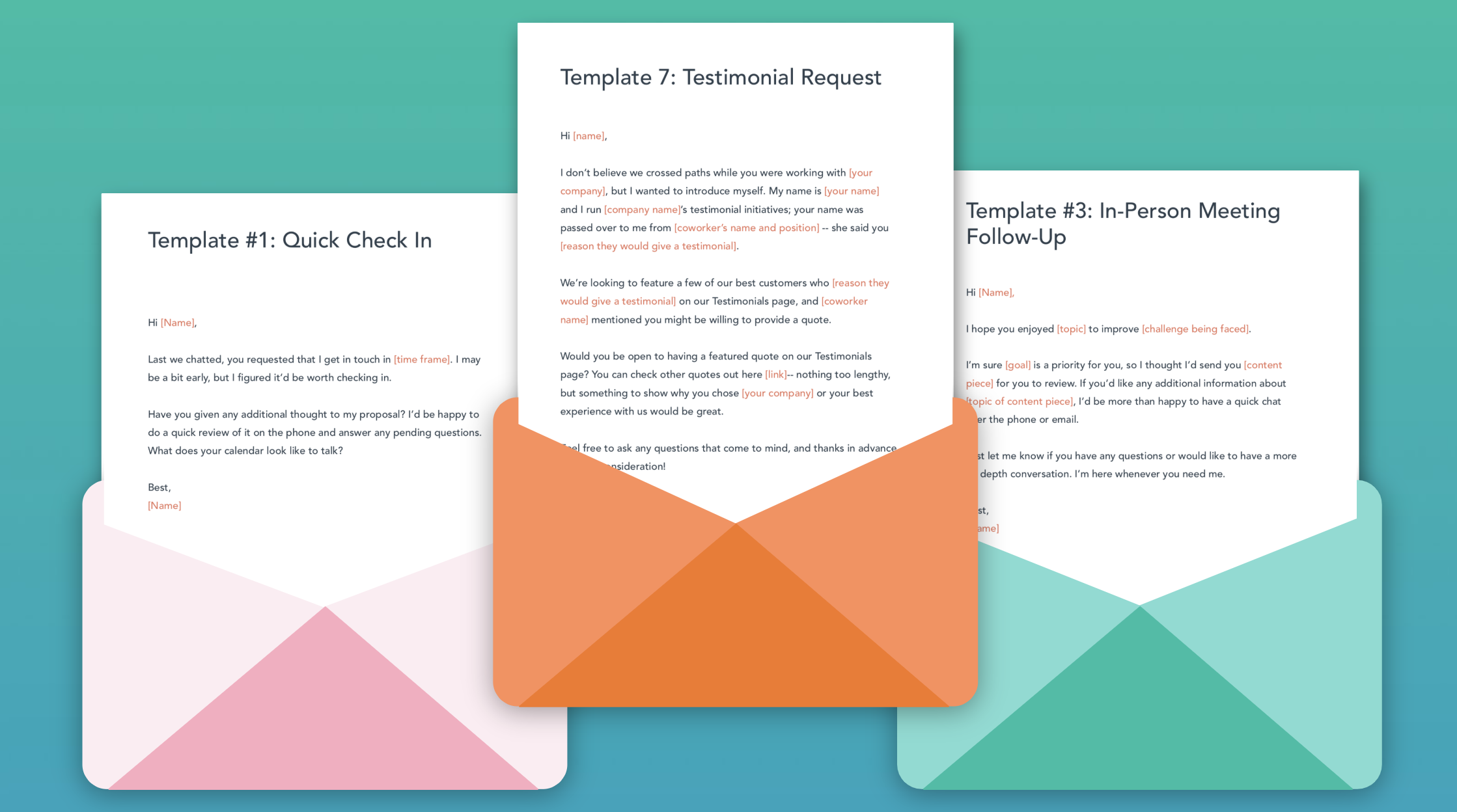
Credit: www.hubspot.com
Setting Up Email Marketing
Creating email marketing templates on HubSpot is straightforward. Start by selecting a template that fits your brand. Customize with your logo, colors, and text. Save your design to use for future campaigns, ensuring consistency and efficiency.
Setting up email marketing in HubSpot can feel like a daunting task, but it doesn’t have to be. With the right steps, you can create effective email templates that engage your audience and drive conversions. The process is straightforward, and with a little guidance, you’ll be well on your way to crafting emails that not only look professional but also resonate with your readers. Let’s dive into the essential steps to get your HubSpot email marketing up and running.Accessing The Marketing Hub
First, you need to access the Marketing Hub. Log in to your HubSpot account and head over to the dashboard. Look for the “Marketing” tab at the top, and click on it.Once inside, navigate to the “Email” section. This is where you’ll create and manage all your email campaigns.Have you ever opened a blank canvas and wondered where to start? HubSpot makes it easy by providing a range of pre-designed templates to choose from.Configuring Email Settings
Before crafting your email, configure your email settings. Set up your “From” name and email address. This ensures your recipients recognize who is contacting them.Next, think about your subject line. This is your first impression—make it count. It should be clear, engaging, and prompt curiosity.Don’t forget about the footer details. Add your company information and an unsubscribe link to comply with email marketing laws. This not only keeps you compliant but also builds trust with your audience.Once your settings are configured, you can start designing your email. Use HubSpot’s drag-and-drop editor to easily add images, text, and calls to action. You have the flexibility to customize every detail to match your brand’s voice and style.Setting up your email marketing doesn’t just end with sending an email. Consider setting up A/B testing to find out what works best with your audience. By testing different subject lines or content, you can optimize your emails for better engagement.Have you tried any creative approaches in your emails that surprised you with their effectiveness? Sometimes a small tweak can lead to better results than you’d expect.Remember, every email is a chance to connect with your audience, so make each one count.Designing Email Templates
Designing email templates in HubSpot enhances your marketing strategy. A well-designed email grabs attention and encourages engagement. With HubSpot, you can create visually appealing emails that align with your brand. Let’s explore how to design these templates effectively.
Choosing A Template Style
First, select a template style that matches your brand identity. HubSpot offers various styles to suit different needs. Consider your audience and the message you want to send. Choose a clean and simple style for professional emails. For a more casual tone, opt for a vibrant and colorful style.
Customizing The Layout
Next, customize the layout to fit your content. HubSpot’s drag-and-drop editor makes this easy. Add sections like images, text, and buttons with a few clicks. Rearrange these elements to highlight key information. Ensure the layout is mobile-friendly for better accessibility. Adjust the font size and colors to match your brand guidelines.
Test different layouts to see what resonates best. Use A/B testing to find the most effective design. This helps improve open and click-through rates. Keep your design consistent across all emails to build trust with your audience.
Credit: www.noboundsdigital.com
Adding Content To Templates
Learn to set up email marketing templates on HubSpot by adding engaging content. Customize your templates to suit your brand’s voice. Keep the layout simple and clear for better reader engagement.
Adding content to your HubSpot email marketing templates is crucial. It defines how your audience interacts with your emails. It involves crafting catchy subject lines, inserting relevant text, and adding images. These elements work together to engage your readers and boost your email campaigns.Crafting Compelling Subject Lines
Subject lines grab attention quickly. They are the first thing readers see. Use clear and direct words. Aim for curiosity. But keep it relevant. Personalize when possible. This makes the email feel special. Avoid spammy words to ensure delivery.Inserting Text And Images
The body of your email should be concise. Use short sentences. Break text into small paragraphs. This enhances readability. Add images that support your message. They should be of high quality. Avoid overloading with visuals. Too many can distract readers. Use bullet points for lists. This makes information easy to digest.Testing And Optimizing Emails
Set up email marketing templates on HubSpot to enhance engagement. Test and optimize emails for better performance. Easily customize templates to fit your brand and message.
Testing and optimizing your email marketing templates in HubSpot is crucial for enhancing engagement and driving results. Imagine sending an email with a catchy subject line but realizing it doesn’t resonate with your audience. That’s where testing and optimizing come in. They help you fine-tune your emails to match your audience’s preferences, ensuring your message lands effectively. So, let’s dive into some practical steps you can take to make your emails work better for you.Previewing Email Templates
Before hitting send, always preview your email templates. HubSpot offers a handy preview tool that lets you see how your email will look on different devices. This ensures your design and content are consistent, whether viewed on a desktop, tablet, or smartphone.Check for broken links, typos, or formatting issues. Use this preview as a final proofread. It’s a simple step that can save you from potentially embarrassing mistakes.Consider your audience’s experience. Would you engage with the email you’re about to send? If not, it’s time to tweak.A/b Testing Strategies
A/B testing is your secret weapon for optimizing emails. It involves sending two variations of an email to a small segment of your audience to see which one performs better. This could be different subject lines, images, or call-to-action buttons.For instance, you might test whether a question or a statement in the subject line gets more opens. Once you identify the winner, you can send that version to the rest of your list.Keep your tests simple. Test one variable at a time to clearly see what’s driving changes in engagement. Over time, these insights will help you create more effective emails.Are you ready to take your email marketing to the next level? Testing and optimizing aren’t just optional steps; they’re essential for success. Dive into HubSpot’s tools and start experimenting today. Your audience—and your bottom line—will thank you.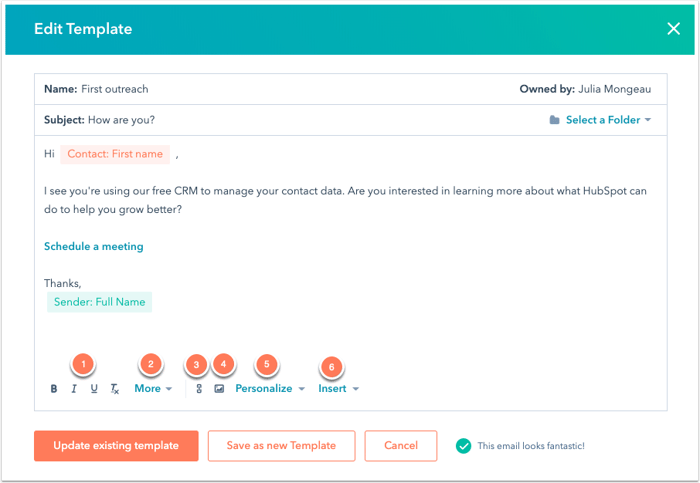
Credit: knowledge.hubspot.com
Launching Email Campaigns
Create email marketing templates easily with HubSpot. Select a layout, customize the design, and add engaging content. Send your campaign to reach your audience effectively.
Launching an email campaign on HubSpot is a moment filled with excitement and anticipation. You’re about to connect with your audience, share valuable content, and drive engagement. However, to make the most of this opportunity, a well-structured plan is essential.Scheduling Emails
Timing can significantly impact the success of your email campaign. HubSpot allows you to schedule emails to be sent at optimal times for your audience. Use insights from previous campaigns to determine when your audience is most active.Consider factors like time zones and peak engagement periods. You might find that sending emails on a Tuesday morning garners more attention than a Friday afternoon. Test different times and track their effectiveness.Tracking Campaign Performance
Once your email is out in the world, the real work begins. HubSpot offers robust tools to track how your emails are performing. You can monitor open rates, click-through rates, and conversion metrics.Are your subject lines grabbing attention? Are readers clicking on the links you included? Use this data to refine your strategy. It’s like having a conversation with your audience—listen to their feedback and adjust accordingly.What if you notice a drop in engagement? Don’t worry. Use A/B testing to try different approaches. Perhaps a different call to action or a tweak in design could make a difference.Launching an email campaign is not just about hitting send. It’s about crafting a strategy, engaging with your audience, and constantly learning to improve. What strategies have you found effective in your email marketing efforts?Best Practices For Email Marketing
Email marketing is a powerful tool. Proper setup ensures success. HubSpot offers robust solutions for crafting effective email templates. Following best practices elevates your marketing strategy. Success hinges on personalization and compliance.
Personalization Techniques
Personalization increases engagement. Use recipient names in subject lines. Tailor content based on past interactions. Segment your audience for targeted messages. Address specific needs and preferences. Personalization builds trust and loyalty.
Compliance And Regulations
Compliance is crucial. Adhere to email marketing laws. Familiarize yourself with GDPR and CAN-SPAM regulations. Include clear unsubscribe options. Respect privacy and data protection guidelines. Ensure transparency in your communication.
Frequently Asked Questions
How Do I Send A Template Email To A List In Hubspot?
Log in to HubSpot, go to the Marketing tab, select Email, and click “Create Email”. Choose a template, compose your email, and click “Send” or “Schedule” to send it to your list. Ensure your contacts are segmented correctly for targeted delivery.
Does Hubspot Have An Email Builder?
HubSpot offers a user-friendly email builder. It enables creating personalized and responsive emails easily. You can customize templates, track performance, and automate campaigns. This tool streamlines email marketing efforts effectively, enhancing engagement and conversion rates. Suitable for businesses of all sizes, HubSpot’s email builder simplifies communication with your audience.
How Do I Set Up Email Automation In Hubspot?
Log into HubSpot and navigate to the “Automation” tab. Select “Workflows” to create a new workflow. Choose email automation, set triggers, and define actions. Customize emails and schedule sending. Save and activate your workflow to start automating your email marketing.
Conclusion
Setting up email templates on HubSpot is simple and effective. First, understand your audience. Then, choose a template that fits your brand. Customize it with your unique style. Use clear language and engaging visuals. Test the template before sending. This ensures everything works smoothly.
HubSpot offers great tools to track performance. With practice, you’ll create professional emails quickly. These steps help make your marketing efficient. Keep experimenting and improving your templates. Your audience will appreciate the effort. Happy emailing!


