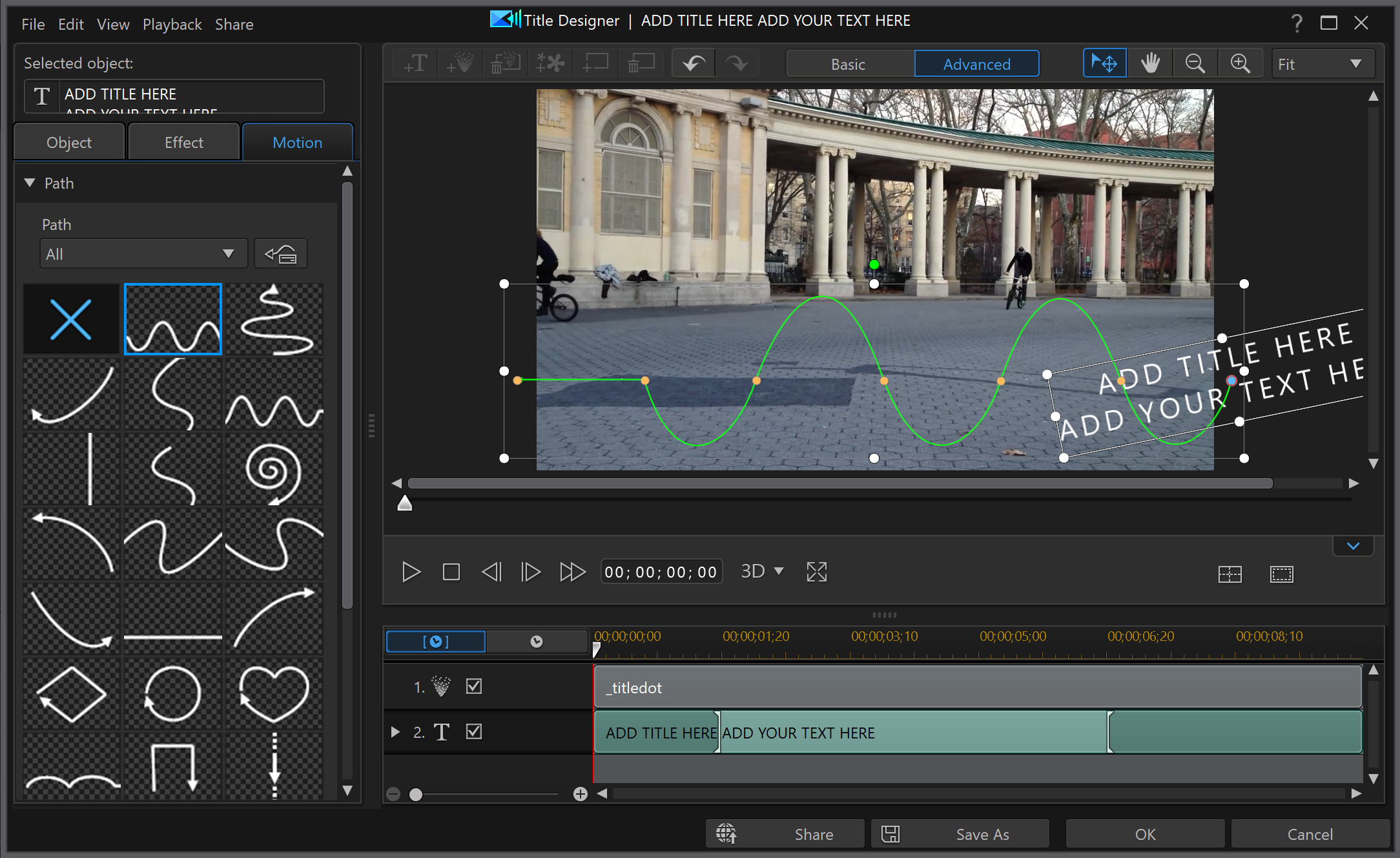
Photo editing software allows users to alter, enhance, and manipulate images. It offers tools for color correction, cropping, and retouching.
Photo editing software is essential for photographers, graphic designers, and social media enthusiasts. It provides a wide range of features to improve image quality. Users can adjust brightness, contrast, and saturation easily. Advanced tools include filters, layers, and masks for detailed editing.
The software often supports various file formats, making it versatile. Popular options include Adobe Photoshop, Lightroom, and GIMP. These programs cater to both beginners and professionals. With user-friendly interfaces, even novices can enhance their photos. Investing in good photo editing software elevates the visual appeal of images significantly.
Introduction To Photo Editing Software
Photo editing software helps users modify images. It enhances pictures, corrects colors, and removes flaws. With these tools, anyone can create stunning visuals.
The Evolution
Photo editing software has evolved significantly over the years. Early versions were basic and slow. Today, they are powerful and user-friendly. Adobe Photoshop, launched in 1988, revolutionized the industry. It set the standard for professional photo editing. Other software soon followed, offering more features and better performance.
Modern photo editors support various file formats. They include advanced tools like layers and masks. These features allow for precise editing. The evolution continues with AI-powered tools. These can automatically enhance photos, saving time and effort.
Current Trends
Current trends in photo editing software focus on simplicity and accessibility. Many tools now offer mobile apps. This allows users to edit on-the-go. Cloud-based editing is also popular. It provides easy access to projects from any device.
Artificial Intelligence (AI) is a big trend. AI tools can suggest edits and apply filters automatically. This makes the editing process faster and easier. Another trend is social media integration. Many photo editors now include features for sharing directly to platforms like Instagram and Facebook.
Subscription models are becoming common. This gives users access to regular updates and new features. It also makes professional tools affordable for everyone.
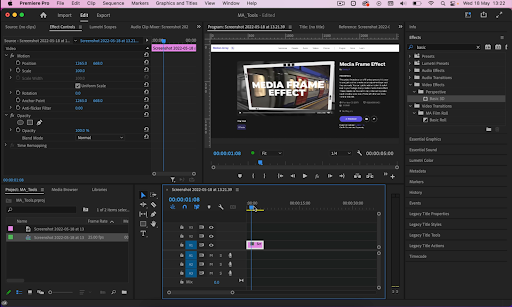
Credit: fxhome.com
Core Features Of Photo Editing Tools
Photo editing software offers numerous features to enhance and manipulate images. Whether you are a beginner or a professional, these tools provide essential functionalities to make your photos look stunning. Let’s explore some core features that these tools offer.
Basic Adjustments
Basic adjustments are the foundational features in photo editing tools. They allow you to make simple changes to your images. Here are some common basic adjustments:
- Brightness and Contrast: Adjust the light and dark areas of your photo.
- Color Balance: Modify the color tones to achieve the desired look.
- Crop and Rotate: Remove unwanted parts and align your image properly.
- Sharpness: Enhance the clarity of your photo.
Advanced Manipulation Techniques
For more intricate edits, advanced manipulation techniques come into play. These features allow you to make detailed changes and creative enhancements. Here are some key techniques:
- Layers and Masks: Edit parts of your photo without affecting the entire image.
- Cloning and Healing: Remove blemishes or duplicate parts of your photo.
- Filters and Effects: Apply artistic effects to transform your image’s look.
- Selective Adjustments: Edit specific areas of your photo with precision.
| Feature | Description |
|---|---|
| Brightness and Contrast | Adjusts the light and dark areas of your photo. |
| Color Balance | Modifies the color tones for the desired look. |
| Crop and Rotate | Removes unwanted parts and aligns your image. |
| Sharpness | Enhances the clarity of your photo. |
| Layers and Masks | Edits parts of your photo without affecting the entire image. |
| Cloning and Healing | Removes blemishes or duplicates parts of your photo. |
| Filters and Effects | Applies artistic effects to transform your image’s look. |
| Selective Adjustments | Edits specific areas of your photo with precision. |
Popular Photo Editing Software In The Market
Photo editing software has become essential for photographers and hobbyists alike. With so many options available, choosing the right one can be daunting. Let’s explore some popular photo editing software in the market.
Freeware Options
Freeware photo editing software can deliver impressive features without costing a dime. Below are some popular choices:
- GIMP: A powerful open-source tool with advanced features.
- Paint.NET: Easy to use and great for basic edits.
- PhotoScape X: Offers filters, frames, and batch editing.
Professional Suites
Professional photo editing suites offer advanced tools for serious photographers. Here are some top choices:
- Adobe Photoshop: Industry standard with endless features.
- Lightroom: Perfect for managing and editing photos.
- Capture One: Known for its color grading capabilities.
Each software has its unique strengths. Choose the one that best fits your needs.

Credit: elements.envato.com
Comparing Desktop Vs. Mobile Applications
Photo editing software comes in two main forms: desktop and mobile applications. Each has its own set of features, strengths, and limitations. This section compares these two types of applications to help you choose the best one for your needs.
Functionality And Limitations
Desktop applications are known for their robust functionality. They offer a wide range of tools for advanced photo editing. These include layers, masks, and high-resolution output options. Examples include Adobe Photoshop and GIMP.
Mobile applications are more limited in their capabilities. They focus on basic edits like cropping, filters, and simple adjustments. Popular examples are Snapseed and VSCO. While convenient, they lack the depth of desktop software.
| Aspect | Desktop Applications | Mobile Applications |
|---|---|---|
| Functionality | Advanced tools, high-resolution output | Basic edits, easy to use |
| Limitations | Requires powerful hardware, higher cost | Limited features, lower resolution |
User Preferences
Users choose desktop applications for professional work. They prefer the detailed control and high-quality output. These users often work on complex projects that require advanced tools.
Mobile apps attract casual users. They like the convenience and ease of use. These users often edit photos for social media or personal use. They value speed and simplicity over advanced features.
- Desktop applications suit professionals.
- Mobile applications suit casual users.
Choosing the right software depends on your needs. Consider the functionality and limitations of each type. Match these to your user preferences for the best experience.
Understanding File Formats And Quality
Photo editing software lets you change your pictures. To do this well, you need to know about file formats and image quality. Different formats have different uses. Some keep high quality; others make files small. Knowing this helps you edit better.
Common Formats Explained
Photo files come in many formats. Each format has its own use. Here are some common ones:
| Format | Uses |
|---|---|
| JPEG | Good for web use. Small file size but loses some quality. |
| PNG | Maintains quality. Good for images with text or transparency. |
| TIFF | High quality. Used for printing photos. |
| RAW | Best quality. Used by photographers for editing. |
Maintaining Image Quality
Keeping image quality high is important. Here are some tips:
- Use RAW format for best quality.
- Avoid saving repeatedly in JPEG format.
- Use lossless formats like PNG or TIFF.
Editing can reduce quality. Save a copy before you start. Use layers in your software. This helps keep the original image safe.

Credit: www.pcmag.com
The Impact Of Ai On Photo Editing
AI has transformed photo editing. It makes editing faster and easier. AI tools automate many tasks. This saves time and enhances image quality. Below, we explore the impact of AI on photo editing.
Automated Enhancements
AI can identify and correct flaws in photos. It removes red-eye, adjusts brightness, and fixes color balance. These tasks require no manual input. AI learns from millions of images. It knows what makes a photo look great.
Some popular AI features include:
- Auto-cropping
- Background removal
- Facial recognition
- Color correction
These features make photo editing less time-consuming. Users don’t need advanced skills. AI handles most of the work. This democratizes photo editing. Everyone can create stunning images.
Future Prospects
The future of AI in photo editing looks bright. AI will continue to improve. New features will emerge. We can expect more intuitive tools. These tools will predict what users want. They will offer suggestions based on past edits.
In the future, AI could:
- Create personalized filters
- Generate photo-realistic images from sketches
- Offer real-time editing suggestions
- Integrate with other creative software
AI’s potential in photo editing is vast. It will revolutionize how we edit photos. The possibilities are endless.
Learning Resources For Beginners
Photo editing software offers powerful tools to transform images. Beginners often need guidance to master these tools. This section covers various learning resources to help you get started.
Online Tutorials
Online tutorials are great for beginners. They provide step-by-step instructions. You can learn at your own pace. Here are some popular platforms:
- YouTube: Many channels offer free tutorials on photo editing.
- Udemy: Paid courses with in-depth lessons for beginners.
- Skillshare: Offers a variety of tutorials on photo editing.
| Platform | Type | Cost |
|---|---|---|
| YouTube | Video Tutorials | Free |
| Udemy | Structured Courses | Paid |
| Skillshare | Video Tutorials | Subscription |
Community Forums
Community forums are valuable for getting help and advice. You can ask questions and share experiences. Here are some popular forums:
- Reddit: Subreddits like r/photography and r/photoediting are helpful.
- Adobe Forums: Great for specific questions about Adobe products.
- Photography Talk: A dedicated forum for photo enthusiasts.
Joining these forums can accelerate your learning. You can also find tips and tricks shared by experienced users. Don’t hesitate to participate and ask questions.
Legal And Ethical Considerations
Photo editing software allows for creative freedom. But, it’s vital to consider legal and ethical aspects. Understanding these can save you from legal trouble and maintain trust.
Copyright Laws
Copyright laws protect the original works of creators. Using someone else’s photo without permission can lead to legal issues. Always check if a photo is under copyright protection.
To legally use an image, you can:
- Purchase a license.
- Use royalty-free images.
- Create your own photos.
Some images fall under Creative Commons licenses. These allow for use under certain conditions. Always read the license terms carefully.
Ethical Editing Practices
Ethical editing practices ensure honesty and transparency. Misleading edits can damage your reputation. Always aim to represent reality as closely as possible.
Here are some key practices:
- Avoid altering the context of the image.
- Do not remove or add elements that change the meaning.
- Disclose if an image has been heavily edited.
By following these guidelines, you respect both legal and ethical standards. It ensures your work remains trustworthy and credible.
Frequently Asked Questions
What Do You Mean By Photo Editing Software?
Photo editing software allows users to enhance, manipulate, and transform images. It offers tools for cropping, color correction, and retouching.
What Is An Example Of An Image Editing Software?
An example of an image editing software is Adobe Photoshop. It offers powerful tools for photo editing and graphic design.
What Software Is Used For Editing Pictures?
Popular software for editing pictures includes Adobe Photoshop, Lightroom, GIMP, and Canva. These tools offer various features for enhancing images.
Why Do You Need Photo Editing Software?
Photo editing software enhances images, corrects flaws, and adds creative effects. It ensures professional quality and visual appeal.
Conclusion
Photo editing software has transformed how we enhance and manipulate images. It offers tools for both beginners and professionals. Understanding its features can elevate your photography skills. Investing time to learn these tools can yield impressive results. Embrace the power of photo editing software to bring your creative vision to life.



