Are you struggling to create an email marketing template that grabs attention and drives results? You’re not alone.
Designing an effective email template can feel overwhelming, especially with so many elements to consider. But what if you could design one that not only looks great but also compels your audience to take action? You’ll discover simple steps to craft an online email marketing template that captivates your readers.
We’ll delve into the psychology behind effective design and how you can use it to your advantage. So, if you’re ready to elevate your email marketing game and watch your engagement soar, keep reading!
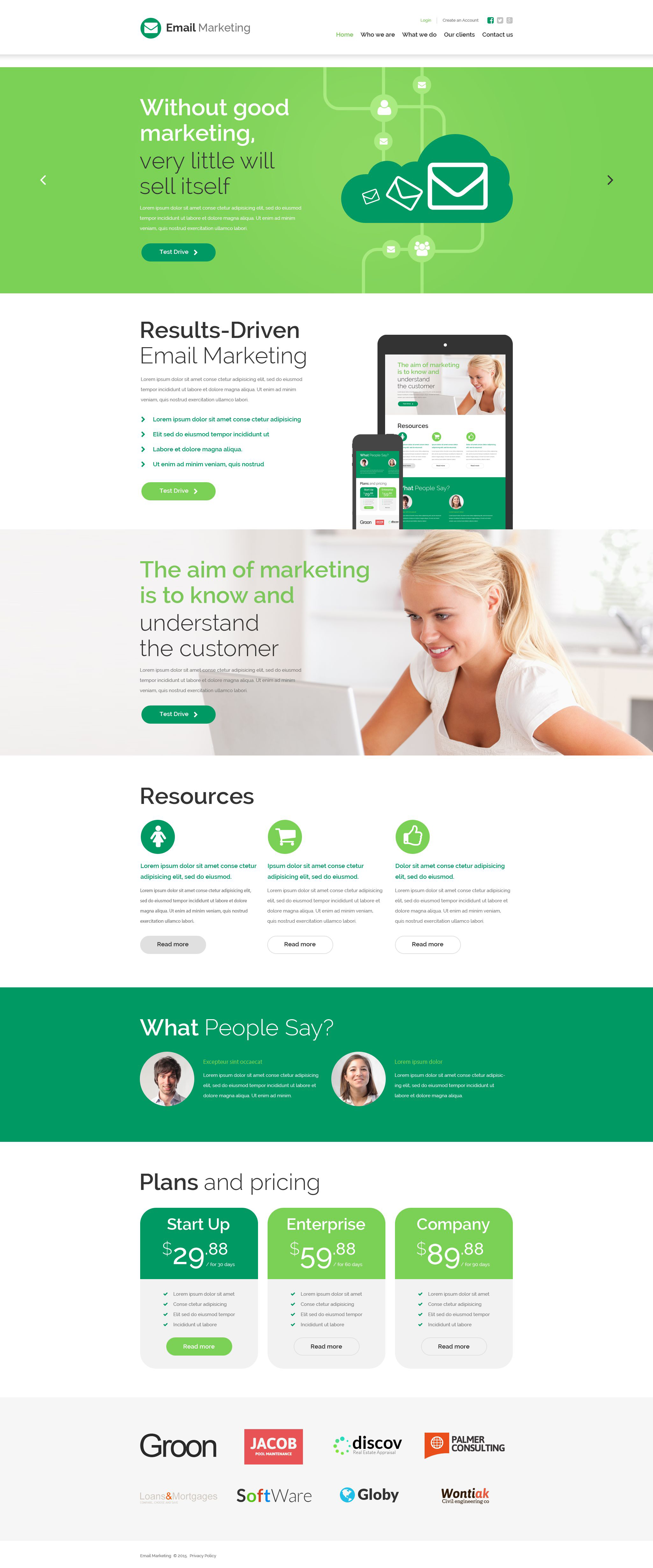
Credit: shop.entheosweb.com
Choosing The Right Email Platform
Choosing the right email platform is like finding the perfect pair of shoes for a marathon. It needs to fit well, support your goals, and be comfortable to use. With so many options available, how do you decide? The best email platform can make your email marketing effortless and effective.Finding the right email platform can be overwhelming, but it’s crucial for your marketing success. Consider your business size and goals. Are you a small business needing basic features or a larger company requiring advanced analytics?
Start by listing what you need from an email platform. Features like automation, segmentation, and analytics are key. Remember, every business is unique, so your email platform should cater to your specific needs.
Budget is another factor. While some platforms offer free plans, others charge based on the number of subscribers or emails sent. Weigh the costs against the features offered to find the best fit.
Test the user interface. A complicated platform can slow you down. Choose a platform that is intuitive and easy to navigate. You’ll spend less time figuring things out and more time crafting your campaigns.
Consider integration capabilities. Your email platform should seamlessly connect with other tools you use, like CRM systems or e-commerce platforms. This ensures smooth data flow and enhances functionality.
For small businesses, simplicity and affordability are key. Platforms like Mailchimp or Constant Contact offer easy-to-use interfaces and reasonable pricing.
These platforms often come with templates that are ready to use, saving you valuable time. They also provide analytics to help you understand your audience better.
Larger companies might need more robust features. Platforms like HubSpot or Salesforce offer comprehensive tools for segmentation and automation.
You can track detailed analytics and customer journeys. This helps in creating more targeted and effective campaigns.
Check how well the platform integrates with your existing systems. If you’re using Shopify for e-commerce, ensure your email platform connects without issues.
Integration helps streamline processes and maintain consistency across different channels.
A user-friendly interface is crucial. Spend some time exploring the platform’s demo or free trial to understand its functionality.
Ask yourself: does this platform make my job easier? If it feels intuitive, it’s likely a good choice.
Choosing the right email platform can be the difference between a successful campaign and a wasted effort. Take the time to assess your needs and test options. What platform will help you conquer your email marketing goals?
Defining Your Audience
Identifying your target audience is crucial in creating an effective email marketing template. Understanding their preferences helps tailor content that resonates. This approach increases engagement and improves results.
Understanding your audience is crucial when designing an online email marketing template. It’s like throwing a party; you wouldn’t send out invitations without knowing who you’re inviting, right? Knowing your audience helps you tailor your message, ensuring it resonates and prompts action. Personalizing your email marketing strategy can significantly increase your open and click-through rates. But how do you define who your audience is?###Researching Your Audience
Start by gathering data on your existing customers. This might include age, gender, location, and purchase history. Tools like Google Analytics and Facebook Insights can provide valuable demographic details. Surveys and feedback forms are also effective for understanding what your audience wants and needs.###Segmenting Your Audience
Once you have your data, segment your audience into smaller groups. Segmentation can be based on factors like buying behavior, interests, or engagement level. For instance, you might create different email templates for new subscribers and long-term customers. This ensures that each group receives content that’s relevant to them, increasing the likelihood of engagement.###Creating Audience Personas
Developing audience personas can help you visualize who you’re designing for. Think of them as fictional characters that represent your key customer segments. Give them names, backgrounds, and characteristics. Imagine what challenges they face and how your product or service can help them. This exercise can bring clarity and focus to your email design process.###Analyzing Competitor Strategies
Take a look at what your competitors are doing. Sign up for their newsletters and observe their approach to email marketing. Pay attention to how they address their audience and the type of content they deliver. While you shouldn’t copy their strategies, you can learn what works and what doesn’t in your industry.###Testing And Refining
After defining your audience and creating your template, testing is essential. A/B testing can help you determine which versions of your email are more effective. Experiment with subject lines, images, and calls to action. Pay attention to metrics like open rates and conversions to understand what resonates with your audience. Adjust your strategy based on these insights to continually improve your email marketing efforts.Are you ready to start defining your audience for your email marketing template? Remember, the more you know about your audience, the better you can serve them. What steps will you take today to get to know your audience better?Crafting Compelling Subject Lines
Crafting compelling subject lines boosts email open rates. Catchy phrases spark interest and curiosity. Short, clear, and engaging lines make your marketing templates effective.
Crafting compelling subject lines is a crucial step in designing an effective email marketing template. A subject line is the first thing your audience sees, and it can determine whether your email is opened or ignored. As a marketer, you want to captivate your audience’s attention instantly with just a few words.1. Understand Your Audience
Knowing your audience is key to crafting a subject line that resonates. Are they looking for solutions, deals, or information? Tailor your language and tone to meet their expectations.2. Keep It Short And Sweet
Most email clients display only 50 to 60 characters of a subject line. Aim to communicate your main idea within this limit. A concise subject line is more likely to grab attention.3. Use Actionable Language
Words that prompt action can motivate readers to open your email. Consider using verbs like “discover,” “learn,” or “get” to create a sense of urgency and excitement.4. Personalize When Possible
Including the recipient’s name or other personal details can make your email feel more relevant. Personalization shows that you care about individual readers, increasing the chance of engagement.5. Create A Sense Of Urgency
Use time-sensitive language to encourage quick action. Phrases like “limited time offer” or “only today” can prompt readers to open your email immediately.6. A/b Test Your Subject Lines
Experiment with different subject lines to see which ones perform best. A/B testing allows you to refine your approach based on real data, helping you understand what your audience responds to.7. Avoid Spammy Words
Certain words can trigger spam filters, sending your email straight to the junk folder. Avoid terms like “free,” “guarantee,” or excessive punctuation to ensure your email reaches the inbox.8. Pose A Question
Engage your readers by asking a question in your subject line. This invites curiosity and encourages the recipient to open your email for answers.Remember the last email subject line that caught your attention. What made you click? Use that insight to craft subject lines that stand out.Each subject line is a chance to connect. Make it count!
Credit: knowledge.hubspot.com
Structuring Your Email Layout
Crafting an effective email marketing template starts with organizing its layout. Focus on clear sections for the header, body, and footer. Use engaging visuals and concise text to maintain reader interest.
Structuring Your Email LayoutWhen you think about designing an online email marketing template, the layout is your blueprint. A well-structured email layout not only ensures your message is clear but also guides your reader’s journey seamlessly. Let’s dive into the key components that make up an effective email structure.###Header And Footer Design
The header is your first impression. Make it count by including your brand logo, a catchy tagline, and perhaps a navigation menu for easy access to your site. This sets the tone and reminds readers who you are.Your footer should wrap up the email neatly. Include essential links like privacy policies, unsubscribe options, and contact information. This not only builds trust but also keeps your email compliant with regulations.###Content Sections
Break your content into digestible sections. Use headings and subheadings to guide your reader through the email. This makes it easy for them to skim and find what interests them most.Think about using visuals. Images or infographics can convey messages quickly and keep the reader engaged. But remember, balance is key; too many visuals can overwhelm.###Call-to-action Placement
The call-to-action (CTA) is arguably the most crucial part of your email. Place it where your reader is most likely to see it, typically above the fold. This is the area of your email visible without scrolling.Consider using buttons for your CTAs. They stand out more than text links and can be more enticing to click. Ask yourself, does your CTA inspire action, or is it easily overlooked?By focusing on these elements, your email layout can transform from just another message in the inbox to a compelling call for engagement. What’s your next step in revamping your email design?Selecting Visual Elements
Designing an email marketing template involves selecting visual elements carefully. These elements help convey your brand’s message effectively. They catch the reader’s eye and hold their attention.
Image Selection
Choose images that reflect your brand’s identity. Avoid cluttered visuals that confuse the reader. High-quality images enhance your professional look. Ensure images are relevant to the content. They should support the message, not distract from it.
Color Scheme
Select a color scheme that matches your brand’s personality. Limit the palette to three main colors. This keeps the design clean and focused. Use contrasting colors for text and background. It improves readability and draws attention to key areas.
Typography Choices
Choose fonts that are easy to read. Avoid overly decorative fonts. Stick with simple and clear typography. Use a hierarchy to guide the reader. Headings should be bold and larger than body text. This aids navigation and highlights important sections.
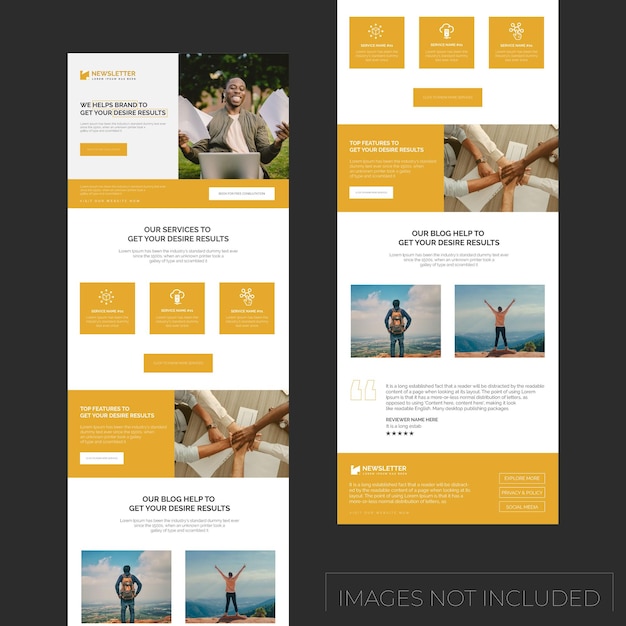
Credit: www.freepik.com
Ensuring Mobile Responsiveness
Design online email marketing templates with mobile responsiveness in mind. Ensure elements adjust seamlessly across devices. Use simple layouts and readable fonts for better engagement.
Designing an online email marketing template requires attention to detail, especially when it comes to ensuring mobile responsiveness. With the majority of users accessing emails via smartphones and tablets, your email template must be adaptable to various screen sizes. This section will guide you on how to make your email templates mobile-friendly to enhance user experience and engagement.Use A Mobile-first Design Approach
Begin by designing your email template with mobile devices in mind. Prioritize essential content and ensure it’s easily accessible on smaller screens. This approach guarantees that your emails will be effective, even for users who primarily use mobile devices.Keep Your Layout Simple
A simple layout is crucial for mobile responsiveness. Use a single-column format to ensure content displays correctly on narrow screens. Avoid complex designs that might not render well on mobile devices.Optimize Images For Mobile Devices
Images can make or break your email’s appearance on mobile devices. Ensure images are appropriately sized and compressed to load quickly. Consider using responsive image techniques so that they adjust automatically to different screen sizes.Ensure Readable Text
Text readability is vital on mobile devices. Use a font size of at least 14 pixels to ensure your text is legible. Avoid long paragraphs; instead, use bullet points or short sentences to convey your message effectively.Test Across Different Devices And Clients
It’s essential to test your email template across various devices and email clients. Tools like Litmus or Email on Acid can help you preview how your email will appear. This step helps identify any potential issues before your audience receives the email.Use Touch-friendly Buttons
Design buttons that are easy to tap on a touchscreen. Ensure they are large enough and have sufficient spacing around them to prevent accidental clicks. This feature improves the user experience significantly.Personal Experience: The Game-changer
When I switched to a mobile-first approach, I noticed a significant increase in engagement rates. Emails that were once ignored now have higher open rates and interaction. This change taught me the importance of adapting to users’ preferences.How often do you check your email on a phone compared to a desktop? It’s likely more frequent than you’d expect. By ensuring your templates are mobile-responsive, you’re aligning with your audience’s habits, thus increasing the effectiveness of your campaigns.Personalization Techniques
In the digital world, personalization has become the key to effective email marketing. Tailoring your email templates to resonate with your audience can significantly boost engagement and conversion rates. Imagine receiving an email that feels like it was crafted just for you—it captures your attention, doesn’t it? Let’s dive into some personalization techniques that can transform your email marketing strategy.
Use Dynamic Content
Dynamic content allows you to customize parts of your email based on the recipient’s data. You can personalize greetings, product recommendations, and even subject lines. This makes your emails more relevant and appealing. Think about the last time you received a personalized offer—didn’t it make you consider the purchase more seriously?
Segment Your Audience
Segmentation involves dividing your email list into smaller groups based on demographics, purchase history, or behavior. This enables you to send tailored messages to each group. For instance, sending a discount on hiking gear to outdoor enthusiasts can drive higher engagement. How can you segment your audience to make your emails more impactful?
Leverage Behavioral Data
Behavioral data, such as previous interactions with your brand, can be a goldmine for personalization. Customize your emails based on their browsing history or past purchases. This shows that you understand their needs and preferences. Have you noticed how e-commerce giants always seem to know what you’re interested in?
Craft Personalized Subject Lines
The subject line is your first impression. Personalizing it with the recipient’s name or interests can increase your open rates. Consider an email with your name in the subject line versus a generic one—you’re more likely to open the personalized email, right?
Include Personal Stories
Sharing personal stories or experiences can create a stronger connection with your audience. This technique can humanize your brand, making it relatable and trustworthy. Remember the last email that shared a heartfelt story? Did it make you feel more connected to the sender?
Personalization in email marketing is not just a trend; it’s a necessity. Implement these techniques to make your emails more engaging and effective. What other personalization strategies have you found successful?
Testing And Optimization
Testing and optimizing your email marketing template ensures success. You can improve engagement rates and drive conversions. Both testing and optimization are key to understanding what resonates with your audience. By regularly testing, you can identify areas of improvement. Optimization then helps you fine-tune your strategy for better results. These processes are crucial for maintaining effective email campaigns.
A/b Testing
A/B testing is a simple yet powerful tool. It involves sending two versions of an email to different segments. This helps identify which version performs better. You can test subject lines, images, or call-to-action buttons. By testing one element at a time, you pinpoint what influences reader behavior. Regular A/B testing keeps your content fresh and engaging. It ensures your emails align with audience preferences.
Analyzing Performance Metrics
Analyzing performance metrics is vital for email marketing success. Key metrics include open rates, click-through rates, and conversion rates. Open rates show how compelling your subject line is. Click-through rates indicate the effectiveness of your content and design. Conversion rates reveal if your email leads to desired actions. Tracking these metrics helps refine your strategy. It ensures your emails achieve the desired impact.
Compliance With Legal Standards
Designing an online email marketing template requires compliance with legal standards. Protecting your audience and your business is crucial. Legal compliance ensures trust and credibility. It prevents penalties and maintains your reputation.
Data Privacy Regulations
Data privacy regulations are essential in email marketing. They protect user information and establish trust. Your template must adhere to regulations like GDPR and CAN-SPAM. Avoid collecting unnecessary data from your subscribers. Clearly state how you will use their information. Transparency builds trust with your audience.
Include a privacy policy link in your emails. This informs users about their data rights. Ensure your subscribers can easily access it. Keeping data secure is also vital. Use encryption and secure servers for storing subscriber information. Your efforts will show your commitment to privacy.
Unsubscribe Options
Unsubscribe options are a legal requirement for email marketing. They provide freedom for subscribers to leave if they choose. Every email should have a clear unsubscribe link. Make it visible and easy to find. You risk penalties without a proper unsubscribe option.
Allow subscribers to opt out quickly. A single-click unsubscribe process is best. Avoid asking for reasons or making them fill forms. Respect their decision without hindrance. You maintain respect for their choices and your brand integrity.
Leveraging Expert Tools
Designing an email marketing template can be challenging. Expert tools can simplify the process. These tools offer features that enhance design and functionality. By leveraging these, you ensure your emails look professional and engaging. Let’s explore some of the best tools available.
Choosing The Right Tool
Select a tool that suits your needs. Consider ease of use and features. Some tools offer drag-and-drop editors. These are great for beginners. Advanced tools provide custom coding options. Perfect for those with coding skills. Evaluate your team’s expertise before deciding.
Exploring Built-in Templates
Many tools come with built-in templates. These templates save time. They are pre-designed and ready to use. Customize them to match your brand. Change colors, fonts, and images easily. Built-in templates are perfect for quick campaigns.
Utilizing Design Features
Design features enhance email aesthetics. They include image libraries and font choices. Use these to create visually appealing emails. Animation and effects can add flair. But, use them sparingly. Too much can distract from the message.
Testing And Previewing Emails
Testing ensures your email looks good everywhere. Most tools offer preview options. Check your design on different devices. Adjust if needed for mobile and desktop. Testing improves user experience. It helps avoid layout issues before sending.
Analyzing Performance Metrics
After sending, analyze performance metrics. Many tools provide insights like open rates and clicks. These metrics help refine future campaigns. Understand what works and adjust your approach. Tools with analytics features are valuable for ongoing improvement.
Frequently Asked Questions
How Do I Create A Custom Email Template?
Open your email client and access the template section. Select ‘Create New Template’. Design your email using text, images, and links. Save your template for future use. Ensure it reflects your brand and message effectively. Test before sending to ensure formatting and links work correctly.
How To Create An Email Marketing Program?
Start by defining your goals and target audience. Choose the right email marketing platform. Create engaging content with clear calls-to-action. Segment your email list for personalized communication. Monitor performance and optimize campaigns based on analytics. Consistently update your strategies to align with changing trends and audience preferences.
What Are The 5 T’s Of Email Marketing?
The 5 T’s of email marketing are Targeting, Timing, Testing, Tracking, and Tactics. Target the right audience. Time your emails effectively. Test different strategies. Track performance metrics. Use effective tactics to engage subscribers.
Conclusion
Creating an effective email marketing template doesn’t have to be hard. Start with a clear goal in mind. Choose a simple, clean design. Make sure your message is easy to read. Use engaging visuals. Personalize the content for your audience.
Ensure the call-to-action is strong and visible. Test your template before sending it out. Little tweaks can make a big difference. Remember, good design boosts engagement. Keep your audience’s needs in focus. With these steps, your email marketing can succeed.
Happy designing!