Imagine having the perfect landing page that not only attracts visitors but also converts them into loyal customers. You can achieve this by using two powerful tools: Elementor and ActiveCampaign.
Whether you’re a seasoned marketer or just starting out, understanding how to build a landing page with these tools can transform your online presence. Picture yourself effortlessly designing a page that resonates with your audience, captures their attention, and compels them to take action.
You’ll discover the secrets to crafting a landing page that not only looks stunning but also performs exceptionally well. Get ready to unlock the potential of your website and watch your conversion rates soar. Are you ready to dive in and learn the step-by-step process? Let’s get started!
Credit: www.emailtooltester.com
Getting Started With Elementor
First, install Elementor on your WordPress site. Go to the plugins page. Click on “Add New” and search for Elementor. Once found, click “Install” and then “Activate.” Now, Elementor is ready. You can start creating pages. It’s that simple!
Elementor offers many templates. These make design easy. To choose one, open a new page in WordPress. Click “Edit with Elementor.” You’ll see a folder icon. Click it to open the template library. Browse and select a template you like. Click “Insert” to use it. Templates help save time. They give you a head start on design.
Credit: elementor.com
Designing Your Landing Page
Building a landing page with Elementor and ActiveCampaign allows easy customization and integration. Use Elementor for design flexibility and ActiveCampaign for seamless marketing automation. This combination ensures a powerful platform to engage visitors and convert leads effectively.
Customizing Layouts
Elementor is a great tool for building landing pages. You can easily drag and drop elements. This helps create unique layouts. Try different layouts to see what works best. Change the size of each section. Make sure important parts stand out. Use bold colors to catch attention. Keep things simple and neat. Don’t overcrowd the page. This helps visitors find information quickly.
Adding Visual Elements
Images and videos make pages interesting. They can show what you offer. Use high-quality photos to grab attention. Videos explain things better than words. Place visuals where people can see them easily. Avoid too many visuals. They can slow down the page. Choose images that fit your message. Make sure they load quickly. This keeps visitors happy.
Optimizing For Mobile
Many people use phones to browse. Make your page work on small screens. Check how it looks on different devices. Text should be easy to read. Buttons must be large enough to click. Images should fit the screen well. Test your page often. Make sure it loads fast on mobile. Keep your design simple and clean. This helps everyone have a good experience.
Integrating Activecampaign
Start by opening your Elementor dashboard. Find the Integrations section. Look for ActiveCampaign and click on it. You will see a field for the API key. To get this key, go to your ActiveCampaign account. Find the settings and click on Developer. Copy the API key shown. Paste it in the Elementor field. Click Connect to link them.
Create a new email campaign in ActiveCampaign. Choose a template that suits your style. Write a short and clear message. Add a catchy subject line. Ensure it grabs attention. Add images if needed. Review your email for any errors. Once satisfied, click Send. Your campaign is now active.
Credit: www.youtube.com
Enhancing User Experience
Crafting a landing page with Elementor and ActiveCampaign enhances user experience by streamlining design and engagement. Elementor offers easy drag-and-drop features, while ActiveCampaign optimizes email marketing strategies. Together, they create a cohesive, user-friendly interface that improves interaction and conversion rates.
Implementing Forms And Ctas
Using Elementor and Activecampaign helps create forms easily. Forms gather visitor information. Forms need to be simple to fill out. Include fields like name and email. Add a clear call-to-action (CTA) button. Make it stand out. Use words like “Sign Up” or “Get Started”. CTAs guide users to the next step. They should be easy to see and click.
Personalizing Content
Personalized content keeps users engaged. Use data from forms to tailor messages. Address users by their name. Suggest content based on their interests. Create a welcome message. Make users feel valued. Personalized content improves user experience. Users stay longer and interact more. Happy users are more likely to return.
Testing And Analyzing
Crafting a landing page with Elementor and ActiveCampaign involves testing layouts and analyzing user interactions. Optimize design elements to enhance user engagement and conversion rates. Use data insights to refine your page for the best results.
A/b Testing Strategies
Testing helps find the best design for your landing page. Use A/B testing to compare two versions. Change one part at a time, like a button or image. See which version gets more clicks. This shows you what works best. Keep it simple. One change at a time gives clear results. Test different headlines or colors. Try different call-to-action buttons too. Check what makes users click more. Use these results to improve your page. Better design means more users stay longer. They might sign up or buy something.
Analyzing User Engagement
Check how users interact with your landing page. Use tools like Google Analytics to see user behavior. Look at how long they stay on the page. Check which parts they click most. This helps you know what users like. Find out which pages they visit after. This tells you what is interesting to them. Make changes to keep users engaged. Try to make the page easy to read. Simple designs are best. Make sure the page loads fast. Slow pages can make users leave.
Publishing And Maintenance
Create a landing page effortlessly using Elementor and ActiveCampaign. Maintain it efficiently with seamless integration. Boost engagement by customizing design elements to suit your brand.
Launching Your Page
Ensure all elements of your page are ready. Check images, text, and links. Double-check the layout for any errors. Use Elementor’s preview mode to see the page live. Make adjustments if needed. Once satisfied, hit the Publish button. Your page goes live for everyone to see. Share the link with your audience. Encourage feedback for improvements.
Regular Updates And Optimization
Keep your page fresh and relevant. Update content regularly. Change images to keep it engaging. Monitor page performance using Activecampaign analytics. Identify what works and what doesn’t. Optimize elements based on user feedback. Improve load times for better user experience. Ensure mobile compatibility. Continuously test different variations. Aim for high engagement from visitors.
Frequently Asked Questions
How Do I Create A Form With Elementor And Activecampaign?
Connect Elementor with ActiveCampaign using their plugin. Design your form in Elementor, then integrate ActiveCampaign for email automation. Configure form fields and set up the list on ActiveCampaign. Save changes and test the form to ensure it works correctly.
Is Elementor Good For Landing Pages?
Elementor is excellent for creating landing pages. It offers a user-friendly interface and customizable templates. You can design responsive pages without coding. Its drag-and-drop feature simplifies the process, enhancing creativity. Elementor also integrates well with marketing tools, boosting conversion rates.
Overall, it’s a popular choice for landing pages.
How To Build A Landing Page On Activecampaign?
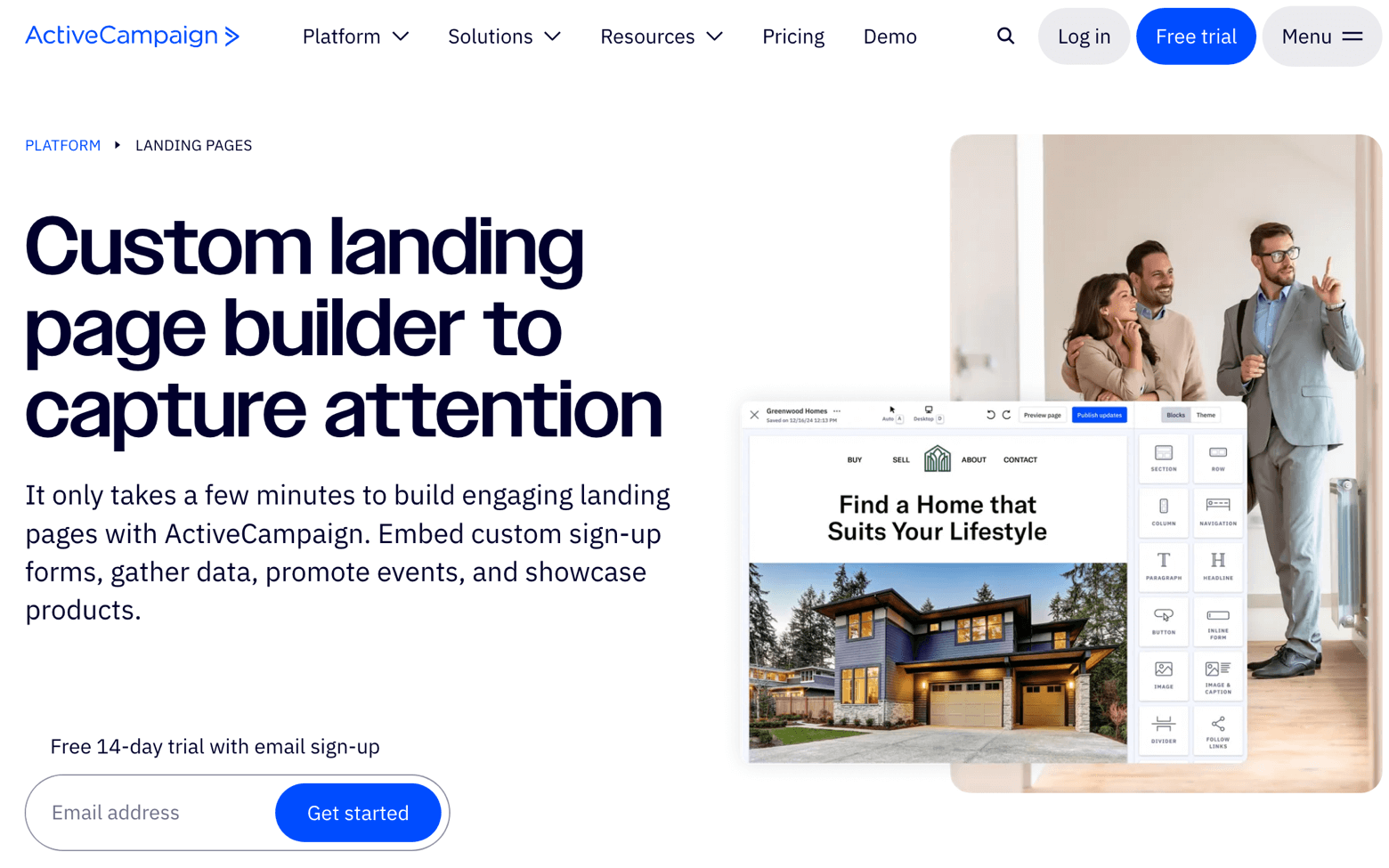
To build a landing page on ActiveCampaign, log in and navigate to “Sites. ” Click “Create a Landing Page. ” Choose a template, customize it with your content, and integrate forms or buttons. Preview your design, then save and publish to make it live.
How To Create A Landing Page Using Elementor?
Open Elementor in WordPress. Create a new page and edit with Elementor. Choose a template or build from scratch. Add and customize widgets. Optimize for SEO. Save and publish your landing page.
Conclusion
Creating a landing page with Elementor and ActiveCampaign is simple. Both tools offer user-friendly features. Design your page with Elementor’s drag-and-drop editor. Integrate ActiveCampaign for seamless email marketing. Test and refine your page to boost conversions. Focus on clear call-to-action buttons.
Ensure your page loads quickly. Keep your design clean and responsive. Align your messaging with audience needs. An effective landing page can drive business growth. Start building yours today. Watch your engagement grow with these powerful tools. Success is within reach with effort and creativity.