
Are you looking to boost your online presence without breaking the bank? Creating a landing page in Blogger might be just the solution you need.
Imagine having a place online where you can showcase your best content, capture leads, or promote your products—all without any complicated tech jargon or hefty expenses. With Blogger, you can craft a landing page that’s both effective and easy to set up.
You’ll discover step-by-step guidance to build a compelling landing page that not only attracts visitors but also keeps them engaged. Get ready to unlock the secrets of creating a page that speaks directly to your audience, compelling them to take action. If you’re eager to turn your Blogger site into a powerful marketing tool, keep reading. Your next big online success might be just a few clicks away.
Setting Up Blogger Account
Begin by visiting the Blogger website. Click on the “Create Your Blog” button. You will need a Google account to proceed. If you do not have one, create it for free. After logging in, choose a name for your blog. This should be easy to remember. Next, select a blog address or URL. Check its availability. Now, pick a theme for your blog. The theme should match your landing page style. Finally, click on the “Create Blog” button. You have now set up your Blogger account!
Credit: adoric.com
Choosing A Template
Picking the right template is important. A good template makes your page look nice. Blogger offers many free templates. Look for a template that fits your style. Some templates are colorful. Others are simple. Choose a template that matches your brand.
Templates can be changed later. But starting with the right one saves time. Customizing your template is easy. Add your own pictures and text. Make sure your template is mobile-friendly. This helps people who use phones to visit your page.
Remember, the template is your page’s foundation. Start simple. You can always add more later. A good template helps people stay on your page longer. It makes your page easy to read. Choose wisely.
Customizing Layout
Change the look of your page. Start by selecting a theme. Choose one that fits your style. You can move elements around. Drag and drop to rearrange. Make the header stand out. Use colors that pop. Fonts are important too. Choose easy-to-read ones. Add images to make your page interesting. Every element should fit together nicely.
Widgets make your page more interactive. Add a search bar for easy navigation. Include social media buttons. Connect visitors to your profiles. Use a contact form for messages. It helps you connect with your audience. Add a calendar if needed. It helps in organizing events. Use widgets wisely to enhance the page.
Creating A New Page
Log in to your Blogger account. Navigate to the dashboard. Click on Pages in the left menu. Then, choose New Page to start.
Choose a simple design. Use the template options available. Edit the layout using the drag-and-drop feature. Ensure your page is clean and easy to read.
Write a catchy title. Use bold text for important points. Keep sentences short and clear. Use images to make your page interesting.
Click on the Publish button. Your page is now live. Share the link with friends.
Designing The Landing Page
Good content hooks visitors. Clear language is important. Use short, strong sentences. Focus on the main message. Avoid confusing words. Engage your readers with questions. Make sure each sentence adds value. Keep content simple and easy to read.
Images can attract attention. Choose clear images. Use pictures that fit the topic. Media can enhance understanding. Videos can show details. Balance text with visuals. Do not overcrowd the page. Keep the layout clean and organized.
Optimizing For Seo
Crafting a landing page in Blogger enhances SEO by using targeted keywords in titles and headings. Optimize images with alt tags for better visibility. Ensure the page is mobile-friendly to improve user experience and search ranking.
Using Keywords
Choose simple keywords related to your topic. Include them in your page title. Use them in the first paragraph. Add them in your headings. Sprinkle them naturally throughout the text. Avoid overstuffing keywords. This helps with better search visibility.
Adding Meta Tags
Meta tags are important. They help search engines understand your page. Use a short meta description. Include your main keyword. Describe your page in two sentences. Add meta tags in the HTML of your Blogger post. Meta tags boost your page’s SEO.
Testing And Previewing
Testing your landing page is very important. It helps find errors and see how it looks. Click on the preview button to view your page. Ensure all links are working properly. Check images and text placement. Make sure the layout looks nice on mobile devices too.
Ask a friend to review the page. Feedback can highlight mistakes you missed. Use Blogger’s built-in tools to make changes. Adjust colors and fonts if needed. A clear and simple design works best. After checking everything, publish your page. Always test changes before going live.

Credit: bloggle.app
Publishing The Landing Page
First, open your Blogger dashboard. Click on the “New Post” button. This is where you create your landing page. Add a catchy title to grab attention. In the content area, write your text. Make it clear and simple. Use images to make it look nice. Add links if needed. Preview your page before publishing.
Next, check if everything looks good. Adjust any errors. Then, click on the “Publish” button. Your landing page is now live. Share the link with your audience. They can visit and see what you offer. Remember, keep your page updated. A fresh page attracts more visitors. Happy publishing!
Analyzing Performance
Tracking visitor statistics helps understand how your page performs. Use Blogger’s built-in tools. They show how many people visit. See which pages they click most. Find out how long they stay. This data helps make changes. Improve the page using insights. Change things to keep visitors longer.
Improving conversion rates means more people do what you want. Like signing up or buying something. Test different headlines. See which gets more clicks. Change button colors. Make them stand out. Use clear and simple words. Make sure visitors understand what to do. Try small changes. See if more people convert. Track changes over time. Use results to improve.
Credit: www.blogtyrant.com
Frequently Asked Questions
How To Make A Landing Page On Blogger?
Create a new page on Blogger, customize it using HTML and CSS, and remove unnecessary widgets for a clean look. Use the layout section to add essential elements like call-to-action buttons. Optimize for SEO by including relevant keywords and meta tags.
Publish and promote your landing page effectively.
How To Create A Home Page In Blogger?
Go to Blogger dashboard, click “Pages,” then “New Page. ” Design your homepage, save, and publish it.
What Is A Blog Landing Page?
A blog landing page introduces your blog’s content and encourages visitors to explore further. It showcases recent posts, highlights categories, and includes call-to-action buttons for subscriptions or social media follows. A well-designed landing page boosts engagement and improves search engine visibility, attracting more traffic to your blog.
What Is The Difference Between A Post And A Page On Blogspot?
A post is a timely entry displayed in reverse chronological order on Blogspot. A page is static, used for timeless content like “About” or “Contact. ” Posts appear in the blog feed, while pages are standalone and not part of the blog’s timeline.
Conclusion
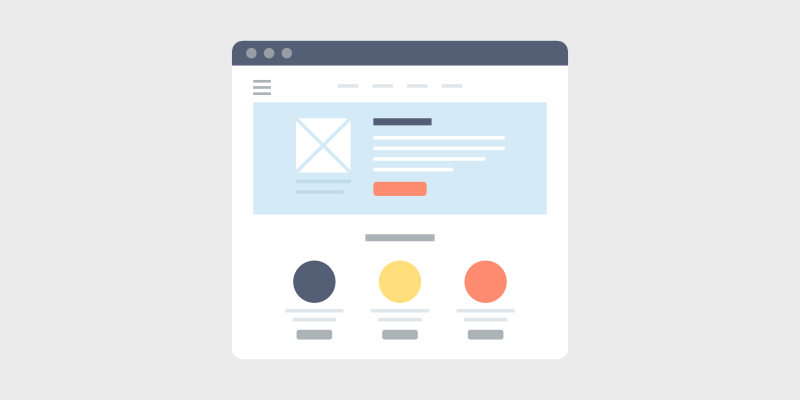
Creating a landing page in Blogger is simple and effective. Start by choosing a clean template. Focus on your page’s purpose and audience. Add essential elements like headlines, images, and call-to-action buttons. Keep the design clean and navigation easy. Test your page before publishing.
Make sure it loads quickly and looks good on all devices. A well-crafted landing page boosts engagement. It can increase your audience’s interest in your content. With practice, your skills will grow. Soon, you’ll create impressive landing pages with ease.


