
Imagine this: you’re sending out a carefully crafted email campaign, hoping to engage your subscribers, but instead, some decide to hit that unsubscribe button. While losing subscribers can be disheartening, creating a thoughtful unsubscribe landing page in MailerLite can turn this situation around.
Instead of a simple goodbye, you have the chance to leave a lasting impression and even retain some of those subscribers. You might wonder, how can an unsubscribe page make a difference? It’s all about how you present your brand and value.
With the right approach, you can reduce churn, gather invaluable feedback, and even encourage subscribers to stay. We’ll guide you through the steps to create an effective unsubscribe landing page in MailerLite, ensuring that your brand remains memorable and your audience feels valued. Keep reading to discover how you can turn an unsubscribe into an opportunity for growth and connection.
Credit: www.mailerlite.com
Setting Up Your Mailerlite Account
Start by visiting the Mailerlite website. Look for the sign-up button. Click it to begin. Fill in your email address and create a password. Make sure your password is strong. You will receive a confirmation email. Click the link inside to verify. Your account is now ready.
Once logged in, the dashboard is your main hub. Here, you can manage emails and subscribers. Look for the menu on the left. It has options like Campaigns and Subscribers. Click on Campaigns to create new emails. Use the Subscribers tab to manage your list. Explore each section to become familiar.
Importance Of Unsubscribe Pages
Unsubscribe pages help users leave smoothly. They feel in control. It’s important to make this easy. Design the page well. Clear options are needed. Users should not feel trapped. This makes them trust your brand. It’s about respect for their choices. They will remember this. Positive experiences lead to better relationships. People like simple solutions. No confusion. Just clear steps to unsubscribe.
Laws require unsubscribe options. It’s a must for businesses. Email regulations are strict. Fines can be heavy. GDPR is one such law. Follow these rules carefully. Unsubscribe pages help with this. Transparency is key. Users need to see their options. Respect their decisions. This builds trust. Legal problems are avoided. Compliance keeps businesses safe. A simple page can do all this.
Designing An Effective Unsubscribe Page
Start with a simple template. Simple designs work best. Make sure your template is mobile-friendly. Most users check emails on phones. Use a clear font. Avoid fancy styles. They can be hard to read.
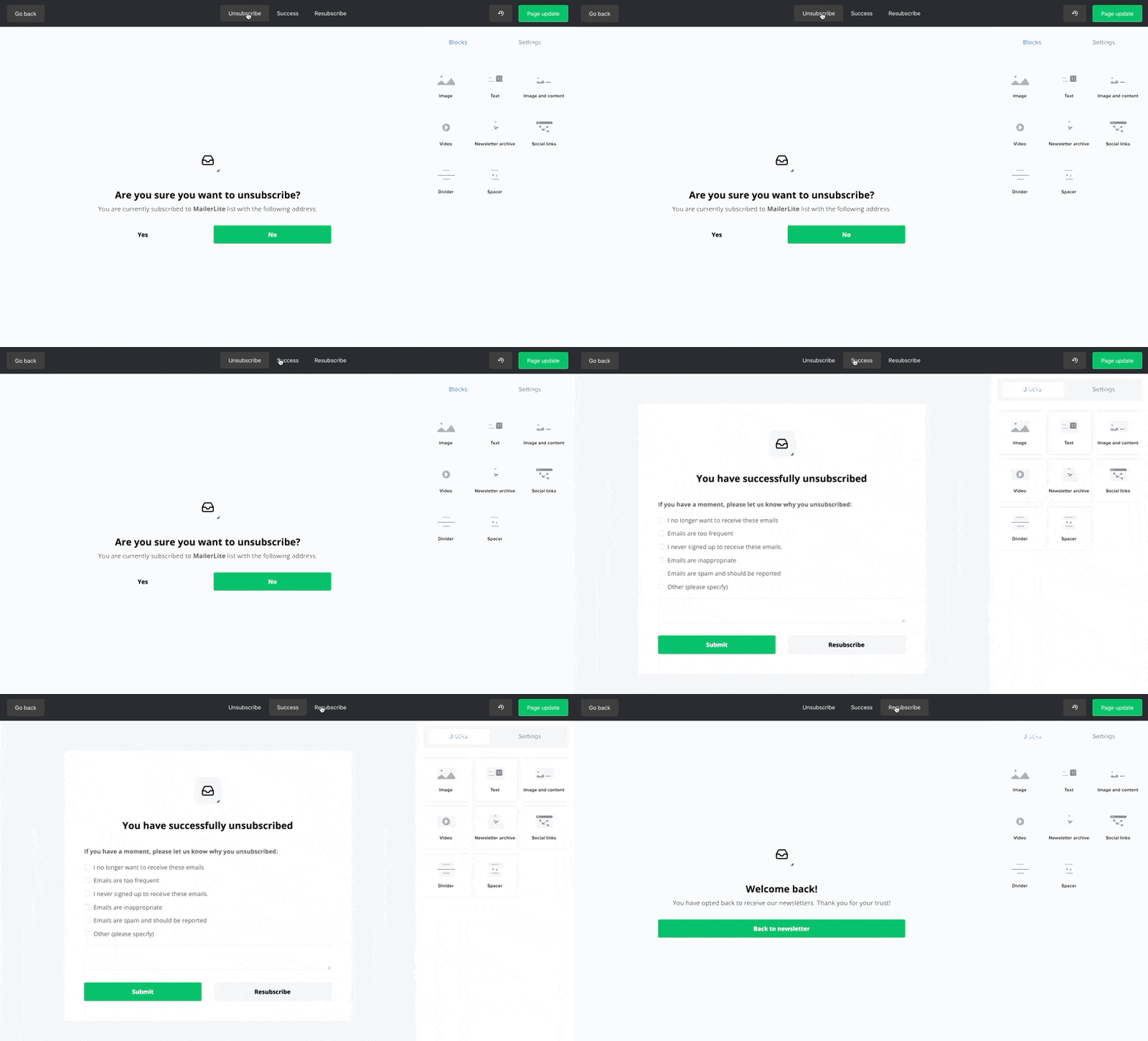
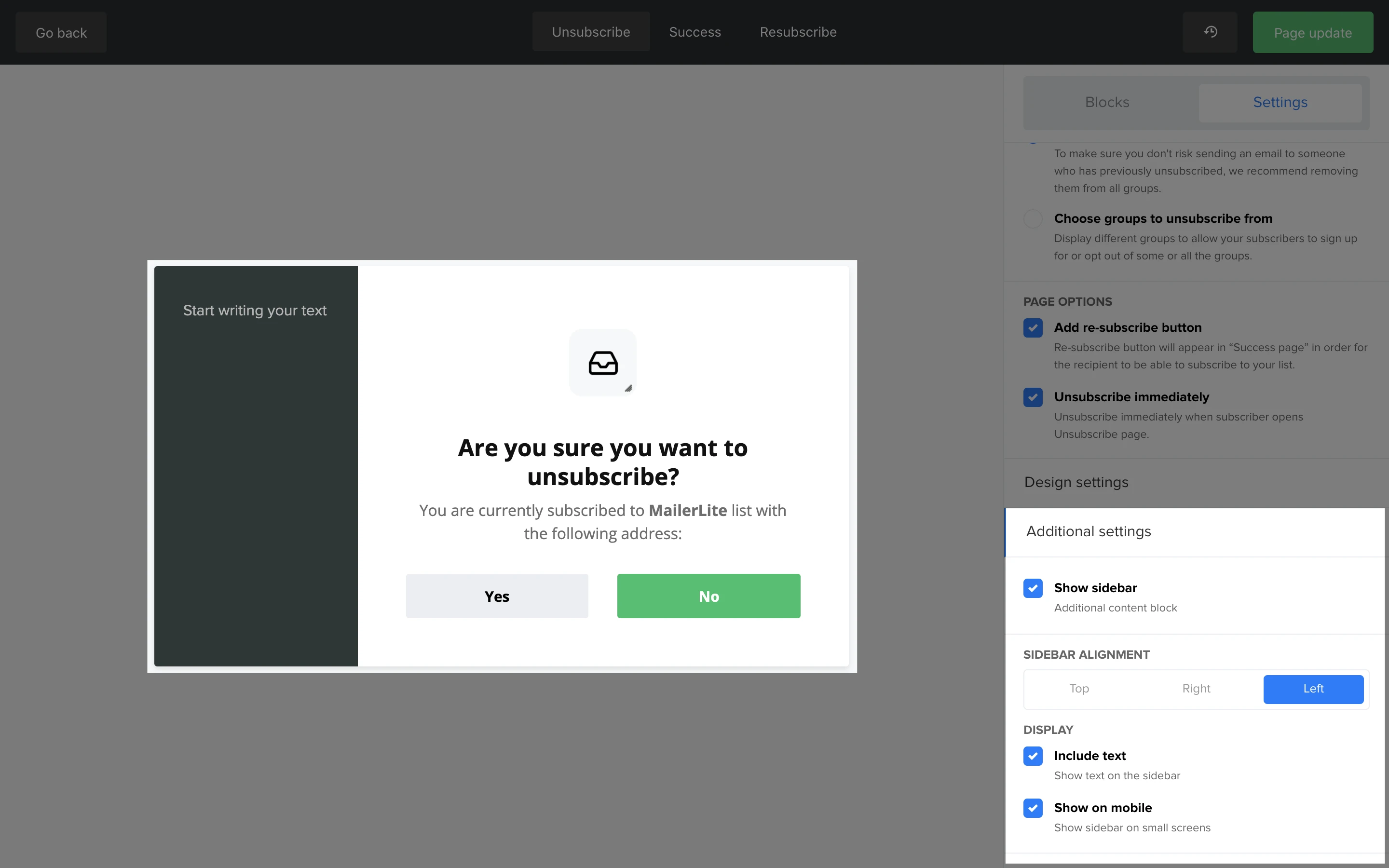
Personalize the page to fit your brand. Use your brand colors and logo. This keeps it familiar. Keep the layout clean and neat. Add a friendly message. Say, “We’re sorry to see you go!” Ask for feedback. A small survey can help improve services. Always include a re-subscribe option. Some may change their mind.
Integrating Unsubscribe Page With Mailerlite
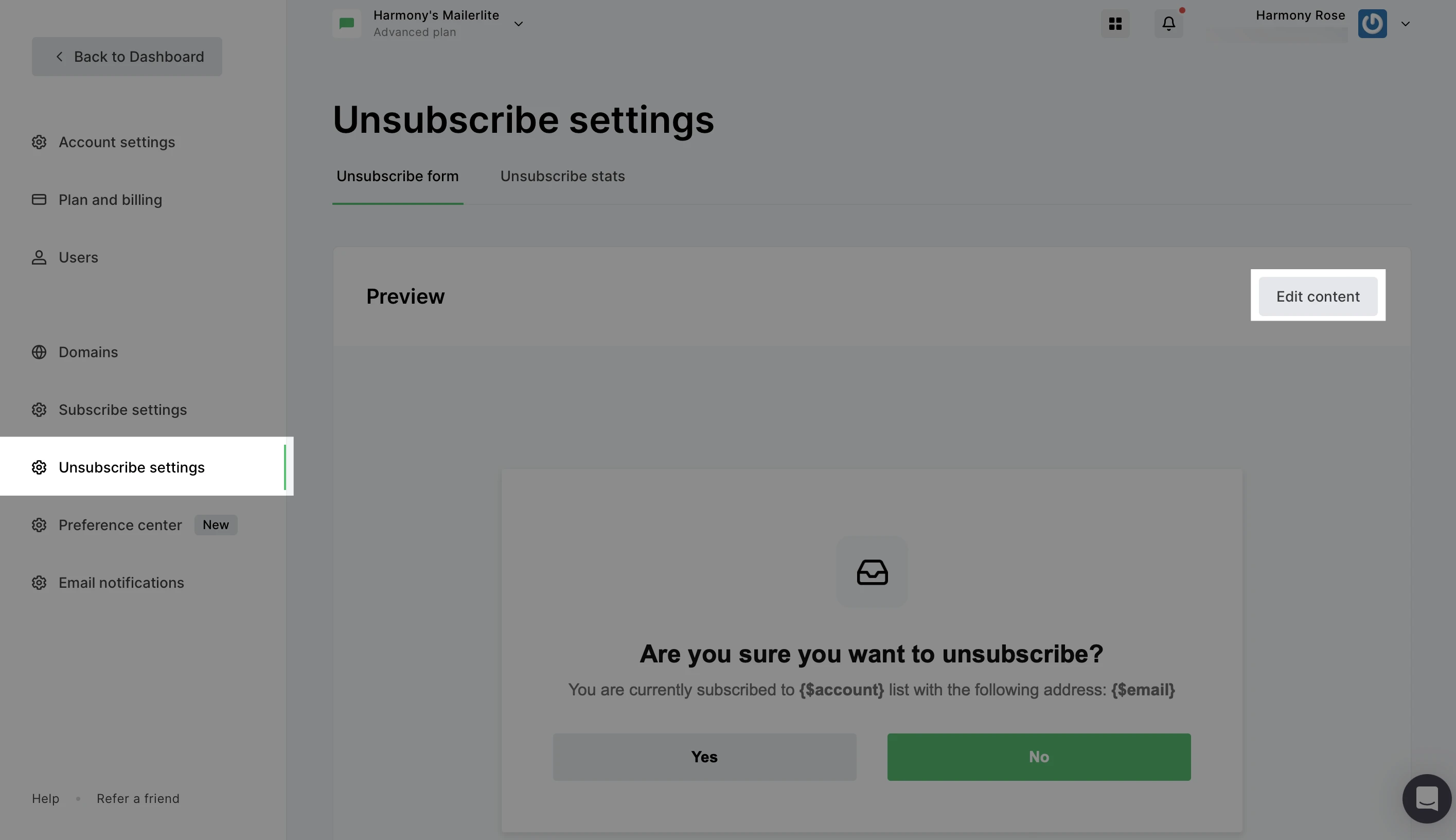
Add the unsubscribe link to your email footer. Open Mailerlite and go to the Campaigns section. Click on the campaign you want to edit. In the email editor, find the footer area. Insert the unsubscribe link there. Make sure it’s visible and easy to find. Test the link before sending out the campaign.
Set up automation for your unsubscribe page. Go to the Automation section in Mailerlite. Create a new workflow. Choose the trigger for when someone unsubscribes. Add actions like sending a goodbye email. Save your workflow and test it. Ensure everything works smoothly.
Best Practices For Unsubscribe Pages
Ensure the message is simple and easy to understand. Use polite language to make users feel respected. State clearly what happens when they unsubscribe. Avoid complex words or phrases. Keep the tone friendly and professional. Use a short message that explains the process.
Offer options to change email frequency. Allow users to choose topics they prefer. Give them a chance to stay. Suggest a newsletter pause instead of leaving. Provide a feedback form to understand their choice. Make sure options are easy to pick.
Credit: www.mailerlite.com
Testing And Optimization
Gathering user feedback is key. Ask users how they feel. Their opinions matter a lot. Feedback helps understand what works. It also shows what needs fixing. Use surveys or direct questions. This way, feedback becomes clear. Analyze feedback to find patterns. Find common issues. Identify areas needing improvement. Make changes based on this data. Always focus on user happiness.
Adjustments improve page performance. Start with small tweaks. Change one thing at a time. Track results for each change. Use analytics tools for insights. Check the page’s loading speed. A fast page is better. Simplify design if needed. Users like simple pages. Keep testing new ideas. Always aim for a smooth experience. Happy users stay longer.
Legal Considerations
Designing an unsubscribe landing page in Mailerlite requires awareness of legal considerations. Comply with GDPR and CAN-SPAM regulations by providing clear opt-out options. Ensure users can easily manage email preferences without unnecessary hurdles.
Data Protection Laws
Data protection laws are very important. They help keep personal information safe. Your landing page must follow these laws. This ensures user data is secure. User privacy is a top priority. Collect only the data you need. Avoid asking for unnecessary details.
Make sure your page is clear and simple. Tell users what data you collect. Explain why you collect it. This builds trust. Keep your privacy policy easy to find. Users should not search for it. Also, update your policy often. Laws change, so stay informed.
Compliance With Regulations
Compliance with regulations is crucial. It protects you from legal trouble. Your unsubscribe page must be compliant. Follow rules for email marketing. This includes giving users a clear option to leave. Make the process simple. Do not hide the unsubscribe button.
Your page should load quickly. Slow pages annoy users. Keep forms short and easy. Request only necessary information. This keeps users happy. Also, test your page often. Ensure it works well on all devices.
Credit: www.mailerlite.com
Frequently Asked Questions
Can I Create A Landing Page In Mailerlite?
Yes, you can create a landing page in MailerLite. Utilize their drag-and-drop editor to design easily. Customize templates, add forms, and optimize for mobile. Enhance your marketing strategy by capturing leads effectively. MailerLite offers user-friendly tools for engaging landing pages.
What Is The Difference Between Delete And Unsubscribe On Mailerlite?
Deleting a contact removes them entirely from your list. Unsubscribing keeps the contact but stops them from receiving emails.
How To Create An Email Unsubscribe Link?
To create an email unsubscribe link, use your email marketing platform’s unsubscribe feature. Customize the link text for clarity. Ensure it’s easily visible in your email footer. Test the link to verify it directs users to a confirmation page. Regularly update and monitor your unsubscribe process for effectiveness.
What Is The List-unsubscribe Header In Mailerlite?
The list-unsubscribe header in MailerLite simplifies email opt-out by providing a direct unsubscribe link. It enhances deliverability and compliance with anti-spam laws. Users can easily unsubscribe without searching for links. This feature builds trust and improves email engagement.
Conclusion
Creating an unsubscribe landing page in MailerLite is straightforward. Start with a clear design. Keep the message simple and honest. Offer options to reduce email frequency. This can retain some subscribers. Test the page for a smooth experience. Use analytics to understand user behavior.
A well-designed page respects subscriber choices. It can improve brand trust and loyalty. Remember, happy subscribers are more likely to return. So, take time to craft a thoughtful unsubscribe experience. Your effort will pay off in maintaining a positive relationship.


