
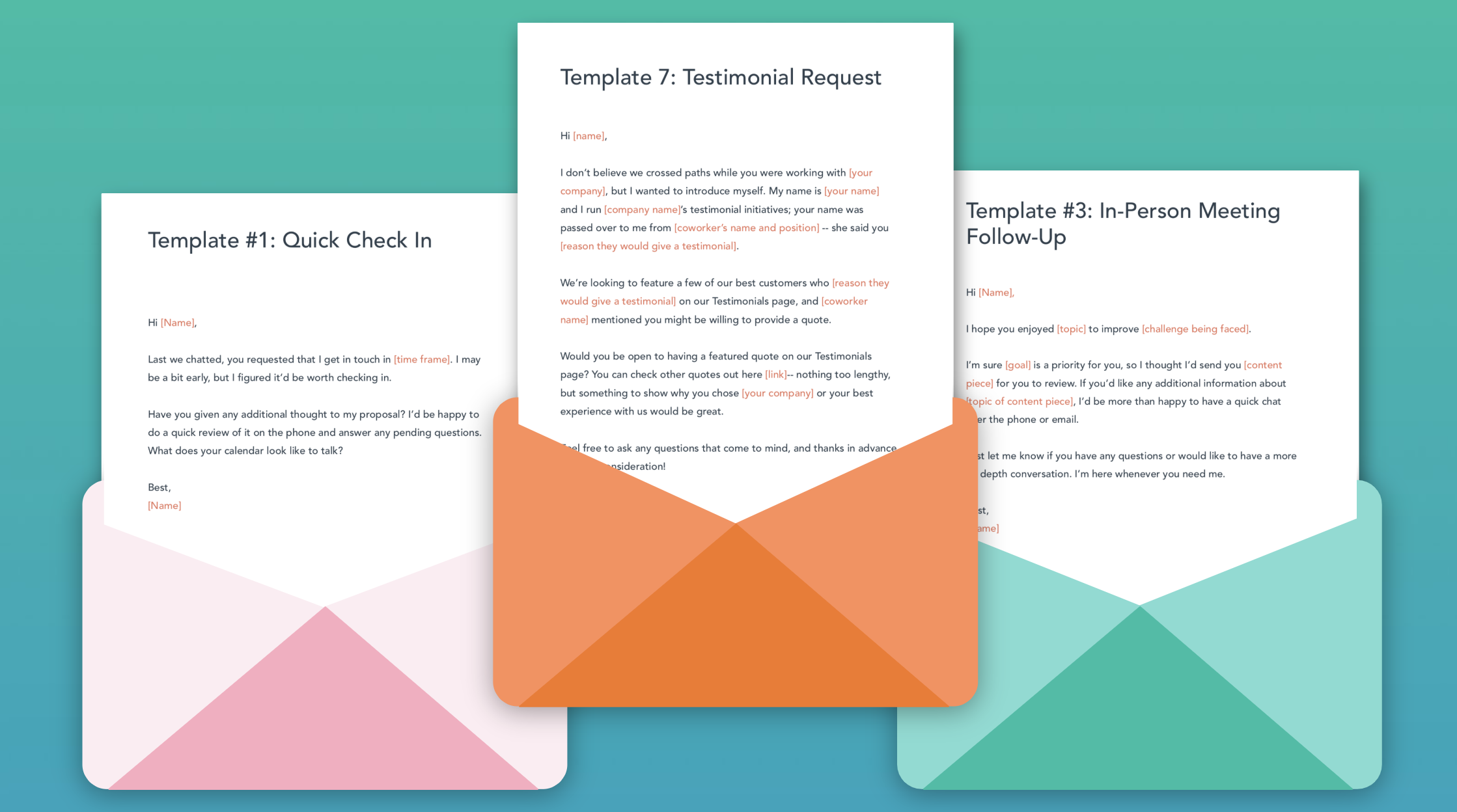
Different marketing emails need distinct design strategies. Tailor your email design to the specific purpose and audience for best results.
Effective email marketing requires understanding your target audience and the email’s purpose. Design plays a crucial role in capturing attention and encouraging engagement. For promotional emails, use vibrant visuals and clear calls to action to drive sales. Newsletters benefit from a clean layout with easy navigation to keep readers informed and engaged.
Transactional emails should prioritize clarity and concise information. Personalization can enhance all types of emails, making them more relevant and appealing to recipients. By focusing on these design tips, you can improve your email marketing effectiveness and achieve better results.
Credit: blog.hubspot.com
Introduction To Marketing Emails
Marketing emails are powerful tools for businesses. They help connect with customers, promote products, and drive sales. Understanding the design of these emails is crucial for success.
Purpose And Impact
The main purpose of marketing emails is to engage customers. They inform about new products, offer discounts, and share company news. Well-designed emails can increase open rates and conversions.
The impact of a good email design is significant. It captures attention, conveys the message clearly, and encourages action. Poor design can lead to low engagement and high unsubscribe rates.
Evolution Of Email Design
Email design has evolved over the years. Early emails were plain text with minimal formatting. Today, emails are visually rich with images, videos, and interactive elements.
Modern email design focuses on user experience. Responsive design ensures emails look good on all devices. Personalization makes emails more relevant to the recipient.
| Era | Key Features |
|---|---|
| Early 2000s | Plain text, basic formatting |
| 2010s | HTML emails, images, basic interactivity |
| 2020s | Responsive design, personalization, advanced interactivity |
- Plain text: Simple and easy to read.
- HTML emails: Visually appealing with images and links.
- Responsive design: Adapts to different screen sizes.
- Personalization: Tailored content for individual recipients.
- Start with a clear goal for your email.
- Design for all devices and screen sizes.
- Use engaging visuals and interactive elements.
- Personalize content to make it relevant.
- Test your emails before sending them.
Design Essentials For All Emails
Creating effective marketing emails requires attention to design. This ensures your message is clear and engaging. Below are essential tips for all email designs.
Responsive Layouts
Responsive layouts ensure your emails look great on any device. Many people check emails on their phones. So, your emails should adapt to different screen sizes.
Use a single-column layout for simplicity. This makes your emails easy to read on small screens. Always include clear and clickable buttons. This boosts your email’s usability.
Here is a simple example of a responsive layout:
Color Psychology
Colors in your email can impact emotions. Choose colors that align with your brand. Use blue for trust and red for urgency.
Here’s a simple table to understand color psychology:
| Color | Emotion |
|---|---|
| Red | Urgency |
| Blue | Trust |
| Green | Calm |
| Yellow | Happiness |
Use contrasting colors for call-to-action buttons. This makes them stand out and encourages clicks.
Typography Fundamentals
Typography affects readability. Choose fonts that are easy to read. Avoid using more than two fonts in your email.
Use bold for important information. This draws the reader’s eye to key points. Maintain a good balance between text and white space.
Here are some basic typography tips:
- Font size: 14-16px for body text
- Line height: 1.5 for better readability
- Font color: Use dark text on a light background
These tips ensure your emails are clear and easy to read.
Newsletter Design Strategies
Creating an effective newsletter involves more than just sending updates. A well-designed newsletter can engage readers, build trust, and drive action. Here are some key strategies to consider.
Engaging Content Structure
Start with a clear and catchy header. Use short paragraphs and bullet points to make content easy to scan. Include sections like news updates, upcoming events, and special offers. Use subheadings to break up text and guide the reader. Keep the most important information at the top.
Visual Hierarchy
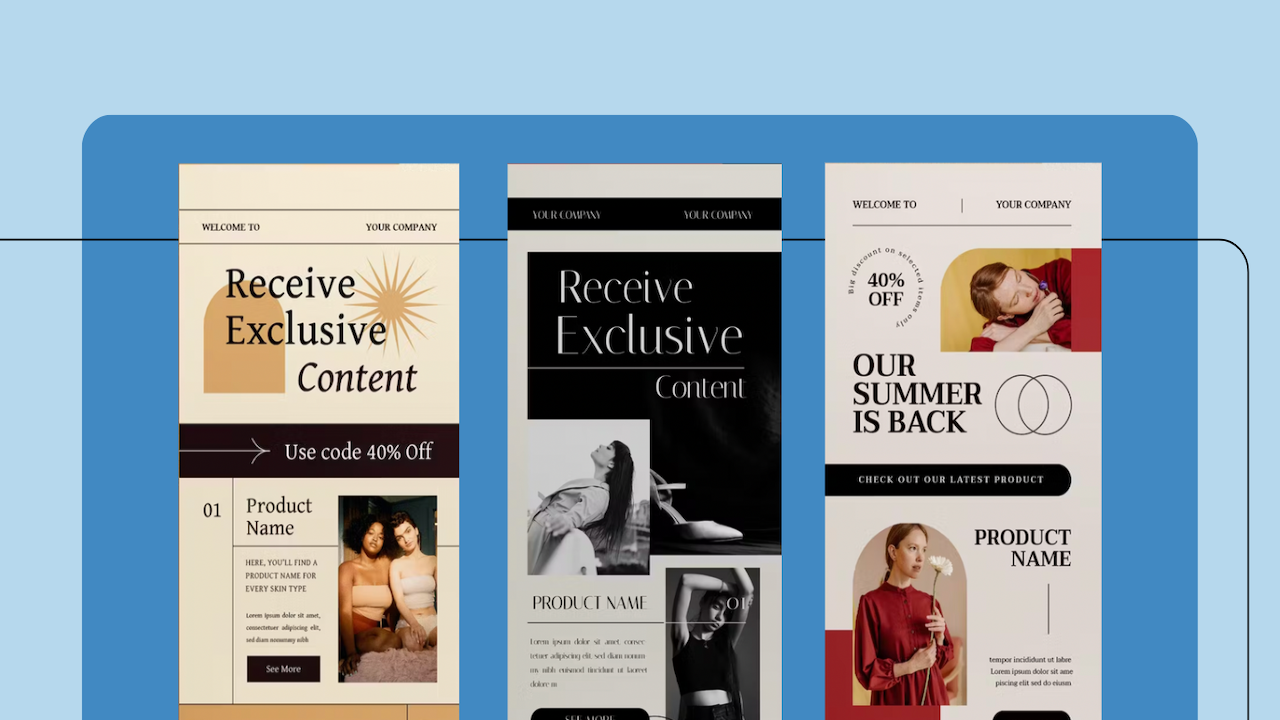
Use visual hierarchy to direct readers’ attention. Headlines should be bold and larger than body text. Highlight key points with contrasting colors. Use images to make the newsletter visually appealing. Ensure all images are high-quality and relevant. Place call-to-action buttons in prominent positions.
Interactive Elements
Add interactive elements to boost engagement. Use clickable links for more information or to drive traffic to your site. Include social media buttons for easy sharing. Embed videos or GIFs to add dynamic content. Use surveys or polls to involve readers. Ensure all interactive elements are mobile-friendly.
| Strategy | Key Points |
|---|---|
| Engaging Content Structure | Clear header, short paragraphs, bullet points, subheadings, top information |
| Visual Hierarchy | Bold headlines, contrasting colors, high-quality images, prominent CTAs |
| Interactive Elements | Clickable links, social media buttons, videos/GIFs, surveys/polls |
Remember to test your newsletter on different devices. Ensure it looks good on both desktop and mobile. This will help you reach a wider audience and improve engagement.
Credit: www.eastshoremarketing.com
Promotional Email Tactics
Promotional emails are key for driving sales and attracting customers. Using the right tactics can make these emails more effective. Below are some proven strategies for crafting compelling promotional emails.
Strong Call-to-action
A strong call-to-action (CTA) can significantly increase your email’s effectiveness. Your CTA should be clear and straightforward.
- Use action words like “Buy Now” or “Get Started”.
- Make the CTA button large and noticeable.
- Place the CTA above the fold.
Consider using contrasting colors for your CTA button to make it stand out. Ensure that the CTA aligns with the email’s goal.
Urgency And Exclusivity
Creating a sense of urgency and exclusivity can prompt quicker actions from your audience.
- Use phrases like “Limited Time Offer” or “Only a Few Left”.
- Highlight exclusive deals for subscribers.
- Include countdown timers to emphasize urgency.
These elements can motivate readers to act quickly, increasing your conversion rates.
Product Highlight Techniques
Effective product highlight techniques can make your promotional emails more engaging and informative.
- Use high-quality images of the product.
- Include short descriptions and key benefits.
- Feature customer reviews and ratings.
Displaying the product’s price and any discounts prominently can also drive sales. Visuals and concise information make the email more appealing.
Transactional Emails Best Practices
Transactional emails are vital for customer interactions. They confirm actions, provide receipts, and update statuses. Optimizing these emails improves user experience and reinforces your brand.
Clarity And Conciseness
Ensure your message is clear and to the point. Users open transactional emails for specific information. Use simple language and short sentences. Avoid clutter and unnecessary details.
| Do | Don’t |
|---|---|
| Use headers and bullet points | Write long paragraphs |
| Highlight key information | Add irrelevant content |
Branding Consistency
Maintain consistent branding across all emails. Use your brand’s colors, fonts, and logos. This strengthens brand recognition and trust.
- Include your logo at the top.
- Use brand colors for headings and buttons.
- Keep the same font as your website.
Transactional Elements Vs Marketing
Separate transactional content from marketing. Users expect specific information in transactional emails. Mixing in marketing can confuse or annoy them.
- Focus on the main transactional message.
- Add marketing content only if it’s relevant.
- Provide a clear call-to-action if needed.
Transactional emails should prioritize user needs. Ensure clarity, branding consistency, and a focus on transactional elements. This enhances the user experience and reinforces trust in your brand.
Welcome Email Series
The Welcome Email Series sets the tone for your brand. It is the first impression new subscribers get. Design these emails with care to build a lasting relationship.
Creating A Warm Welcome
Start with a friendly greeting. Use the subscriber’s name to make it personal. A warm welcome message can make them feel valued. Include a high-quality image of your team or office. This helps create a personal connection.
- Use the subscriber’s name.
- Include a high-quality team image.
- Write a friendly greeting.
Introduction To Brand Story
Share your brand’s story to engage new subscribers. Explain what your brand stands for. Highlight your mission and values. This builds trust and connection. Use a short video or infographic to make it engaging.
- Share your brand’s story.
- Highlight mission and values.
- Use videos or infographics.
Initial Engagement Opportunities
Provide engagement opportunities right from the start. Encourage new subscribers to follow your social media profiles. Offer a special discount for their first purchase. Include a call-to-action to explore your website.
| Engagement Opportunities | Benefits |
|---|---|
| Follow social media | Builds community |
| Special discount | Encourages first purchase |
| Call-to-action | Increases website traffic |
By focusing on these elements, you can create a compelling Welcome Email Series. This will help build a strong relationship with new subscribers.
Re-engagement Email Creatives
Re-engagement emails are essential for rekindling interest in inactive subscribers. These emails need to be visually appealing and engaging. Below are some design tips for creating effective re-engagement emails.
Win-back Themes
Use win-back themes to capture your audience’s attention. Consider bright colors and bold fonts. This can make your email stand out in a crowded inbox.
Incorporate images that evoke positive emotions. Smiling faces or fun graphics work well. Keep the design clean and uncluttered.
| Element | Recommendation |
|---|---|
| Color Scheme | Bright and contrasting colors |
| Fonts | Bold and easily readable |
| Images | Positive and engaging visuals |
Personalization Touches
Adding personalization touches can make your emails more engaging. Use the recipient’s name in the subject line. This makes the email feel more personal.
- Include recommendations based on past behavior.
- Use dynamic content to show personalized offers.
Personalized emails can increase open and click-through rates significantly. Always keep the content relevant to each user.
Incentive Ideas
Offer incentives to encourage engagement. Discounts and special offers work well.
- Provide a limited-time discount code.
- Offer free shipping on the next order.
- Include a buy-one-get-one-free deal.
Make sure the incentives are clear and easy to redeem. Highlight the urgency to create a sense of FOMO (Fear of Missing Out).

Credit: www.canto.com
Seasonal Email Campaigns
Seasonal email campaigns are a powerful tool for engaging your audience. They tap into the festive spirit and sense of urgency. Proper design can make these emails more effective and memorable.
Themed Design Elements
Themed design elements are crucial for seasonal email campaigns. Use colors, images, and fonts that reflect the season. For example:
- Winter Holidays: Use red, green, and white colors. Add snowflake or gift images.
- Summer Sales: Use bright colors like yellow and blue. Add sun or beach images.
- Halloween: Use black, orange, and purple colors. Add pumpkin or ghost images.
Keep your design simple and clean. Avoid cluttering the email with too many elements.
Cultural Sensitivity
Cultural sensitivity is vital for seasonal email campaigns. Understand your audience’s cultural background. Respect their traditions and values. For instance:
- Avoid religious symbols if your audience is diverse.
- Use inclusive language in your email copy.
- Be aware of different holiday dates around the world.
Always proofread your email for cultural appropriateness. A single mistake can hurt your brand’s reputation.
Timing And Scheduling
Timing and scheduling are key factors in seasonal email campaigns. Plan your campaign well in advance. Consider these tips:
- Send emails at optimal times. Early morning or late evening works best.
- Schedule emails to go out a few weeks before the season starts.
- Use countdown timers to create urgency.
Monitor the performance of your emails. Adjust your strategy based on open and click rates.
A/b Testing For Email Design
A/B testing is a powerful tool in email marketing. It helps to refine email design and improve performance. By testing different versions of an email, you can find what works best. This method can boost engagement and conversions.
Key Metrics To Track
Tracking the right metrics is crucial for A/B testing. These metrics help determine which design performs better. Here are some key metrics to monitor:
- Open Rate: Measures how many recipients open the email.
- Click-Through Rate (CTR): Tracks how many clicks the email receives.
- Conversion Rate: Shows how many users take the desired action.
- Bounce Rate: Indicates emails that did not reach the inbox.
- Unsubscribe Rate: Tracks how many users opt out of the mailing list.
Testing Different Design Elements
Different design elements can influence email performance. Test these elements to find the most effective design:
- Subject Lines: Experiment with different wordings and lengths.
- Images: Test various images and placements.
- Call-to-Action (CTA): Try different buttons, links, and texts.
- Layouts: Compare single-column versus multi-column designs.
- Colors: Experiment with different color schemes and contrasts.
Interpreting Test Results
Understanding test results is essential for making informed decisions. Analyze the data to see which design elements work best. Here are some steps to interpret your A/B test results:
- Compare Metrics: Look at the key metrics for each version.
- Identify Trends: Notice any patterns or trends in the data.
- Make Data-Driven Decisions: Use the insights to choose the best design.
- Iterate: Continue testing and refining based on results.
A/B testing is an ongoing process. Regularly test and tweak your email designs for optimal results.
Legal Compliance And Accessibility
Ensuring your marketing emails comply with legal standards is crucial. They must also be accessible to all users. This helps to maintain trust with your audience and avoid legal issues.
Gdpr And Can-spam Considerations
GDPR and CAN-SPAM laws dictate how you handle user data. They also specify how you can send marketing emails.
- GDPR requires you to get explicit consent from users.
- CAN-SPAM mandates an easy opt-out option in every email.
Failure to comply with these laws can result in hefty fines. Always include a clear unsubscribe link. Make sure to honor opt-out requests promptly.
Email Accessibility Guidelines
Email accessibility ensures everyone can read your emails. This includes people with disabilities.
Follow these guidelines to make your emails accessible:
- Use alt text for images.
- Ensure contrast between text and background colors.
- Utilize semantic HTML tags like
,, and
| Accessibility Feature | Implementation |
|---|---|
| Alt Text | Include descriptive text for all images. |
| Contrast | Ensure text stands out against the background. |
| Semantic HTML | Use proper tags to structure your email content. |
By following these tips, your emails will be both compliant and accessible. This will help you reach a wider audience and build trust.
Frequently Asked Questions
What Are The 7 Email Marketing Strategies?
1. Personalize your emails. 2. Segment your audience. 3. Optimize subject lines. 4. Use clear calls-to-action. 5. Test and analyze campaigns. 6. Automate email sequences. 7. Ensure mobile compatibility.
What Are The Different Types Of Email Design?
The different types of email design include single-column, multi-column, hybrid, and responsive designs. Single-column is simple, multi-column is structured, hybrid adapts to devices, and responsive ensures optimal viewing on any screen.
How Do You Design A Marketing Email?
Design a marketing email by defining your goal, crafting a catchy subject line, and personalizing the content. Include a clear call-to-action, use engaging visuals, and ensure mobile-friendliness. Test different versions to optimize performance.
What Are The 5 Ts Of Email Marketing?
The 5 Ts of email marketing are Targeting, Timing, Testing, Tracking, and Tactics. Target the right audience. Send emails at the optimal time. Test different strategies. Track your results. Use effective tactics.
Conclusion
Crafting the perfect marketing email takes practice and attention to detail. Each type of email requires its unique design approach. Implement these design tips to enhance engagement and effectiveness. By tailoring your emails, you can better connect with your audience and achieve your marketing goals.
Start applying these strategies today for better results.


