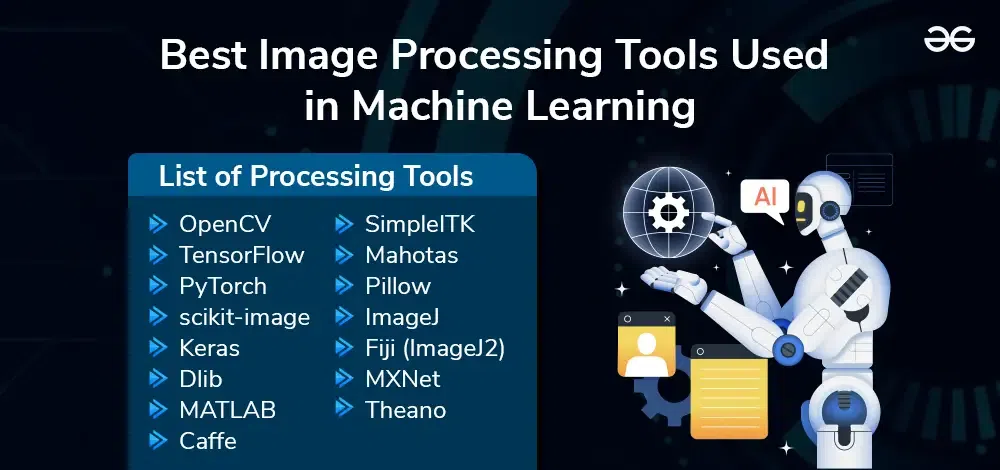
Image processing tools in multimedia enhance visual content and improve image quality. These tools support various functions like editing, filtering, and transforming images.
Image processing tools play a crucial role in multimedia by offering features to edit, enhance, and manipulate images. They enable users to improve image quality, apply filters, and make transformations, contributing to better visual presentations. Popular tools like Adobe Photoshop, GIMP, and CorelDRAW provide a range of functionalities that cater to both professional and personal needs.
These tools simplify complex tasks, making them accessible to users with varying skill levels. Effective use of image processing tools ensures that multimedia content is visually appealing, engaging, and meets the desired standards. Such tools are indispensable in fields like graphic design, photography, and digital marketing.
Credit: medium.com
The Evolution Of Image Processing Tools
The journey of image processing tools has been remarkable. From the early days of analog methods to the sophisticated digital tools of today, the evolution has transformed multimedia. This section delves into the significant milestones in this fascinating journey.
From Analog To Digital
Analog image processing was the starting point. It relied on electrical signals to manipulate images. Techniques like photographic film development were common. These methods were slow and less precise.
Then came the digital revolution. Digital image processing emerged in the 1960s. It allowed for more precise and efficient image manipulation. Computers played a crucial role in this transformation. They enabled complex algorithms to enhance and modify images.
With digital processing, images became more detailed. Editing became faster and more accurate. This shift laid the foundation for modern multimedia applications.
Innovations In The Last Decade
The last decade has seen explosive growth in image processing tools. Artificial Intelligence (AI) and Machine Learning (ML) have revolutionized the field. These technologies enable automatic image recognition and enhancement.
Deep learning algorithms have made tasks like object detection and facial recognition more accurate. Tools like Adobe Photoshop and GIMP have integrated these advancements. They provide users with powerful features for editing and manipulation.
Another significant innovation is cloud-based image processing. Services like Google Photos offer automatic image enhancement and organization. These tools leverage the power of cloud computing for real-time processing.
Mobile applications have also advanced significantly. Apps like Snapseed and VSCO offer professional-grade editing tools on smartphones. This accessibility has democratized image processing, allowing everyone to create stunning visuals.
| Period | Key Innovation | Impact |
|---|---|---|
| 1960s | Digital Processing | Increased Precision |
| 2010s | AI and ML | Automatic Recognition |
| 2020s | Cloud-Based Tools | Real-Time Processing |

Credit: www.routledge.com
Core Principles Of Image Processing
Understanding the core principles of image processing is crucial. These principles help us manipulate and enhance images. Whether it’s for multimedia, photography, or graphics, knowing these basics is essential.
Pixel Manipulation Basics
A digital image consists of tiny dots called pixels. Each pixel holds a specific color and brightness value. By altering these values, we can change the image’s appearance. This process is known as pixel manipulation.
Here’s an example of pixel manipulation:
- Changing brightness
- Adjusting contrast
- Applying filters
These simple changes can have a big impact on the final image. For instance, increasing brightness makes an image look lighter. Adjusting contrast can make details more visible.
Color Models And Their Importance
Color models define how colors are represented in an image. The most common color models are RGB and CMYK.
RGB stands for Red, Green, and Blue. This model is used mainly in screens and digital devices. Each pixel in an RGB image has three values: one for red, one for green, and one for blue.
Here’s a basic table explaining RGB values:
| Color | Red Value | Green Value | Blue Value |
|---|---|---|---|
| Black | 0 | 0 | 0 |
| White | 255 | 255 | 255 |
| Red | 255 | 0 | 0 |
| Green | 0 | 255 | 0 |
| Blue | 0 | 0 | 255 |
CMYK stands for Cyan, Magenta, Yellow, and Key (Black). This model is used in printing. Each color is created by blending these four base colors.
Understanding these color models helps in accurate color reproduction. Whether on screens or in print, knowing the right model is crucial.
Popular Image Processing Software
In the realm of multimedia, image processing tools are indispensable. These tools enhance, manipulate, and transform images for various applications. From professional photo editing to academic research, the right software can make a significant difference. In this section, we will explore some of the most popular image processing software. We will focus on both leading industry standards and robust open-source alternatives.
Leading Industry Standards
The industry standards for image processing software set the benchmark for quality and features. These tools are widely used by professionals across various fields.
- Adobe Photoshop: A powerhouse in photo editing, offering a vast array of features.
- Corel PaintShop Pro: Known for its user-friendly interface and powerful tools.
- GIMP: A versatile tool suitable for both beginners and experts.
| Software | Features | Platform |
|---|---|---|
| Adobe Photoshop | Advanced editing, 3D design, image manipulation | Windows, macOS |
| Corel PaintShop Pro | Photo editing, graphic design, easy-to-use | Windows |
| GIMP | Free, open-source, extensive plugins | Windows, macOS, Linux |
Open-source Alternatives
Open-source image processing software provides powerful tools without the cost. These alternatives are perfect for those on a budget or who prefer customizable solutions.
- GIMP: A free alternative to Photoshop with extensive features.
- Inkscape: Ideal for vector graphics and illustration.
- Darktable: Excellent for photographers needing a free Lightroom alternative.
Both industry standards and open-source tools offer unique advantages. Choosing the right one depends on your needs and preferences. Whether you are a professional or a hobbyist, these tools can elevate your image processing capabilities.
Enhancing Images With Advanced Techniques
Modern image processing tools offer incredible ways to improve photos. These advanced techniques make images look more vibrant and detailed. Let’s explore some of the most exciting methods.
High Dynamic Range Imaging
High Dynamic Range (HDR) Imaging is a powerful tool. It captures a wider range of light and dark areas in photos. This process combines multiple shots taken at different exposures. The result is a more realistic and stunning image.
Benefits of HDR Imaging:
- Better detail in bright and dark areas
- More vibrant colors
- Enhanced overall image quality
Here’s how HDR works:
- Take three or more photos at different exposures.
- Merge them using HDR software.
- Adjust the final image for the best result.
Panoramic Stitching Explained
Panoramic Stitching creates wide-angle photos. It combines multiple images to make one seamless picture. This technique is perfect for landscape photography.
Steps to create a panoramic image:
- Take overlapping photos of a scene.
- Use stitching software to merge the images.
- Adjust the final image for a perfect panorama.
Advantages of Panoramic Stitching:
- Captures wide scenes in one image
- Shows more detail and context
- Creates stunning visual effects
Both HDR Imaging and Panoramic Stitching offer unique ways to enhance photos. These techniques make your images stand out.
Restoration And Reconstruction
Image processing tools play a vital role in restoration and reconstruction. These tools help improve the quality of old or damaged images. They remove unwanted artifacts and recover lost details.
Removing Artifacts And Noise
Artifacts and noise can degrade image quality. Artifacts are unwanted elements in an image, like scratches or compression blocks. Noise appears as random speckles or graininess. Both can distract from the main content of the image.
Several techniques exist for removing artifacts and noise:
- Median Filtering: Replaces each pixel with the median value of its neighbors.
- Gaussian Blurring: Smoothens the image using a Gaussian function.
- Wavelet Transform: Decomposes the image into different frequency components.
These methods ensure a cleaner and clearer image.
Recovering Lost Details
Images sometimes lose important details due to damage or poor quality. Recovering these details can significantly enhance the image.
Common techniques for recovering lost details include:
- Super-Resolution: Uses multiple low-resolution images to create a high-resolution version.
- Inpainting: Fills in missing or damaged parts of an image using surrounding pixels.
- Deconvolution: Reverses the effects of blurring and distortion.
These methods help restore the image to its original state. They bring back fine details and improve overall quality.
| Method | Description | Best For |
|---|---|---|
| Median Filtering | Replaces pixel with median value of neighbors. | Removing noise |
| Super-Resolution | Creates high-res image from low-res images. | Recovering details |
| Inpainting | Fills missing parts using nearby pixels. | Fixing damaged areas |
Using these tools, images can be restored and reconstructed effectively. This ensures that valuable visual information is preserved.

Credit: www.amazon.com
Image Processing In Social Media
Image processing plays a crucial role in social media. It enhances user engagement and visual appeal. Social media platforms use various image processing tools to improve user experience.
Filters And Effects
Filters and effects are popular in social media. They transform ordinary photos into visually appealing images. Users can choose from a variety of pre-set filters to apply to their photos. These filters can change colors, contrast, and brightness.
Here are some popular filter categories:
- Vintage
- Black and White
- Sepia
- High Contrast
Effects like blur, sharpen, and vignette are also common. They add a professional touch to images. Users can also customize these effects for a unique look.
Real-time Processing Challenges
Real-time processing of images presents several challenges. Social media platforms need to process images quickly and efficiently. This ensures a seamless user experience.
Here are some common challenges:
| Challenge | Description |
|---|---|
| Latency | Delays in processing can frustrate users. |
| Resource Management | Efficient use of memory and processing power is crucial. |
| Scalability | Systems must handle a large number of users simultaneously. |
Machine learning algorithms are often used to address these challenges. They help in optimizing the processing time and resource usage.
The Impact Of Ai On Image Processing
Artificial Intelligence (AI) has revolutionized image processing in multimedia. From enhancing photos to detecting objects, AI tools are transforming the field. These advancements lead to better quality and more efficient processing.
Machine Learning Algorithms
Machine learning algorithms play a pivotal role in AI-driven image processing. These algorithms learn from vast amounts of data to perform tasks. They can identify patterns, recognize objects, and even enhance images automatically.
- Convolutional Neural Networks (CNNs): Ideal for image recognition and classification.
- Generative Adversarial Networks (GANs): Used for creating realistic images.
- Autoencoders: Help in image compression and noise reduction.
These algorithms make processing faster and more accurate. They reduce the need for manual intervention, saving time and resources.
Future Of Automated Enhancement
The future of automated enhancement looks promising with AI. Tools are becoming smarter and more intuitive. They can enhance images with minimal human input.
Here are some future trends:
- Real-time enhancement: AI tools will enhance images instantly.
- Personalized filters: Custom filters based on user preferences.
- Advanced color correction: Automatically adjusting colors for better visuals.
These advancements will make image processing more user-friendly. They will also open up new possibilities in multimedia.
AI’s impact on image processing is profound. It is making processes quicker and more efficient. The future holds exciting developments in this field.
Ethical Considerations And Misuse
Image processing tools are powerful in multimedia. They can enhance visuals, create stunning effects, and improve user experience. Yet, their misuse raises ethical concerns. These tools can distort reality and spread misinformation.
The Debate On Manipulation
Manipulation of images sparks a big debate. Some believe it enhances creativity and expression. Others argue it deceives the audience. Ethical manipulation involves minor edits like color correction or cropping. Unethical manipulation changes the context or meaning. This can mislead viewers and erode trust.
Consider these examples:
| Type of Manipulation | Example | Ethical Concern |
|---|---|---|
| Color Correction | Adjusting brightness | Minimal |
| Context Change | Adding people to a scene | High |
| Deepfakes | Swapping faces in videos | Extreme |
Preventing Deepfakes And Misinformation
Deepfakes pose a serious threat. They can create false videos that appear real. This spreads misinformation quickly. Preventing deepfakes involves several strategies:
- Education: Teach people to spot fake content.
- Technology: Use AI to detect manipulated images.
- Regulation: Implement laws to penalize misuse.
Developers play a crucial role here. They must create tools that are hard to misuse. Users should verify the authenticity of images and videos. Social media platforms need robust detection algorithms. This can help stop the spread of fake content.
Ethical use of image processing tools is vital. It ensures trust and credibility in multimedia.
Frequently Asked Questions
What Is An Image Processing Tool?
An image processing tool enhances, analyzes, and manipulates digital images. It improves quality, extracts information, and modifies visuals for various applications.
What Is Image Processing In Multimedia?
Image processing in multimedia involves enhancing, analyzing, and manipulating images using algorithms. It improves image quality and extracts useful information.
What Are The 3 Types Of Digital Image Processing?
The three types of digital image processing are image enhancement, image restoration, and image compression. Image enhancement improves visual appearance. Image restoration corrects distortions and noise. Image compression reduces file size for storage and transmission.
What Is The Application Of Multimedia In Image Processing?
Multimedia in image processing enhances visual content. It involves editing, compressing, and transforming images. Applications include medical imaging, digital photography, and video production.
Conclusion
Image processing tools are essential for enhancing multimedia content. They improve quality, efficiency, and user experience. By using these tools, creators can produce visually appealing and engaging media. Stay updated with the latest advancements to leverage their full potential. Embrace these tools to elevate your multimedia projects to new heights.