
The best file format for photo editing is TIFF. It preserves high quality and supports layers and transparency.
Photo editing requires precision and flexibility. TIFF (Tagged Image File Format) is ideal for this purpose. It retains image quality and supports layers, making it perfect for detailed edits. Photographers and graphic designers prefer TIFF due to its lossless compression.
This format ensures no data loss, maintaining the integrity of the original image. Additionally, TIFF files can be easily converted to other formats if needed. While it produces larger file sizes, the quality benefits outweigh this drawback. Choose TIFF for professional-grade photo editing and superior image preservation.
Introduction To Photo Editing File Formats
Choosing the right file format is crucial for effective photo editing. Different formats offer unique benefits and limitations. Let’s explore the most important file formats for photo editing.
Why File Format Matters
File format affects the quality and flexibility of your photos. It determines the level of detail, color accuracy, and file size. Using the right format ensures your edits look professional and polished. Some formats support layers and transparency, useful for complex edits. Choosing the wrong format can result in loss of detail and quality. Understanding file formats helps you make better editing decisions.
Common Formats Overview
| Format | Advantages | Disadvantages |
|---|---|---|
| JPEG |
|
|
| PNG |
|
|
| TIFF |
|
|
| RAW |
|
|
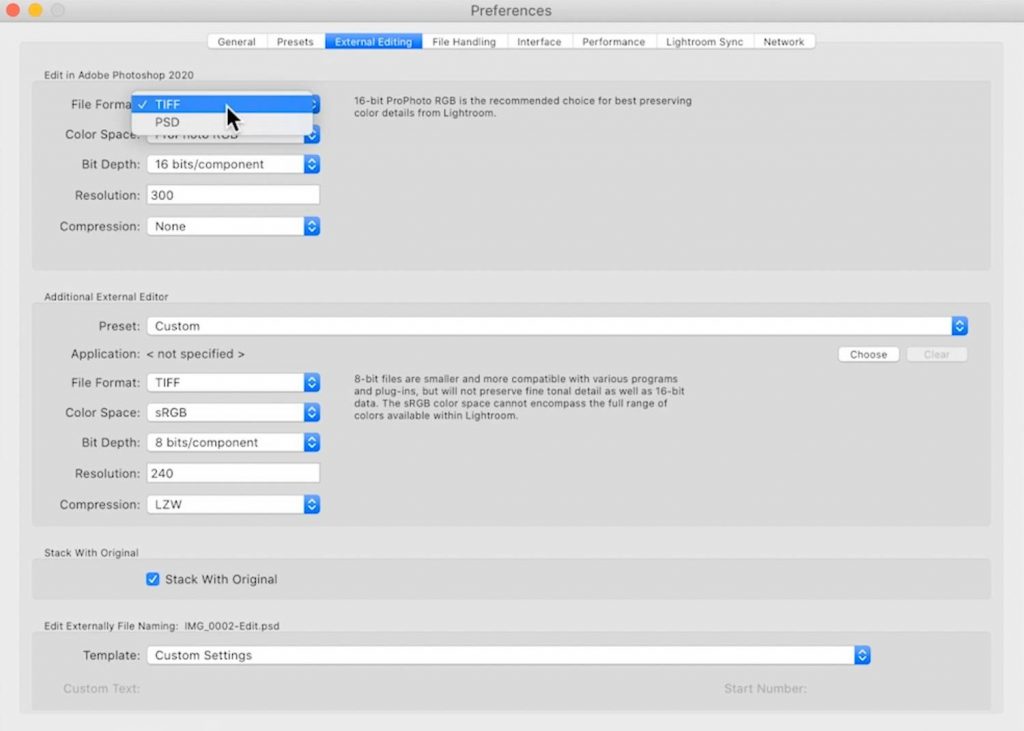
Credit: theimageflow.com
Jpeg: The Ubiquitous Format
JPEG is one of the most popular photo formats. It is widely used for its balance of quality and file size. Whether for social media, websites, or emails, JPEG serves various purposes. It is essential to understand the pros and cons of this format.
Pros Of Using Jpeg
- Compression: JPEG files are small. This makes them easy to store and share.
- Compatibility: Almost all devices support JPEG. You can open them on any platform.
- Quality: JPEG maintains good quality even after compression. This is ideal for everyday use.
- Speed: Editing and saving JPEG files is quick. This saves time, especially on large projects.
Cons Of Using Jpeg
- Lossy Compression: JPEG uses lossy compression. This means some data is lost during saving.
- Limited Editing: Repeated editing and saving can degrade quality. The image can lose its sharpness.
- Less Detail: JPEGs have less detail compared to RAW files. They are not ideal for professional editing.
- Artifacts: JPEGs can show compression artifacts. These are unwanted visual distortions.
Raw: The Professional’s Choice
In the realm of photo editing, RAW files stand out. They are favored by professionals. These files offer unmatched flexibility and quality. Unlike other formats, RAW files capture all image data.
This makes RAW files perfect for detailed edits. Let’s dive into the advantages and drawbacks of RAW files.
Advantages Of Raw Files
RAW files have numerous benefits. Some of the key advantages include:
- High Quality: RAW files retain all image data. This ensures the highest quality.
- Greater Control: Editors have more control over exposure and white balance.
- Non-Destructive Editing: Edits do not alter the original file. You can always revert to the original.
- Better Detail: RAW files capture more details in shadows and highlights.
Drawbacks Of Raw Files
Despite the benefits, RAW files have some drawbacks. These include:
- Large File Size: RAW files are much larger than JPEGs. This requires more storage.
- Software Compatibility: Not all software can open RAW files. Special software is often needed.
- Processing Time: RAW files require more time to process and edit.
- Sharing Issues: RAW files are not ideal for quick sharing. They need conversion before sharing.
In summary, RAW files are the professional’s choice for photo editing. They offer unparalleled quality and control but come with some trade-offs.
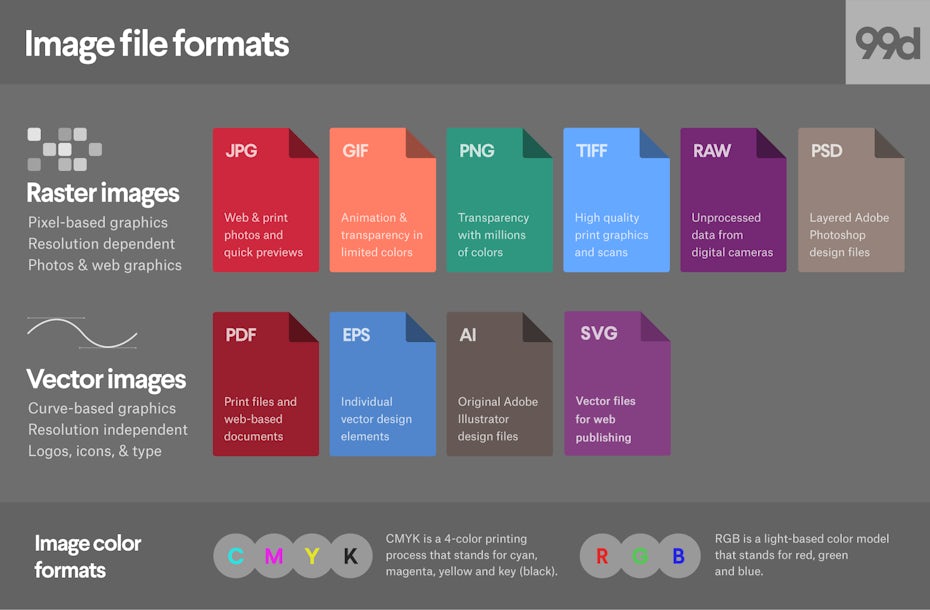
Credit: 99designs.com
Png: Balancing Quality And Compression
PNG is a popular format for photo editing. It offers a balance of quality and file size. PNG images have a lossless compression. This means no data is lost during compression. The format also supports transparency.
Why Choose Png
Quality: PNG images do not lose quality. This is important for editing photos. The format retains all the details of the original image.
Transparency: PNG supports transparent backgrounds. This is useful for logos and web graphics.
Wide Compatibility: Most software and browsers support PNG. This makes it easy to share and use.
Compression: PNG uses lossless compression. This keeps file sizes small without losing quality.
Limitations Of Png
File Size: PNG files can be larger than JPEGs. This can be a problem for storage and sharing.
Not Ideal for Photos: PNG is not the best for complex photos. JPEG or TIFF might be better for high-detail images.
Limited Animation Support: PNG does not support animation. GIF or WebP formats are better for animated images.
| Feature | PNG |
|---|---|
| Quality | High, Lossless |
| Transparency | Yes |
| File Size | Medium to Large |
| Animation | No |
| Best Use | Logos, Web Graphics |
Tiff: The Archival Standard
For professional photo editing, the TIFF format stands out as the archival standard. TIFF files are known for their high quality and versatility. They preserve the original image details without compression loss, making them ideal for photographers and editors.
Benefits Of Tiff
TIFF files offer numerous benefits for photo editing:
- No Compression Loss: TIFF files maintain image quality.
- High Color Depth: Supports up to 16-bit color depth.
- Layer Support: Keeps layers intact for future edits.
- Wide Compatibility: Works with most photo editing software.
When To Avoid Tiff
Despite its advantages, there are situations where you might avoid using TIFF:
- Large File Size: TIFF files can be very large.
- Storage Limitations: They consume significant storage space.
- Slow Transfer: Large file size can slow down transfer speeds.
Psd: The Photoshop Native
The PSD file format is Adobe Photoshop’s native format. It is widely used by designers and photographers. PSD files allow for editing and saving complex projects. This format retains layers, masks, channels, and other elements. It is ideal for detailed and intricate photo editing.
Pros Of Psd Files
- Layer Preservation: PSD files keep all your layers intact. You can edit any layer without affecting others.
- High Quality: PSD files maintain the highest quality. There is no compression.
- Advanced Features: PSD supports masks, channels, and other advanced features. This allows for detailed editing.
- Compatibility with Adobe Suite: PSD files are fully compatible with other Adobe programs. This includes Illustrator and InDesign.
Cons Of Psd Files
- Large File Size: PSD files can be very large. This can make storage difficult.
- Software Dependency: PSD files require Adobe Photoshop. Other programs may not support all PSD features.
- Not Web-Optimized: PSD files are not ideal for web use. They are better suited for print and detailed editing.
Below is a table summarizing the pros and cons of PSD files:
| Pros | Cons |
|---|---|
| Layer Preservation | Large File Size |
| High Quality | Software Dependency |
| Advanced Features | Not Web-Optimized |
| Compatibility with Adobe Suite |
Comparing Formats For Different Needs
Choosing the right file format for photo editing depends on your needs. Different formats offer unique advantages tailored to specific uses. Here, we will compare popular formats for web publishing, print media, and archiving.
Web Publishing
For web publishing, JPEG and PNG are the most common formats.
- JPEG: Ideal for photos with lots of colors. It offers good compression but may lose quality over time.
- PNG: Perfect for images requiring transparency. It maintains quality but results in larger files.
Both formats are supported by all web browsers. This ensures compatibility across different devices.
Print Media
Print media demands high-resolution and high-quality formats. TIFF and PDF are preferred choices.
- TIFF: Retains all image data and offers excellent quality. It’s ideal for professional prints but results in large file sizes.
- PDF: Versatile and widely supported. It can combine multiple images and text, making it perfect for brochures and flyers.
These formats ensure your images look sharp and vibrant in print.
Archiving
Archiving requires formats that preserve image quality over time. RAW and DNG are the best options.
- RAW: Captures all data from your camera sensor. It offers the highest quality but requires specific software to open.
- DNG: A universal format that maintains RAW quality. It is more accessible and supported by various programs.
These formats are perfect for storing your original photos without losing any detail.
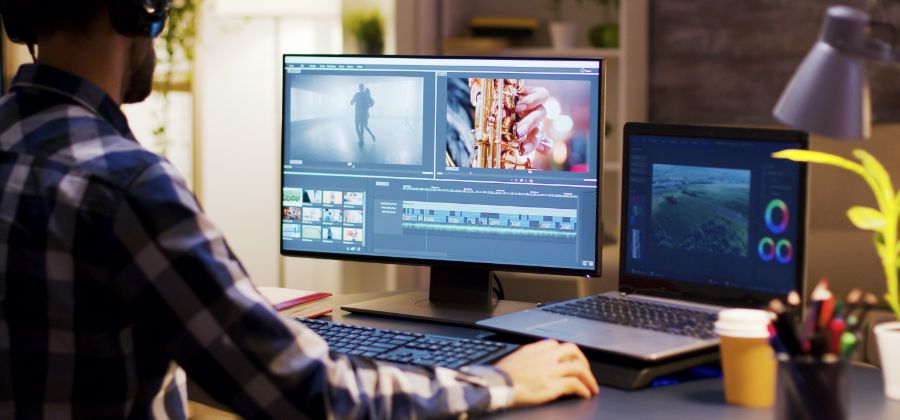
Credit: www.adobe.com
Software Considerations
Choosing the best file format for photo editing depends on software considerations. Different software applications support various formats. This affects the editing process and final output.
Compatibility Issues
Each photo editing software supports certain formats. Common formats include JPEG, PNG, and TIFF.
- Adobe Photoshop: Supports PSD, JPEG, PNG, TIFF.
- GIMP: Supports XCF, JPEG, PNG, TIFF.
- Lightroom: Supports JPEG, PNG, TIFF, DNG.
Ensure your chosen format is compatible. This avoids editing issues later.
Conversion Tools
Sometimes, you may need to convert files. Conversion tools help change file formats. This ensures compatibility with your software.
Popular conversion tools include:
- Adobe Lightroom: Converts to DNG.
- GIMP: Exports to multiple formats.
- Photoshop: Save As feature for different formats.
Use these tools to maintain quality during conversion. This helps keep your photos looking their best.
Making The Right Choice
Selecting the best file format for photo editing is crucial. Each format has unique features and benefits. Knowing these can enhance your editing process. Let’s explore the factors and recommendations to help you choose wisely.
Factors To Consider
Choosing a file format depends on several factors. These include:
- Image Quality: Some formats preserve quality better.
- File Size: Smaller files save space but may lose quality.
- Editability: Some formats are easier to edit multiple times.
- Compatibility: Ensure the format works with your software.
| Format | Quality | Size | Editability | Compatibility |
|---|---|---|---|---|
| JPEG | High | Medium | Low | High |
| PNG | Very High | Large | Medium | High |
| RAW | Highest | Very Large | High | Medium |
| TIFF | Very High | Large | Very High | Medium |
Recommendations For Beginners
If you are new to photo editing, consider these tips:
- Start with JPEG: It’s user-friendly and widely compatible.
- Experiment with PNG: Great for images with transparency.
- Learn to Use RAW: Offers the best quality for detailed editing.
- Understand TIFF: Ideal for high-quality prints.
Choose a format that matches your needs and skills. Practice with different formats to find your preference. This will help you master photo editing efficiently.
Frequently Asked Questions
What File Type Is Best For Image Editing?
The best file type for image editing is PSD. It preserves layers, masks, and other editable elements. PSD files offer flexibility and high-quality results.
What Picture File Format Is Best Quality?
The best quality picture file format is TIFF. It preserves image detail and supports lossless compression, making it ideal for high-quality prints.
Is Jpeg Or Png Higher Quality?
PNG offers higher quality than JPEG due to lossless compression. JPEG is better for smaller file sizes. Choose PNG for detailed images.
What Format Do Professional Photographers Use?
Professional photographers typically use RAW format. RAW files retain maximum image data and allow extensive post-processing.
Conclusion
Choosing the best file format for photo editing depends on your needs. JPEG is great for sharing, while TIFF and PSD offer higher quality. RAW files provide the most flexibility. Each format has its advantages. Select the one that aligns with your project requirements.
Happy editing!



